What AI in workforce management does for hourly teams
AI workforce management software is workforce software incorporating one or more AI capabilities. The label does not mean every function uses AI.
Demand forecasting estimates required coverage. Schedule optimization assigns workers against constraints. Generative AI produces language, such as a shift message. Ordinary rules based automation can send a credential expiry reminder without any prediction.
Peopleware explains these distinctions. Google’s scheduling documentation shows why assigning workers requires explicit coverage requirements, constraints and preferences, rather than a plausible looking roster.
Modern AI workforce management use cases (with examples)
Each application needs reliable inputs and a manager decision:
- Forecasting: Historical workload informs proposed coverage. Operations approves the staffing requirement.
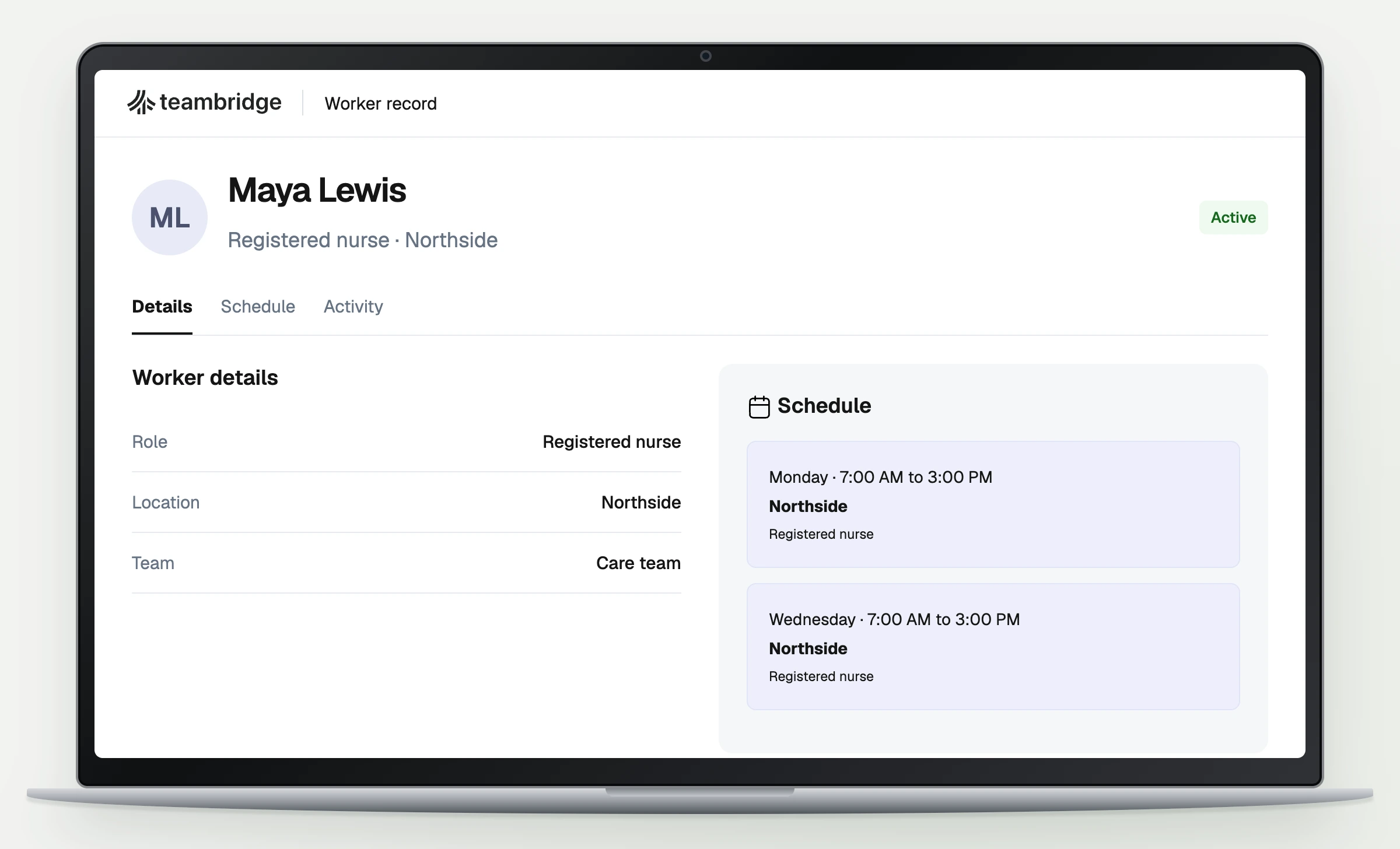
- Matching: Availability and verified qualifications inform assignments. Scheduling checks eligibility.
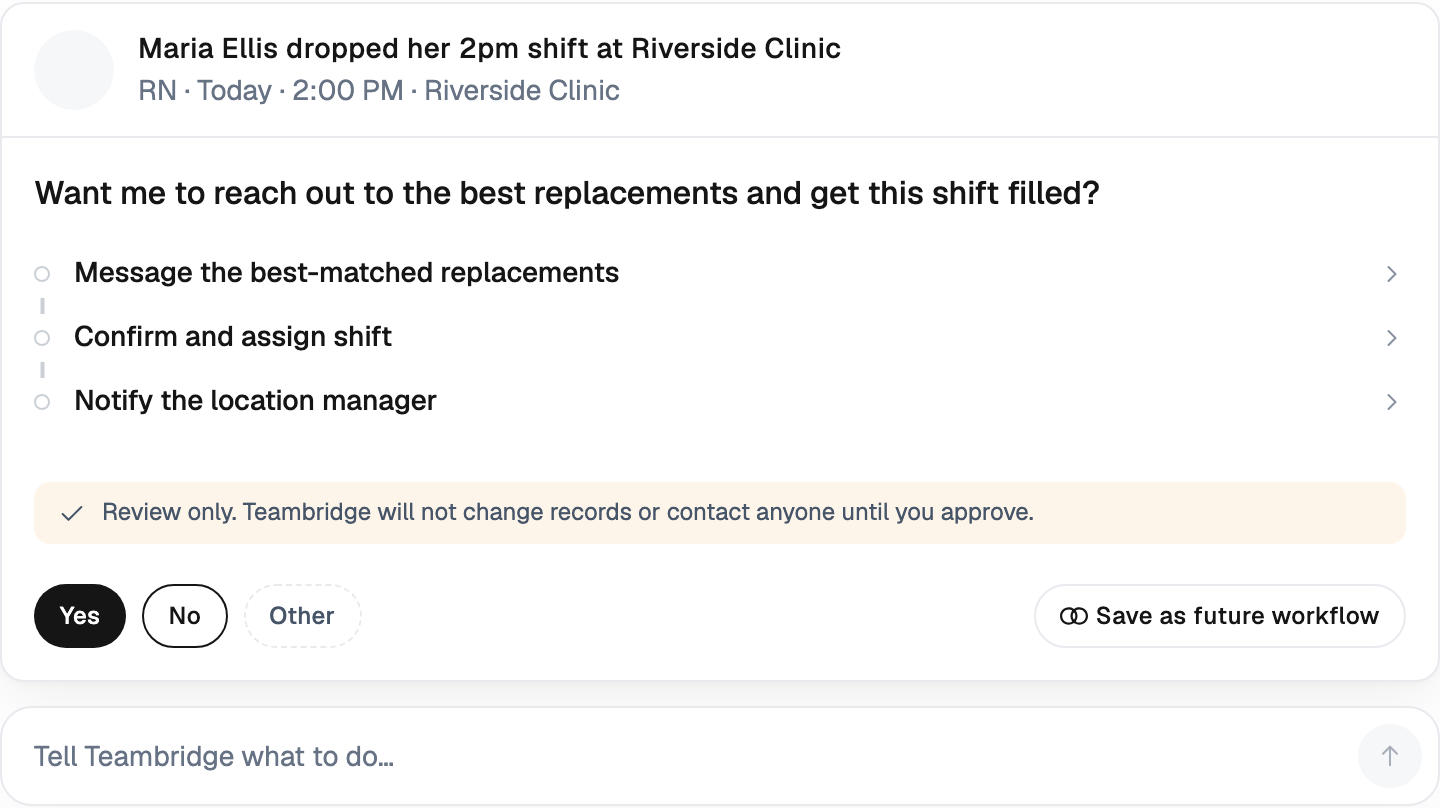
- Call off coverage: Current assignments and hours inform replacements. A manager approves exceptions.
- Timecard review: Punches and schedules inform exception flags. Payroll verifies corrections.
- Onboarding questions: Approved policies inform answers. Unresolved questions go to the policy owner.
Credentials must come from verified records, not a model’s inference. Configured compliance checks do not establish legal compliance or clinical safety.
Smarter scheduling
Hypothetical warehouse example: Demand is one equipment operator and one picker, both working 08:00 to 16:00. All four workers are available. Assume separately provided break relief, a mandatory company minimum of 11 hours between shifts, and approval above 40 weekly hours. These are example policies, not universal legal rules.
| Worker | Verified qualification | Existing weekly hours | Hours after assignment | Rest before shift | Decision |
|---|---|---|---|---|---|
| A | Equipment operator | 32 | 32 + 8 = 40 | 16 hours | Assign |
| B | Equipment operator | 36 | 36 + 8 = 44 | 16 hours | Overtime approval required |
| C | Picker | 24 | 24 + 8 = 32 | 16 hours | Assign |
| D | Picker | 24 | 24 + 8 = 32 | 8 hours | Exclude under rest policy |
Calculate the proposed roster in this order:
- Establish demand: Two workers × eight hours = 16 worker hours, with one qualified worker in each role.
- Apply mandatory restrictions: D finished at midnight. Midnight to 08:00 provides eight hours of rest, below the assumed minimum.
- Check approval thresholds: A reaches 40 weekly hours. B reaches 44, requiring approval for four hours above the threshold.
- Propose and approve: Assign A and C. Together they cover all 16 required hours without exceeding the weekly threshold. The manager approves the roster.
If A declines, B becomes an option only after an explicit overtime decision. D remains excluded. If overtime is rejected and no other operator is eligible, the operator shift stays open and goes back to operations for resolution.
That distinction matters. An authorized overtime exception changes an approval controlled decision. Silently reducing a mandatory rest requirement changes the rules behind the schedule.
Google documents scheduling against constraints and reporting coverage violations. This example illustrates those concepts. It does not demonstrate a Teambridge optimization engine.
Warning
A complete roster is not necessarily a safe roster. Healthcare staffing depends on the unit, jurisdiction, patient needs and applicable requirements. California’s hospital staffing regulation specifies requirements by clinical area and individual patient care needs. A single nurse to patient ratio cannot establish safety across settings.
Put the workflow into practice
See how your team could use this workflow
AI workforce management software must pass your constraint tests
Evaluate AI workforce management software with your own scheduling exceptions. A polished demonstration using clean records will not show what happens when actual hours arrive late or a worker declines after approval.
Test the records behind the recommendation
Ask the vendor to ingest sample availability, qualifications, shift history and actual hours from the systems you use. Identify which system owns each field and how recently it was updated.
Then test a duplicate worker record and a failed import. Ask whether the system blocks the affected assignment, warns the manager or continues using older data. Require a visible freshness indicator or another documented way for the approver to identify stale inputs.
The broader system matters here. Teambridge’s platform brings workforce operations together, but any proposed integration still needs testing against your source records and operating requirements.
Make the vendor demonstrate an unresolved shift
Use the warehouse roster to ask concrete questions:
- What happens if A’s qualification expires before the shift starts?
- What happens if two managers assign A at the same time?
- What happens if late actual hours put A above the approval threshold?
- Can the system explain why nobody is eligible without relaxing a mandatory restriction?
Google’s documentation distinguishes constraint handling from coverage fulfillment. Use that distinction to require an explanation of every unmet requirement, rather than accepting a green status indicator.
Separate suggestion, approval and publication
Require documentation showing who may generate a proposal, approve an exception and publish an assignment. Ask what state is saved after each action and what happens if publication fails.
The demonstration should preserve the original proposal, the approved changes and the responsible approver. A worker decline should have a documented exception path that returns the shift to an unresolved state. Do not assume these behaviors from a product description; obtain implementation documentation and test them.
Challenges of implementing AI workforce management solutions
The hardest implementation problem is often deciding which record to trust. Payroll may hold actual hours while scheduling holds planned hours. Availability may be current in one system and stale in another.
Use one pilot acceptance record to make those decisions explicit. The template below is partially completed using the hypothetical warehouse example. Blank fields require your own evidence before approval.
Copyable pilot acceptance record
Pilot name and site: Warehouse coverage pilot; site: ____.
Scope: Propose the 08:00 to 16:00 equipment operator and picker assignments at one site. No automatic publishing during the pilot. Excluded workflows: ____.
Decision owner: Operations manager, name: ____. Owns staffing requirements, pause decisions and final acceptance.
Validation owners: Scheduling owner: ____; validates availability and qualifications. Payroll owner: ____; validates actual hours and pay rules. IT owner: ____; validates integrations and access. HR owner: ____; reviews privacy, worker correction requests and shift allocation.
Required data: Demand by role and time; verified credentials; availability; scheduled and actual hours; previous shift end times; applicable policies; recorded overrides. Source system and accountable owner for each: ____.
Data readiness: Latest successful update: ____. Maximum acceptable data age: ____. Missing or conflicting records: ____. Resolution owner: ____. Assignments dependent on unresolved eligibility data remain blocked.
Measurement window: Four baseline weeks followed by four pilot weeks at the same site. Comparable workload and role mix: ____. Known seasonal or operational differences: ____.
Baseline: Accepted requested worker shifts: ____. Completed qualified worker shifts: ____. Completed fill rate: ____. Median manager handling time per scheduling case: ____. Overtime expense: ____. Override count and reasons: ____.
Acceptance gates: At least 20% less median manager handling time; no decline in completed coverage; zero mandatory constraint violations; every override reviewed. Financial gate and minimum acceptable benefit: ____.
Approval and saved record: Authorized publishing role: ____. Save the proposal, source data timestamps, approval, changes and exception reasons. If required data or approval is missing, retain the draft and escalate to: ____.
Worker safeguards: Restricted access by role; approved retention period: ____; worker notice and correction route: ____; permitted data uses: ____. Review allocation of desirable and undesirable shifts among similarly eligible workers, including overtime opportunities and short notice requests.
Pause conditions: Unsafe staffing, a mandatory constraint violation or unresolved eligibility data affecting an assignment. Operations records the cause, corrective action and permission to resume.
Financial fields: Released manager hours: ____. Verified expense reduction: ____. Attributable incremental contribution: ____. Implementation, integration, training, subscription and ongoing administration costs: ____. ROI: ____. Payback assumptions: ____.
Final decision: Expand, extend or reject: ____. Supporting evidence: ____. Operations signature and date: ____. Payroll, IT and HR review: ____.
The four week windows and 20% handling time target are editorial starting points, not industry benchmarks or promised results. Agree on targets before testing. Count review and rework in handling time so that faster proposal generation cannot hide a larger approval burden.
For the completed scheduling decision in this example, the record would state: “A and C approved; 16 required worker hours covered; no weekly threshold exception; D excluded for insufficient rest.” Pilot results and financial approval remain pending. One valid roster is not enough evidence to expand.
Operator view
Process steps
- 01Establish the baselineRecord demand, coverage, handling time and costs before testing.
- 02Review worker safeguardsDocument oversight, transparency and data protection using DOL guidance.
- 03Approve or extend the pilotOperations signs off only after coverage, constraint and cost checks pass.
The Department of Labor’s October 16, 2024 guidance supports meaningful human oversight, worker input and protection of worker data. It is guidance, not a certification that your deployment meets every legal obligation.
Collect information needed for the staffing decision. Avoid adding sensitive worker information simply because a model can process it. Workers need a practical route to correct availability, qualifications or other records that affect their access to shifts.
Measuring ROI of AI workforce solutions
Complete the financial fields in the same acceptance record. Keep capacity, cash savings and additional business separate.
Fix the coverage denominator before testing
Use this measurement definition:
Completed fill rate = completed qualified worker shifts ÷ accepted requested worker shifts due in the measurement period.
Include accepted requests that remained unfilled in the denominator. Before the baseline starts, write a fixed policy for client cancellations, partial shifts and changed requests. Preserve the original request and change history so that removing difficult shifts cannot improve the result on paper.
Report the counts alongside the rate. A change from 90% to 95% is a five percentage point improvement, not 5% growth. Compare role mix and demand as well, because an easier workload can improve coverage without any software effect.
Released time is capacity until an expense falls
A faster scheduling process creates capacity. It creates cash savings only when an actual expense decreases.
If managers spend fewer hours arranging coverage but payroll remains unchanged, record released capacity. Count cash savings only where overtime, temporary administrative labor or another documented expense falls. Include time spent checking recommendations and resolving errors.
For additional completed work, calculate incremental contribution after associated delivery costs. Preserved client revenue is not profit. Do not count the same benefit once as labor savings and again inside contribution.
Calculate return over one consistent period
Use this formula in the record:
ROI = (verified cash savings + attributable incremental contribution − total incremental costs) ÷ total incremental costs.
Multiply by 100 to express ROI as a percentage. Include implementation, integration, training, subscription and ongoing administration costs. Measure every term over the same period and separate pilot expenses from expected ongoing expenses.
Estimate payback only when recurring net cash benefit is positive. Divide the initial investment by recurring monthly cash benefit after recurring costs, and state the assumptions. If benefit is only released capacity, cash payback has not been demonstrated.
Claims of hours to minutes matching, 15% to 20% service expansion or three to six month payback need measured evidence from a defined deployment. None should be an expected outcome in your business case.
Prove one staffing decision before expanding AI across operations
Expand when the pilot produces usable schedules, protects mandatory constraints and meets the agreed coverage and financial gates. Extend it when the evidence is inconclusive. Reject it when a complete roster depends on hidden exceptions or unreliable eligibility records.
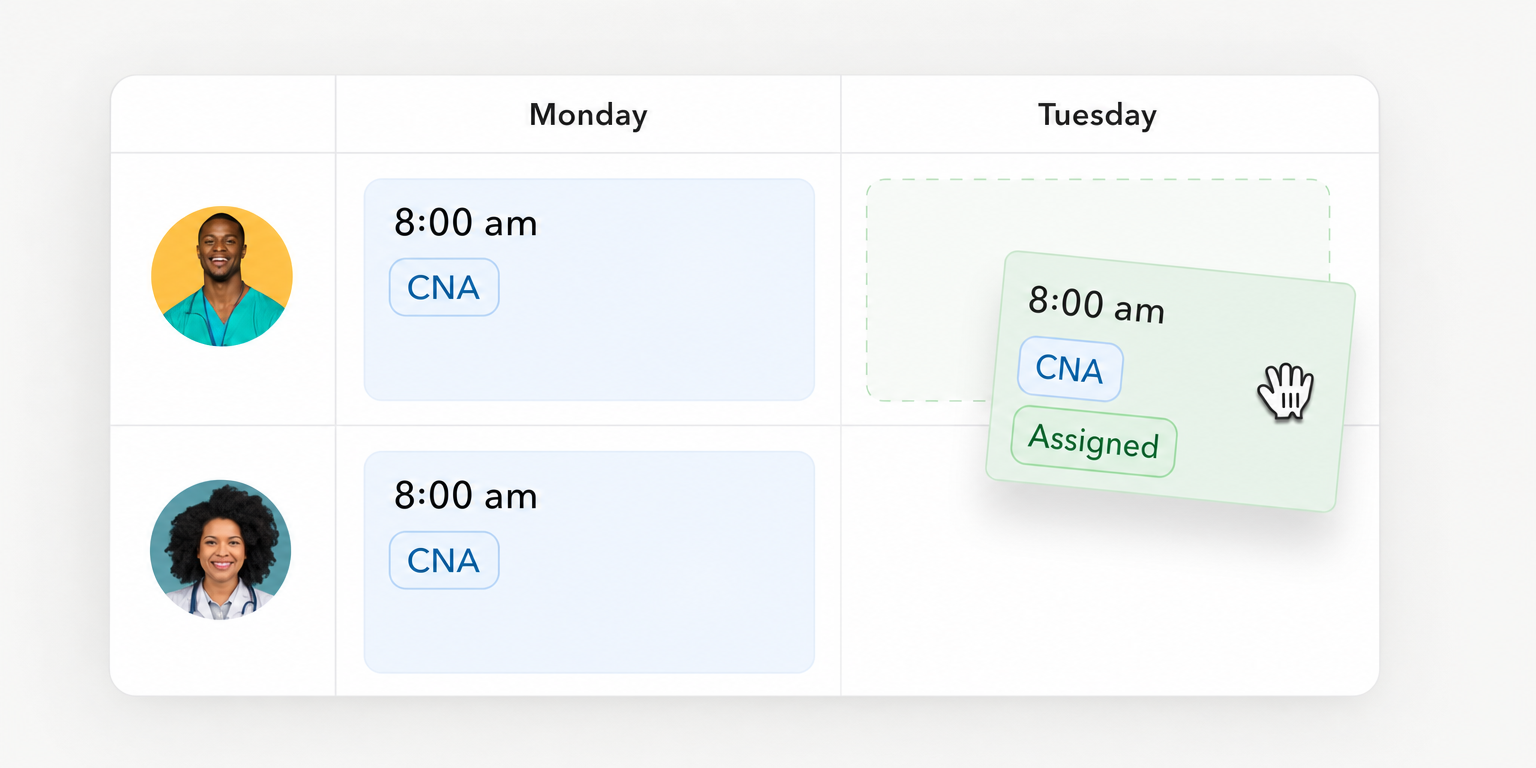
Teambridge brings scheduling, time tracking and timesheets, onboarding and credential tracking, and workflows into an all in one platform for hourly teams, tailored to each company. Its scheduling workflow is relevant when evaluating how shifts move from creation through publication and confirmed assignment.
For administrative work, Helios, the AI admin in Teambridge, is in Beta. Helios in Teambridge works within the customer’s rules and asks before it acts.
Those workforce workflows do not establish forecasting accuracy, solver performance, clinical staffing safety or financial return. Each requires its own evidence and accountable owner.
Bring your roster, exception cases and pilot acceptance record to a product evaluation. Ask the vendor to show the proposed assignment, the approval boundary and the unresolved shift. That is the evidence a manager can use.

About the author

Content Writer at Teambridge
Anis Nanai is a content writer at Teambridge, with a focus on workforce management and the realities of running hourly teams. He prioritizes conversations with customers, staying close to the market, and understanding how workforce needs are changing. His writing connects those concerns to practical decisions about scheduling, time tracking, staffing, and automation. He examines product developments through the questions that matter to operators: what does this solve, how would it work for my team, and what evidence supports it?
Company perspective: this author works at Teambridge. Customer outcomes are attributed to their published sources.
View LinkedIn profile