

This is not another theoretical piece about AI in workforce management. This is what actually changes on the ground in 2026 — the patterns, the predictions, the compliance layer, and the rollout sequence that gets you off manual scheduling without blowing up your operation.
Why Shift Scheduling Broke in 2025 — And Why Spreadsheets Won't Survive 2026
The math caught up with manual scheduling last year. Operators running 24/7 coverage with static templates kept hitting the same wall: overtime creeping past 10% of labor cost, fill rates dropping, and managers spending their evenings texting workers to plug last-minute gaps.
According to the 2025 Legion State of the North American Hourly Workforce Report, more than 55% of managers believe AI could make scheduling easier. Yet, fewer than 11% currently use a solution that automatically generates schedules, and 40% still rely on manual processes like texting or calling employees to fill shifts, adding to administrative burden, labor costs, and compliance risks.
That gap — between what managers know they need and what they actually use — is the operator problem of 2026. Static scheduling can't keep up with demand volatility, credential churn, or the predictive scheduling laws now in force across more jurisdictions. The companies that survive are the ones moving to dynamic, data-driven scheduling that controls overtime, leaves, and absenteeism before they become payroll surprises.
Note
In shift-based operations, a 3% overtime overage on a 500-person workforce is not a rounding error. At $25/hr loaded cost across 26 pay periods, that's roughly $200K in pure leakage per year. Minor inefficiencies scale.
The stakes aren't abstract. The global workforce management software market surpassed $9 billion in 2025 and is projected to exceed $21 billion by 2033. Within this space, AI-powered scheduling has emerged as the fastest-growing segment, driven by operations teams seeking to reduce overtime costs, improve shift coverage, and comply with increasingly complex labor regulations. The money is moving because the pain is real.
The Core Shift Patterns Every Manager Should Know
Before you automate anything, you need to know what you're automating. Most operators inherit a shift pattern they never chose, then bolt on overtime to cover the gaps. Picking the right base pattern matters more than any software you put on top of it.
Here are the four patterns that cover roughly 90% of shift-based operations:
4-on-4-off
Four 12-hour shifts on, four days off. Common in continuous manufacturing, refineries, and utilities. Workers get long recovery blocks but trade them for compressed work weeks. Watch for fatigue on the back half of the on-block.
DuPont
A 28-day rotating schedule covering 24/7 operations with four crews. Each crew works a sequence of day shifts, night shifts, and rest days. Distributes night work evenly but rotation speed can wreck circadian rhythms if not managed.
Pitman (2-3-2)
Two days on, three off, two on, three off — usually in 12-hour blocks. Heavy in security, oil and gas, and continuous production. Every other weekend off, which helps retention.
2-2-3 (Panama)
Two days on, two off, three on. Similar coverage profile to Pitman but with a different weekend rotation. Popular in healthcare, dispatch, and call centers running 24/7.
Decision Matrix
| Operation Type | Best-Fit Pattern | Why |
|---|---|---|
| Continuous 24/7 manufacturing | DuPont or 4-on-4-off | Even crew load, long recovery windows |
| Healthcare / acute care | Pitman or 2-2-3 | Predictable weekends, manageable fatigue |
| Security / events | 4-on-4-off | Simple swaps, clear overtime boundaries |
| Multi-site staffing agency | Mixed (per client) | Pattern follows client demand, not HQ template |
| Single-shift day operations | Fixed M-F with on-call | No need for rotation complexity |
The trade-offs are always the same: fatigue exposure, overtime risk, crew cohesion, and weekend fairness. AI doesn't change these trade-offs. It just enforces them at scale and surfaces violations before they cost you.
What AI-Powered Scheduling Actually Does in 2026 (Beyond the Hype)
Strip away the marketing. AI in scheduling does three real jobs. Everything else is window dressing.
1. Forecasting and demand planning. AI scheduling asks a much bigger question: What does demand look like? Using historical data and real-time data, AI models forecast labor needs down to 15-minute intervals for high-volume operations. That granularity matters because hourly averages hide the spikes that drive callouts and missed SLAs.
2. Automated schedule generation. Optimizing schedules at scale. When you're managing hundreds of employees across multiple locations, no human manager can simultaneously weigh availability, skills, labor costs, compliance risks, and demand patterns for every shift. Advanced algorithms do it in seconds.
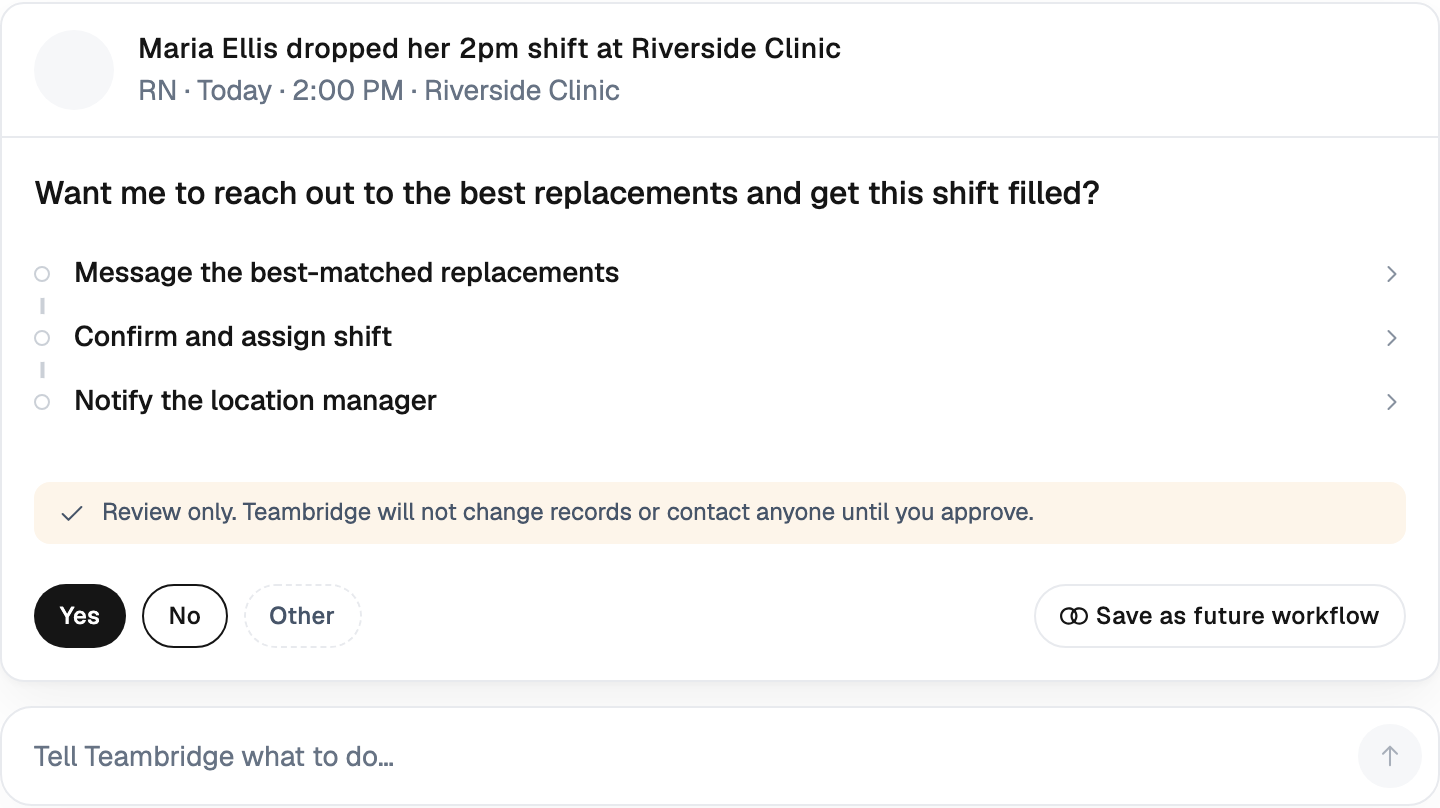
3. Real-time optimization. Schedules don't survive contact with Monday morning. AI watches for understaffing, credential gaps, and overtime threshold breaches as the day unfolds, then recommends fixes the manager can approve or override.

The Caveat Nobody Wants to Hear
AI scheduling isn't magic, and the failure rate on enterprise AI is real. The report, based on 52 executive interviews, surveys of 153 leaders, and analysis of 300 public AI deployments, found that 95% of pilots delivered no measurable P&L impact. Only 5% of integrated systems created significant value. You can read the full breakdown from Fortune on the MIT NANDA study.
Warning
Deploying AI tools isn't the same as deploying AI value. The 5% that succeed share three traits: they integrate AI into existing workflows, they pick vendors with domain specificity, and they empower frontline managers — not just a central data team — to drive adoption.
The lesson for operators: don't buy a generic AI scheduling tool and expect transformation. Buy something built for the shape of your workforce — agency, healthcare, light industrial, security — and integrate it deeply into how your managers actually run shifts.
Credential-Aware Scheduling: The Compliance Layer Most Tools Skip
This is where most generic scheduling platforms fall apart. They can fill shifts. They can't tell you whether the person you just assigned is actually allowed to work that shift.
For healthcare, security, light industrial, and staffing agencies, a schedule that ignores credentials is a liability schedule. A nurse without an active license. A forklift operator with an expired cert. A guard whose state permit lapsed last Friday. Every one of those is a fine, a client chargeback, or a lawsuit waiting to happen.
Modern systems handle this at publish time, not after. Catching costly errors before they happen. AI flags overtime violations, union rules conflicts, and scheduling gaps the moment they appear. No manual intervention required. The schedule won't let you publish if a person isn't qualified — or it surfaces the violation and forces a manager decision.
The credential-aware checks that matter:
- Active license/cert verification at time of assignment
- Insufficient rest between shifts (jurisdiction-specific)
- Daily and weekly overtime thresholds
- Union seniority and bid rules
- Required break enforcement
- Skill matching for specialized roles
- Double-booking across clients (for staffing agencies)
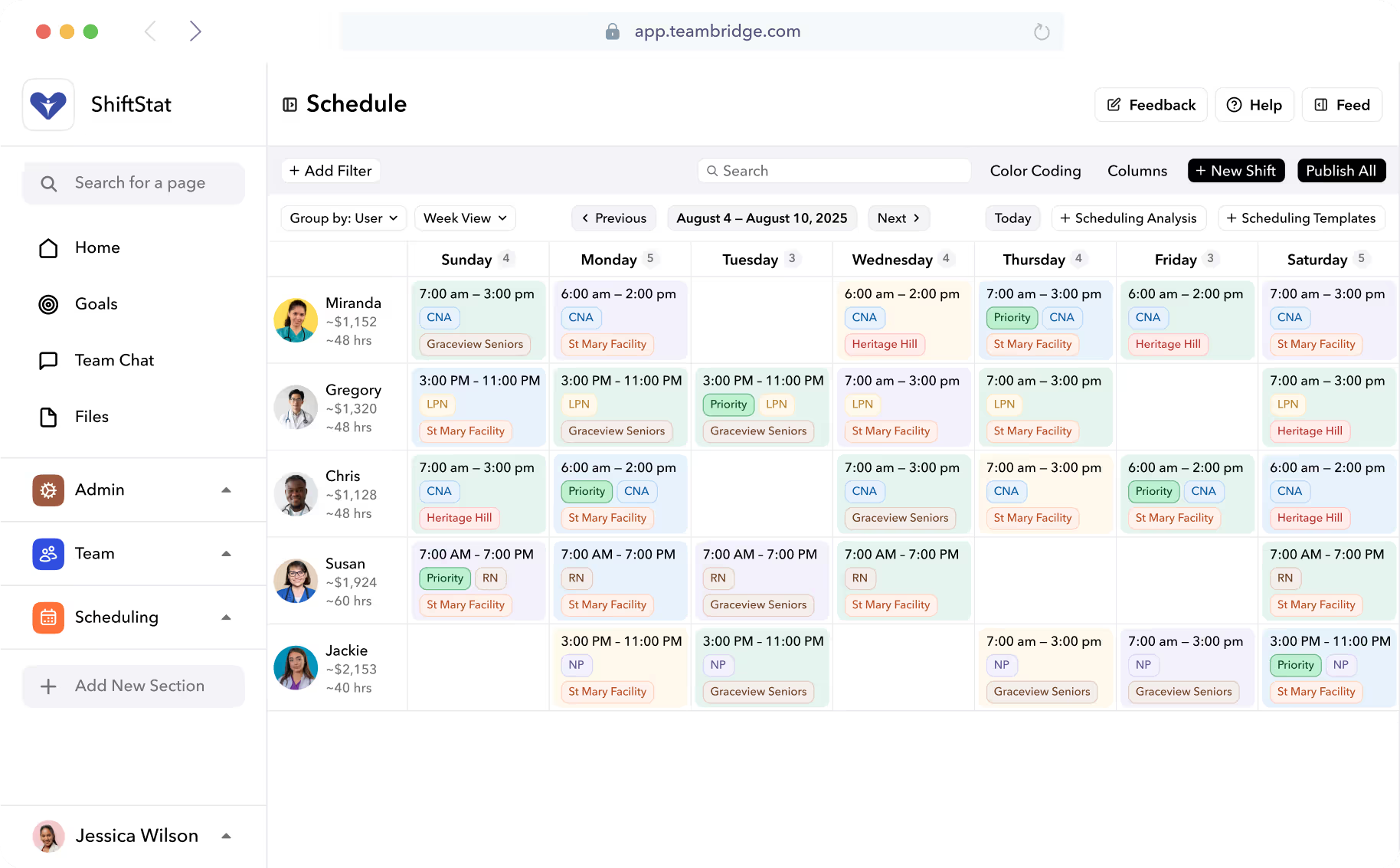
Teambridge handles this directly through Scheduling and pulls in active credential data from Onboarding, so a license expiring next Tuesday automatically blocks assignments past that date. For warehouses and fulfillment operations, the same logic runs through our Light Industrial workflows — OSHA training currency, equipment certifications, site-specific safety modules.
The rule of thumb: if your scheduling tool doesn't know what your workers are certified to do, it's not scheduling — it's just calendar-filling.
Predicting No-Shows and Distributing Overtime Fairly
No-shows are the silent margin killer. A 6% callout rate sounds manageable until you realize it's 6% of every shift, every day, compounding into overtime, agency premium spend, and the slow burnout of your most reliable workers.
ML models in 2026 are good at flagging the patterns humans miss:
- Monday-morning callouts after weekend overtime
- Seasonal spikes (flu season, summer school-out weeks)
- Post-double-shift fatigue risk
- Specific shift-time/role combinations with high historical no-show rates
- Workers approaching personal callout pattern thresholds
The forecasting math is no longer experimental. Companies using AI-based scheduling in sectors like telecommunications and energy have reduced labor costs by 10-15% and automated up to 50% of their forecasting and staffing processes.
Overtime Fairness: The Retention Issue
Here's the part that costs operators their best people: overtime distribution. When a manager needs to fill a 4 a.m. backfill, they call the reliable worker who always says yes. That worker says yes for the third time this month. Then they quit.
Fair overtime distribution is not just an HR talking point. It's a turnover lever, especially in high-churn sectors. AI systems can track overtime hours per worker, surface inequitable patterns, and rotate backfill offers across qualified, available workers before defaulting to the same five names.
Important
If overtime exceeds 10% of labor cost, you have a structural problem that no amount of last-minute backfill will fix. Audit your overtime distribution by worker for the last 90 days. If the top 10% of your workforce is absorbing 40%+ of all overtime, you're loading turnover risk into a small group of people.
Multi-Location and Hybrid Scheduling: Coordinating Across Sites
By 2026, most shift-based operators are not running one site. They're running three plants, twelve client locations, or a network of healthcare facilities — and the workforce moves between them.
This is where legacy systems collapse. They were built for a single roster at a single location. They can't natively handle:
- A worker certified at Site A but not Site B
- Overtime accumulating across multiple client sites
- Travel time between assignments
- Site-specific pay rates, differentials, and union rules
- Centralized open-shift visibility across a region
For staffing agencies in particular, location-independent scheduling is now table stakes. A recruiter needs to see every open requisition across every client, match candidates by credential and proximity, and track which workers are double-booked across competing accounts. Teambridge built Staffing Agencies workflows around this exact problem.
Cross-Site Resource Sharing
The operators winning at multi-location scheduling treat their workforce as a shared pool, not site-locked silos. If Site B has a callout and Site A is overstaffed, the system surfaces the swap — assuming credentials, travel, and overtime headroom all check out.

The net effect: lower agency premium spend, better fill rates, and fewer workers stuck in low-hour weeks because their home site happened to be slow.
Best Practices: A 5-Step Rollout for Moving Off Manual Scheduling
Most rollouts fail because operators try to migrate everything at once. The pattern that works is sequential, data-first, and grounded in measurable wins.
Audit your current state. Pull 90 days of scheduling, overtime, callout, and credential data. Identify your top three pain points by dollar impact. Don't start the rollout until you know what you're trying to fix.
Codify rules and policies. Write down your overtime thresholds, union rules, break policies, credential requirements, and seniority logic. If it lives in a manager's head, the system can't enforce it.
Deploy a centralized platform. Pick one source of truth. Stop running parallel spreadsheets. The Teambridge Platform consolidates scheduling, time tracking, credentials, and pay so the data doesn't fragment across five tools.
Train managers and frontline staff together. This is where most rollouts die. Managers need to trust the recommendations. Workers need the Mobile App to feel faster than texting their supervisor. Don't skip the change management.
Iterate using data. Set a 30/60/90-day review cadence. Measure overtime as a percent of labor cost, fill rate, callout rate, and credential compliance. Adjust rules where the system is over-blocking or under-enforcing.
Tip
Realistic expectations: improvements in overtime and efficiency typically show within the first 60-90 days, not week one. If your vendor promises instant transformation, they're selling you a pilot that will join the 95%.
What to Look for in a 2026 Shift Scheduling Platform
Not every scheduling tool is built for shift-based operations. Here's the buyer's checklist that separates real platforms from glorified calendars:
| Capability | Why It Matters | Red Flag |
|---|---|---|
| AI-driven forecasting | Aligns labor to demand at 15-min granularity | Vendor can't explain the model or data sources |
| Credential enforcement | Blocks unqualified assignments at publish | Credentials live in a separate system |
| Mobile-first worker experience | Shift pickup, swaps, clock-in from a phone | Mobile app is a stripped-down web view |
| Payroll/HR integrations | No double entry, accurate pay runs | Manual CSV exports required |
| Real-time labor cost tracking | Catch overtime before it happens | Cost data only available after pay close |
| Multi-location support | Pool workforce across sites | Each site is a separate instance |
The deeper test: does the vendor understand your industry's specific compliance and credential requirements? Generic WFM tools fail in healthcare because they don't know what a DEA license is. They fail in light industrial because they don't track OSHA cert currency. They fail in staffing because they can't model client margins and bill rates per shift.
Teambridge is built for the industries where shifts, credentials, and margins all collide: staffing agencies, healthcare staffing, light industrial, and security. Scheduling, onboarding, credentials, time tracking, and pay all live in one platform — because that's the only way credential-aware scheduling actually works in production.
The operators making it through 2026 won't be the ones with the fanciest AI demo. They'll be the ones who picked a system that fit the shape of their workforce, integrated it into how managers actually run shifts, and measured the right things.
The spreadsheet era is over. The question is whether you're in the 5% that builds the next thing, or the 95% still piloting.

About the author

Content Writer at Teambridge
Anis Nanai is a content writer at Teambridge, with a focus on workforce management and the realities of running hourly teams. He prioritizes conversations with customers, staying close to the market, and understanding how workforce needs are changing. His writing connects those concerns to practical decisions about scheduling, time tracking, staffing, and automation. He examines product developments through the questions that matter to operators: what does this solve, how would it work for my team, and what evidence supports it?
Company perspective: this author works at Teambridge. Customer outcomes are attributed to their published sources.
View LinkedIn profile