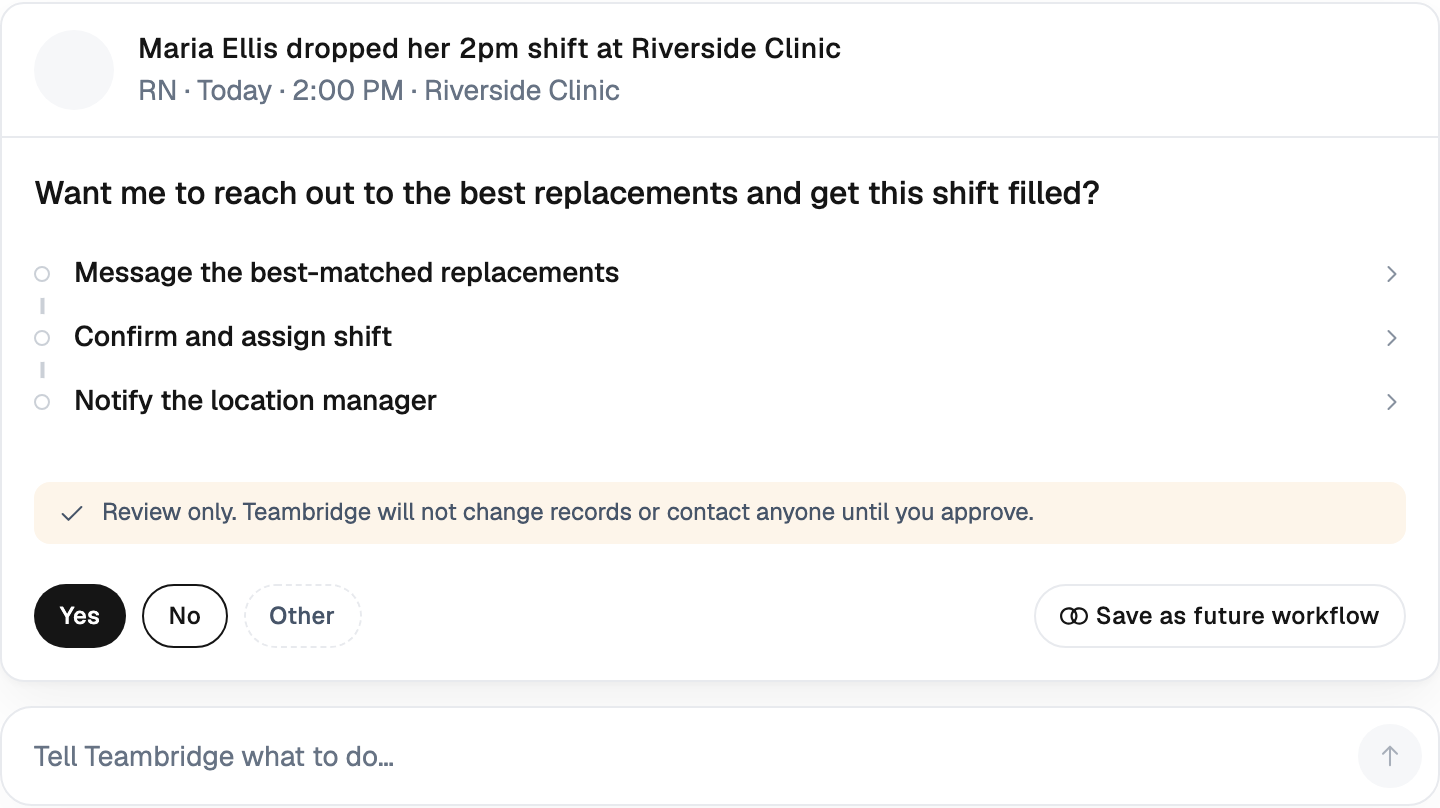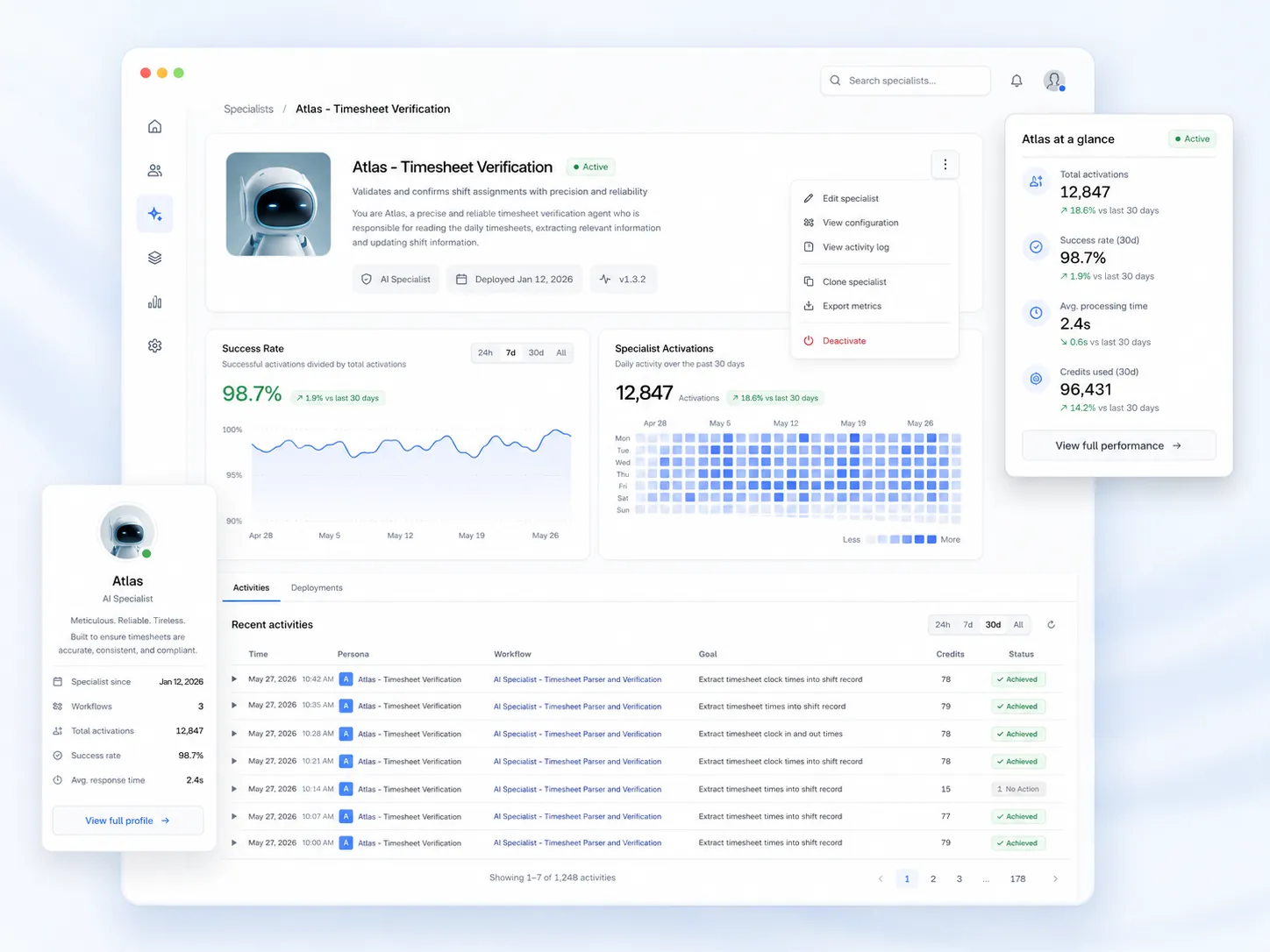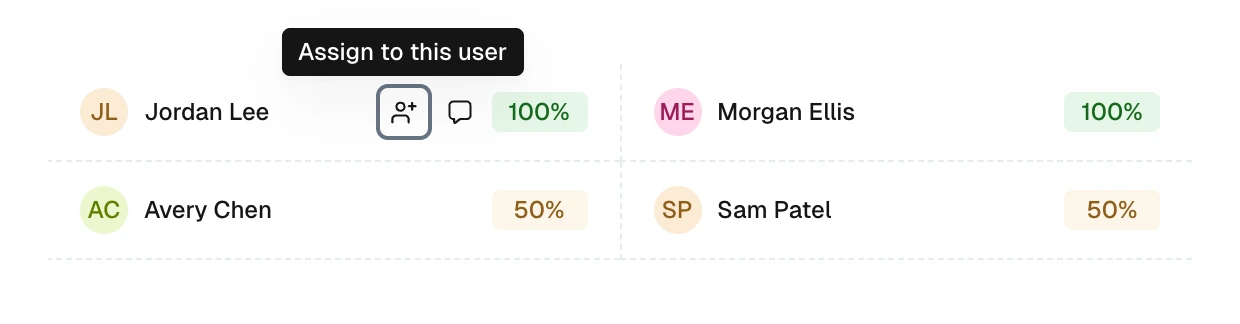


This is the operational reality for staffing, healthcare, security, and home-care operators. Call-outs are not edge cases. They are a daily input the system has to absorb, and most teams are absorbing them with phone trees, group chats, and gut feel. That math stopped working a while ago.
The Call-Out Crisis: Why Manual Shift Replacement Is Breaking Operations
The scale of unplanned absence is bigger than most operators want to admit. The Centers for Disease Control and Prevention reports that productivity losses linked to absenteeism cost employers $225.8 billion annually in the United States, or $1,685 per employee. And that figure is just productivity loss — it doesn't include the overtime premiums, agency markups, and management hours operators spend covering the gap.
The Bureau of Labor Statistics reported the national absence rate to be 3.2 percent in 2024, up .1% from 2023's absence rate of 3.1 percent, with the leading causes being injury and illness. In frontline-heavy industries, the rate runs higher. The Bureau of Labor Statistics found that healthcare support occupations have the highest absenteeism rate at 4.3% — significantly above the national average of 3.2%.
When workers are out, the work doesn't pause. 47% of overtime is used to cover shifts when team members are out. That's nearly half of every overtime dollar going toward reactive coverage instead of planned capacity.
Then there are the predictable spikes. An estimated 26.2 million employed Americans say they will miss work the day after the big game, surpassing 2025's record-setting 22.6 million employees and potentially costing upwards of $5.2 billion in lost work and productivity. Add flu season, post-holiday burnout, weather events, and the Monday-after-payday pattern, and the manual fill workflow is constantly under siege.
Mondays are the most common day for intermittent absences, with volume tapering through the week. If your coverage workflow depends on a single scheduler making calls, every Monday is a fire drill.
The manual baseline — text the top performers, call down the list, beg for overtime — was built for a workforce that picked up the phone. That workforce is gone.
What 'AI Shift Replacement' Actually Means (And What It Doesn't)
The term gets thrown around loosely, so let's be precise. AI shift replacement is not a chatbot, and it's not a mass-text blast to every worker in the system. Those tools create more problems than they solve — uncredentialed pickups, overtime violations, double-bookings, and burned-out top performers who got pinged for the fourth time this week.
Real AI shift replacement is an autonomous workflow that runs the moment a call-out is logged:
- The system reads the open shift's requirements — role, credential, location, pay rate, start time, client rules.
- It evaluates every worker in the pool against those requirements in parallel.
- It ranks candidates by fit — availability, qualification, OT risk, recent shift history, preference.
- It dispatches a targeted SMS offer to the best-fit workers.
- It auto-confirms the first qualified taker and updates the schedule, timekeeping, and payroll downstream.
The contrast with the manual baseline is stark. A supervisor working from memory and a spreadsheet can hold maybe a dozen variables in their head. The system holds thousands and re-evaluates them every time something changes.
The Match Engine: How AI Picks the Right Worker in Seconds
Speed without precision is dangerous. A naive "first come, first served" broadcast to your full roster will fill the shift — and create a compliance problem you'll pay for later. The match engine is where real AI shift scheduling software earns its keep.
The constraint stack should include, at minimum:
- Availability windows — declared availability plus any approved time off
- Credentials and license expiry — RN, CNA, security guard card, forklift, food handler, client-specific certs
- Skill tags — what the worker has actually done well, not just what they're cleared for
- Location and radius — drive time, not just distance
- OT thresholds — weekly hours to date, projected OT cost, daily limits
- Consecutive-hours and rest rules — minimum gap since last shift, especially for healthcare and security
- Client blocklists and preferences — workers a client has flagged or specifically requested
- Pay rate and differentials — shift differential, holiday premium, hazard pay
- Recent performance — late arrivals, no-shows, client ratings on similar shifts
- Worker preferences — preferred sites, shift types, max hours
A worker who fails any hard constraint never gets the offer. A worker who passes every hard constraint gets ranked on the soft ones. The first qualified "yes" wins.
Important
If your current tool blasts open shifts to everyone and lets supervisors clean up the compliance mess afterward, you don't have AI shift replacement. You have a group text with extra steps.
Why Text-First Beats App-First for Filling Open Shifts
Frontline workers don't open scheduling apps between shifts. They read texts. Any fill workflow that depends on a worker pulling out their phone, opening an app, navigating to the open-shifts tab, and tapping accept is going to lose to the agency down the street that just sent a one-line SMS.
The two-tap flow looks like this:
- Worker receives an SMS: "Open shift Tue 7am-3pm at Mercy West, $32/hr. Reply YES to claim."
- Worker replies YES.
- System confirms, updates the schedule, notifies the supervisor and client, and queues payroll.
That's it. No app download, no password reset, no "I forgot my login." For workers who do want a richer experience, a mobile app handles document signing, pay stubs, and shift history — but the fill workflow itself stays in SMS where the eyeballs are.
This collapses the typical 30-90 minute manual fill window down to single-digit minutes and removes the supervisor as the bottleneck. The supervisor stops being the routing layer and goes back to running the operation.
The 3x Faster Math: Where Manual Outreach Actually Loses Time
The "3x faster" claim isn't magic. It's the elimination of swivel-chair work. Here's where the time actually goes:
| Step | Manual Workflow | AI Workflow |
|---|---|---|
| Identify qualified workers | 10-15 min (cross-reference spreadsheet, credentials folder, OT report) | < 1 second |
| Reach candidates | Sequential calls/texts, 2-5 min each, often unanswered | Parallel SMS to ranked candidates, simultaneous |
| Confirm acceptance | Verbal yes, then manual schedule entry | Auto-confirm on YES reply |
| Update downstream systems | Manual updates to payroll, timekeeping, client portal | Automatic propagation |
| Notify supervisor and client | Separate messages, often forgotten | Automatic notification |
| Typical total | 30-90 minutes | 2-10 minutes |
The 3x speedup comes from two places: parallelization (offering to multiple qualified workers at once instead of one phone call at a time) and pre-vetted eligibility (the system already knows who is qualified, so the supervisor never has to check credentials manually).
What's left for the supervisor? The exception cases — the 4am call-out where nobody is qualified within the radius, the client-specific scenario the system flagged for human review, the worker who replied with a question instead of YES. That's the work that actually requires judgment.
Guardrails: Filling Shifts Without Creating Compliance and OT Blowups
An AI that fills shifts fast but ignores guardrails will bankrupt you. This is where serious workforce platforms separate themselves from glorified group-text tools.
The non-negotiables:
Credential checks at offer time, not at clock-in
If a worker's BLS expired yesterday, they should never see the shift offer in the first place. Checking credentials when the worker shows up at the facility is too late — the client has already been told the shift is covered, and now you're rebuilding the schedule on the fly while the floor is short-staffed.
OT and consecutive-hours rules
The system should know the worker's hours to date, projected OT for the week, and any state or contract-specific consecutive-hours limits. A worker at 38 hours on Friday morning shouldn't be offered an 8-hour Saturday shift without the OT cost being calculated and either approved or routed to a different candidate.
Client-specific blocklists and preferences
Staffing agencies live and die on this. Client A doesn't want Worker X back. Client B requires two years of experience. Client C wants the same three workers every Monday. The system has to enforce this without the supervisor remembering it at 4am.
Minimum rest periods
For healthcare staffing, security, and any role where fatigue creates safety risk, minimum rest between shifts is a hard rule. The matcher has to filter on it before offers go out.
Audit logs
Who was offered the shift, in what order, who accepted, who was filtered out and why. When a client asks why a specific worker covered the shift — or when a compliance officer asks why a worker hit overtime — the answer should be a query, not a hunt through text-message archives.
Warning
Filling shifts fast without these guardrails creates a liability stack that grows quietly until it explodes. The Department of Labor doesn't care that your AI was efficient.
What to Measure After You Deploy AI Shift Replacement
If you can't measure it, you can't tell whether the system is working. Here's the scorecard operators should run:
- Average time-to-fill — Target under 10 minutes for same-day call-outs. Track the median, not the average; outliers hide the real story.
- Same-day fill rate — Percentage of call-outs filled before the shift starts. Aim for 90%+ on shifts logged with at least two hours of lead time.
- Supervisor-free fill rate — Percentage of shifts filled without any human intervention from your team. This is the leverage metric.
- OT dollars spent on coverage — Track week-over-week. If your fill rate is up but your OT is also up, the matcher is reaching for the same top performers every time.
- Unfilled-shift count by site and client — Patterns here predict where you'll lose the next contract.
- Worker satisfaction and ping frequency — Over-pinging your best people is how you create next month's call-outs.
The hidden metric: offer fairness
If the same five workers get every offer, those five workers will burn out and quit. A good system distributes offers across qualified workers, weighted by preference and recency. Watch the distribution, not just the fill rate.
From Reactive to Predictive: The Next Step After Replacement
Once clean call-out and fill data is flowing through one system, the same engine can stop the next call-out before it breaks the schedule. The patterns are there:
- The Monday after a holiday weekend always runs 18% short — flag those shifts for over-staffing two weeks out.
- Worker X has called out three of the last four Fridays — route their Friday shifts to a backup-ready pool.
- The forecast shows ice Wednesday morning — pre-build a coverage list for the routes that always lose drivers in bad weather.
- A specific credential is expiring across 12 workers next month — trigger renewal workflows now, not after the shifts are unfillable.
This is where reactive replacement turns into proactive staffing. The AI specialists running the fill workflow are also reading the data on shift patterns, worker behavior, and external signals, and surfacing the risks before they hit the schedule.
The shift from "who can cover this in the next 30 minutes" to "this shift is at risk — here's what to do about it on Tuesday" is the real return on the investment. The 3x speed-up on call-out coverage is what makes the system pay for itself in month one. The predictive layer is what changes how the operation runs.
Manual call-out coverage isn't broken because schedulers aren't trying hard enough. It's broken because the scale of unplanned absence has outgrown what any human can absorb in real time. The operators who admit that first are the ones who stop losing contracts to call-outs.

About the author

Content Writer at Teambridge
Anis Nanai is a content writer at Teambridge, with a focus on workforce management and the realities of running hourly teams. He prioritizes conversations with customers, staying close to the market, and understanding how workforce needs are changing. His writing connects those concerns to practical decisions about scheduling, time tracking, staffing, and automation. He examines product developments through the questions that matter to operators: what does this solve, how would it work for my team, and what evidence supports it?
Company perspective: this author works at Teambridge. Customer outcomes are attributed to their published sources.
View LinkedIn profile