

This is a buyer's guide for operators who have outgrown spreadsheets and group texts but find generic shift apps too thin. We'll walk through what the 2026 baseline actually looks like, where retail-grade apps fall apart in regulated industries, and how to pressure-test a vendor before you sign.
The Scheduling App Problem: A Published Schedule Isn't Coverage
The gap between what most apps deliver and what operators actually need is wider than the marketing pages suggest. A drag-and-drop calendar is a publishing tool. Coverage is an outcome. The two only line up when nothing goes wrong, which is roughly never.
Think about a normal week in any shift-based operation. A nurse's BLS cert lapses on Thursday. Two warehouse pickers call out on Friday morning. A security guard's site assignment changes because the client added a post. None of those problems are solved by a prettier calendar. They're solved by a system that knows who's credentialed, who's available, and how to route the open shift to the right person fast.
Generic scheduling apps treat every gap as a manager problem. The supervisor sees a hole, opens a group chat, and starts begging. That works until it doesn't, and when it doesn't, you get a no-show, an overtime spike, or a compliance fine.
If the schedule was published but the shift wasn't worked, the app didn't do its job.
Core Features Every Employee Scheduling App Should Have in 2026
Before we talk about the hard stuff, here's the non-negotiable baseline. If a vendor can't check all of these boxes, stop the demo.
- Drag-and-drop shift planning with templates and recurring shifts
- Availability tracking that workers can update from their phone
- Instant push notifications for publishes, swaps, and changes
- Mobile-first worker access — native iOS and Android, not a mobile-web wrapper
- Self-serve shift swaps with manager approval workflows
- Time-off requests that flow into the schedule, not into a manager's inbox
- Labor cost visibility while the schedule is being built, not after
AI-driven auto-scheduling used to be a premium upcharge. In 2026 it's table stakes. The expectation now is that the system can draft a schedule based on availability, skill set, and labor budget in seconds, then hand the supervisor a near-final draft to adjust. If a vendor still charges extra for that, they're behind.
Where Generic Apps Break: Credentials, Qualifications, and Skill Matching
This is where retail and restaurant-grade scheduling apps fall apart. In a coffee shop, a barista is a barista. In healthcare, security, industrial, and staffing, a worker is a stack of credentials with an expiration date attached to each one.
A CNA can't cover an RN shift. A security guard without an active state license can't work the post. A forklift operator without OSHA training shouldn't be on the schedule for the pick line. If your scheduling app doesn't know any of that, your supervisors are the credential database — and supervisors forget.
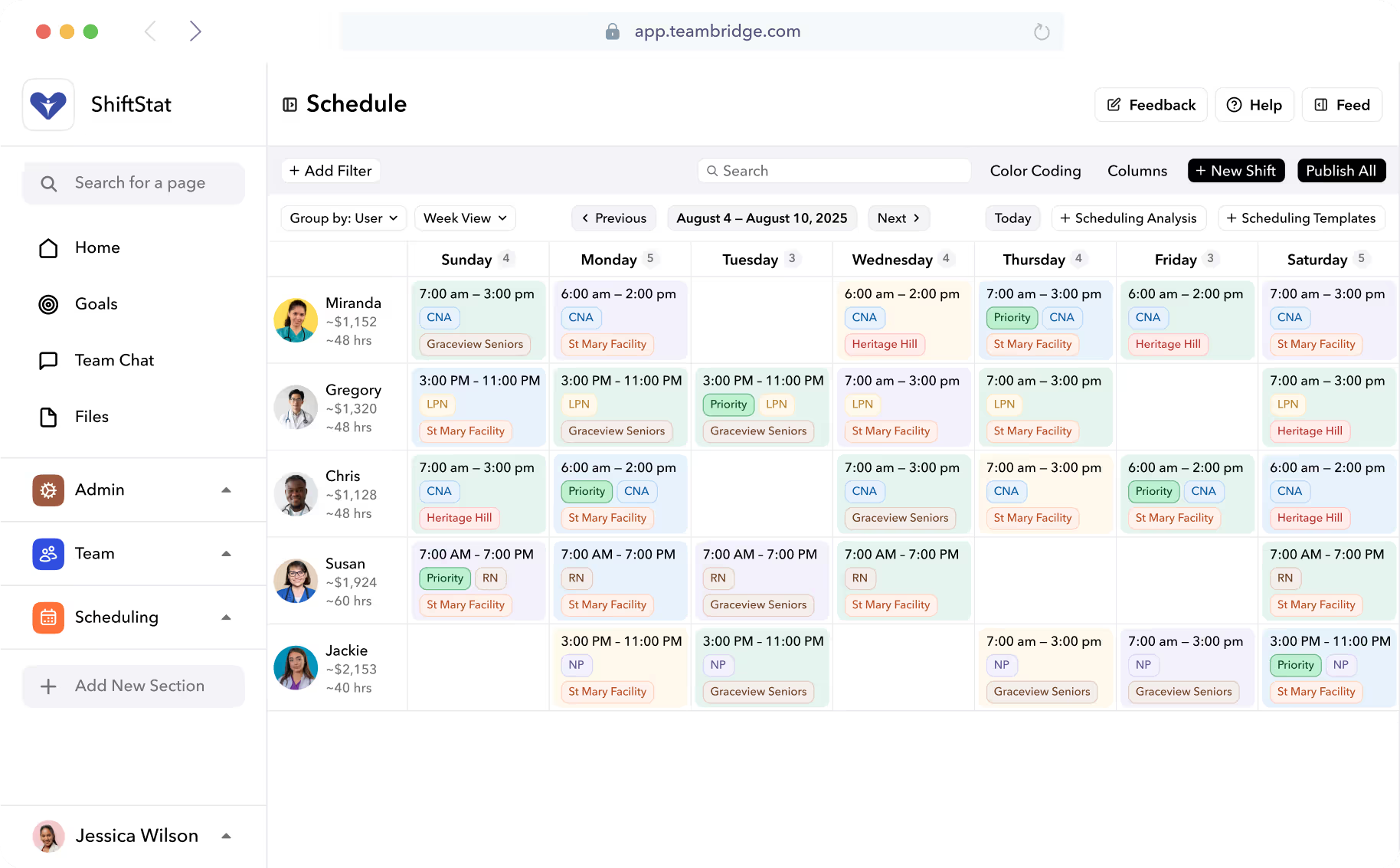
The higher-end systems flag missing qualifications before a shift is published, not after. They also use qualification-based auto-fill, so when a shift opens up, the broadcast only goes to workers who actually meet the requirements. That single feature is the difference between filling a shift in fifteen minutes and burning two hours of a manager's day.
This matters even more in regulated industries. Teambridge's scheduling product is built around credential enforcement specifically because retail-style apps don't survive contact with a hospital floor or a guard post. For credential-heavy operations, see how healthcare staffing teams handle DEA licenses, nursing certifications, and shift differentials in one place.
What a credential-aware schedule actually does
- Blocks publish if a required credential is expired or missing
- Sends renewal reminders to the worker at 60, 30, and 7 days out
- Only broadcasts open shifts to workers who currently qualify
- Logs the credential check on every shift assignment for audit
Ready to move?
Ready to see Teambridge in action?
Compliance Guardrails: Predictive Scheduling Laws, Breaks, and Overtime
US scheduling compliance is a patchwork, and it's getting worse, not simpler. FLSA covers overtime federally. State laws cover breaks. City ordinances cover advance notice and predictability pay. A scheduling app without built-in compliance logic just shifts the legal risk onto the manager who clicks "publish."
Predictive scheduling laws are spreading
Fair Workweek ordinances now cover a growing list of jurisdictions. Oregon is the only state to enforce statewide fair workweek laws, but several other states have local ordinances applying to major cities like New York City, Los Angeles, and Chicago. Chicago's ordinance has unusually broad coverage — building services, healthcare, hotels, manufacturing, restaurants, retail, and warehouse services are all in scope, with 14 days of advance notice and predictability pay for late changes.
The LA County ordinance went into effect July 1, 2025 and applies to retail employers with 300 or more employees nationwide, including those employed through temporary agencies or staffing firms, operating within unincorporated areas of Los Angeles County, requiring written work schedules at least 14 days in advance. These laws are the legislative response to "just-in-time" scheduling practices that left hourly workers unable to plan their lives, arrange childcare, or hold second jobs.
California break rules are their own minefield
Meal and rest periods are a leading source of wage-and-hour litigation in California. Labor Code section 512 requires employers to provide non-exempt employees who work over five hours in a single workday with an unpaid, off-duty meal break of no less than 30 minutes. If someone works for over 10 hours, you must give them a second 30-minute meal break, and meal breaks must be provided no later than the end of the fifth hour of work. Under Labor Code Section 226.7, failing to provide a meal or rest break costs one extra hour of pay at the employee's regular rate for each denied break.
For full background, the California Department of Industrial Relations meal period FAQ is the official source. The point for buyers: your scheduling app needs to know these rules, not just store them in a help article.
Here's a quick comparison of what "compliance support" looks like across tiers of scheduling tools.
| Feature | Basic shift apps | Mid-market schedulers | Operator-grade platforms |
|---|---|---|---|
| FLSA overtime alerts | Manual | Weekly summary | Real-time, pre-publish |
| California meal/rest tracking | None | Punch-level flags | Pre-shift warnings + auto-premium pay |
| Predictive scheduling notice | None | Calendar reminder | Locked publish + change audit log |
| Predictability pay calculation | None | Reports only | Auto-calculated on every change |
| Audit trail for investigations | Spreadsheet export | Basic log | Full schedule version history |
Warning
If your scheduling app doesn't generate an audit trail of every shift change with timestamp and reason, you have no defense in a Fair Workweek complaint. The burden of proof is on the employer.
Fill Rate Is the Metric That Matters
Push past "did the schedule get published" and ask the only question that matters operationally: did the shift get worked? Fill rate is the metric your COO should be looking at every Monday morning, not number of schedules published.
Three capabilities drive fill rate in 2026:
- Broadcast-to-qualified-workers open shift claiming. When a gap opens, the system pushes it to every worker who meets the credential, location, and overtime constraints. They claim with one tap. The first qualified taker gets it.
- No-show prediction. Pattern-based flags on workers who are statistically likely to miss a shift — based on their own history, not a generic model. Surfaces the risk while there's still time to backfill.
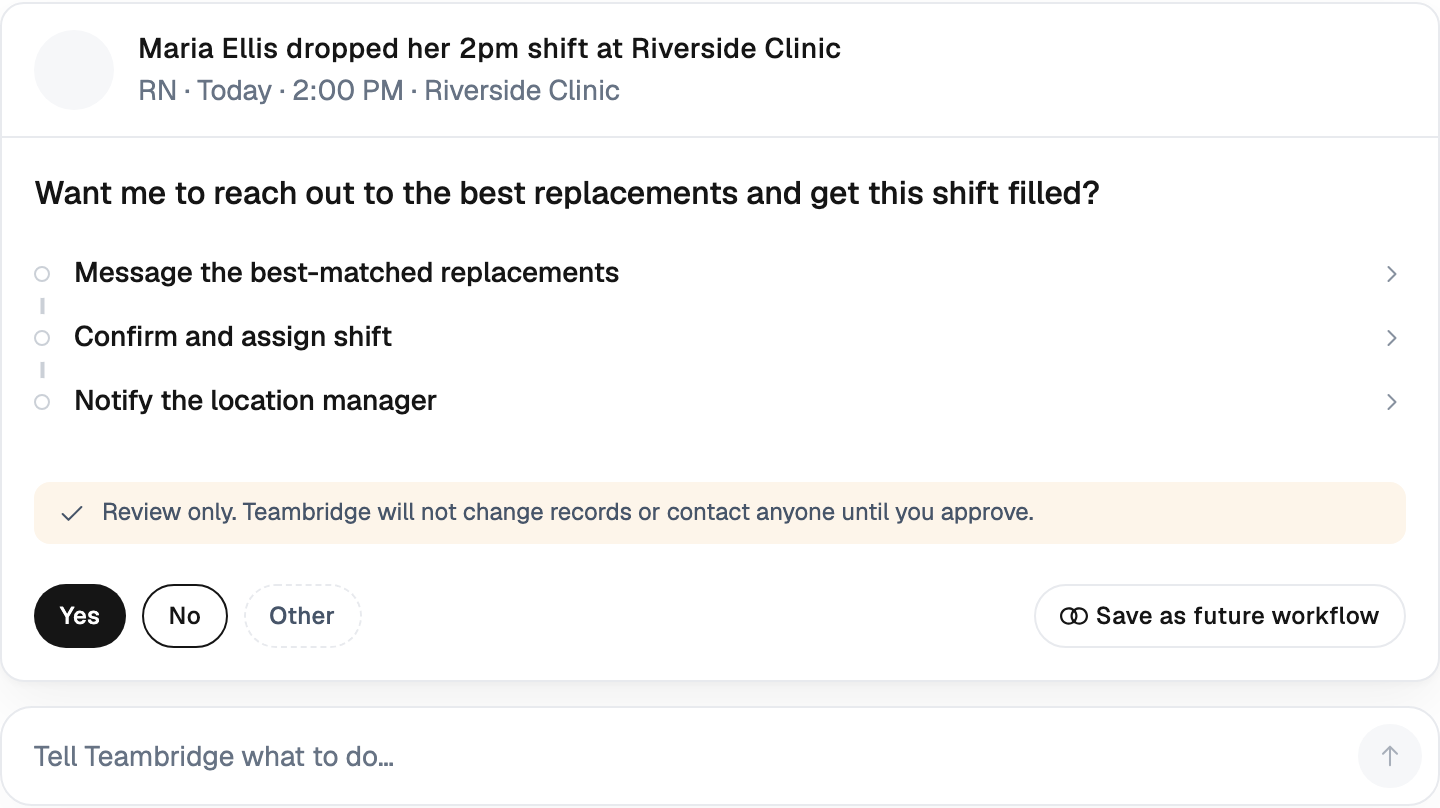
- Automated backfill workflows. When a worker calls out, the next-best qualified replacement is contacted automatically, without a supervisor having to start a group chat at 5 AM.
This is exactly the use case Teambridge Automations was built for — no-code workflows that fire when a shift goes unclaimed, a worker doesn't clock in by the grace period, or a no-show is predicted. The supervisor stops being the message broker. The system handles routing, escalation, and documentation.

Time Tracking, Pay, and Payroll: The Schedule Is Only Step One
Scheduled hours mean nothing if they don't sync to actual hours worked, and then to payroll. This is where the "best-of-breed" stack falls apart for shift-based operations. You publish in app A, workers clock in with app B, payroll runs in app C, and reconciling the three eats 12 hours a week of someone's time.
The specific capabilities that matter when scheduling and time tracking are connected:
- GPS clock-in verification — confirms the worker is actually on site, not in their car six miles away
- Photo verification — kills buddy-punching, which is still the most common form of payroll leakage in field operations
- Real-time labor cost — the manager sees the cost of the schedule as they build it, not as a surprise on the P&L
- Pre-threshold overtime alerts — flags the worker who's about to cross 40 hours before you owe time-and-a-half
- Meal/break attestation — workers confirm they took their breaks, with timestamps, for the wage-and-hour file
- Direct payroll export — clean hours flow to ADP, Gusto, Paychex, or whatever you run, without manual cleanup
The argument for a connected workforce platform over three bolted-together tools comes down to one thing: the schedule, the punch, and the paycheck are the same record. When they're separate, every reconciliation is a manual audit. When they're one record, the audit happens in the background.
Choosing the Right App for Your Workforce Type
The "must-have" feature list changes based on how your workforce is shaped. A buyer's framework that ignores this ends up with the wrong tool. Here's a decision lens by workforce type.
| Workforce type | Examples | Must-have features |
|---|---|---|
| Location-fixed hourly | Retail, restaurant, hospitality | Demand-based templates, predictive scheduling compliance, simple swaps |
| Mobile / field | Construction, home care, HVAC | GPS clock-in, job costing, route awareness, offline mode |
| Credential-heavy | Healthcare, security, allied health | Credential auto-fill, license tracking, shift differentials |
| High-volume staffing | Light industrial, agencies | Mass broadcast, client-tied pay rates, instant pay, ATS handoff |
For staffing agencies, the operational reality is moving hundreds of workers across multiple client sites, each with their own pay rate, credential requirements, and reporting needs. A generic app can't track which workers are credentialed for which client, let alone broadcast a 5 AM call-out to only the right ones.
For light industrial operations, the constraints are different: shift-based staffing at scale, safety training as a gating credential, and OSHA compliance baked into the assignment logic. Same problem, different lens.
Tip
A useful question for any vendor: "Show me how this works when I have 400 workers, 12 client sites, three credential types, and four people called out this morning." If they only have a demo with 20 workers at one location, they're not built for your operation.
What to Demo Before You Sign
The sales demo every vendor wants to give you is the happy path. Publish a clean week. Show the worker app. Talk about ROI. None of that tells you whether the system will hold up on a Monday morning when everything is on fire.
Do this instead: bring a real bad week to the demo. Three call-outs, two credential expirations, a client cancellation, and a manager out sick. Watch how the system actually responds. If the vendor can't run the scenario live, they're showing you a polished shell.
The specific workflows to test
- Open shift broadcast — Create a gap. Confirm only credentialed workers receive it. Time the first claim.
- Credential block — Try to assign a worker whose certification expired yesterday. The system should block, not warn.
- Overtime warning — Add a shift that would push a worker over 40 hours. The warning should fire before publish, not after.
- Predictive scheduling change — Edit a published shift inside the notice window. Confirm the system logs the change and calculates predictability pay.
- No-show backfill — Mark a worker as a no-show 30 minutes into a shift. Confirm an automated backfill kicks off without a supervisor clicking anything.
- Payroll export — Take a week of punches, run the export, and inspect the file. Look for clean overtime, break premiums, and shift differentials.
If the platform handles those six scenarios cleanly, it will probably hold up in production. If it stumbles on three of them in a controlled demo, it will fail at scale.
The right scheduling system and a worker-facing mobile app that actually gets used are the two anchors. Everything else — automations, pay, communication, compliance reporting — should sit on top of those two without a second login.
The Bottom Line
A scheduling app in 2026 is not a calendar. It's a coverage system. The question isn't whether you can publish a schedule — every tool on the market can do that. The question is whether the schedule turns into worked, paid, compliant shifts without burning your operations team's evenings and weekends.
The vendors that win the next three years are the ones that treat credentials as first-class data, compliance as built-in logic, and fill rate as the success metric. Everything else is decoration.
Bring your real bad week to the demo. Make them prove it.

Put this research into operation
Compare scheduling products in the main buyer guide before testing this article's specific workflow. employee scheduling app comparison.
About the author

Content Writer at Teambridge
Anis Nanai is a content writer at Teambridge, with a focus on workforce management and the realities of running hourly teams. He prioritizes conversations with customers, staying close to the market, and understanding how workforce needs are changing. His writing connects those concerns to practical decisions about scheduling, time tracking, staffing, and automation. He examines product developments through the questions that matter to operators: what does this solve, how would it work for my team, and what evidence supports it?
Company perspective: this author works at Teambridge. Customer outcomes are attributed to their published sources.
View LinkedIn profile