

The U.S. home care market is bigger than it has ever been, and most agencies still can't grow. Demand is up. Reimbursement is more or less stable. And yet schedulers are pulling 60-hour weeks chasing caregivers by phone, billing teams are reworking denied claims, and compliance staff are stitching together EVV exports from three different systems to survive a Medicaid audit.
That isn't a demand problem. It's an administrative labor problem. And it's the reason the home care software conversation in 2026 has to change.
The Real Bottleneck Isn't Demand — It's Administrative Drag
The top-line numbers are easy. The U.S. Home Care Providers industry market size is $173.6 billion in 2026, with 483,000 businesses, and the industry has grown at a CAGR of 4.1% between 2021 and 2026. Roughly 10,000 Baby Boomers turn 65 every day in the United States, and by 2030, roughly 20% of the U.S. population will be of retirement age.
Demand is not the binding constraint. Supply is — and not just caregiver supply. Administrative capacity is.
Walk into any mid-sized agency on a Monday and you'll find the same scene: a scheduler with two monitors open, a coordinator on the phone confirming a TB test expiration, a billing clerk reconciling visits between an EVV portal and the payroll system. Every one of those people is doing integration work that the software was supposed to do.
Note
Home care doesn't have a technology gap. It has an integration gap. The schedulers, coordinators, and compliance staff are the integration layer — and they're expensive.
When admin payroll starts to rival clinical payroll, the math of growth breaks. Turnover rates approaching 77% and rising recruitment costs are forcing agencies to turn away clients, and in a demand environment this strong, the inability to staff is the binding constraint on revenue that most agencies face.
The thesis of this article is simple: home care software in 2026 has to do the work, not just display it. A platform that shows a scheduler what to do — but still requires a human to do it — is a portal, not a system. Agencies that scale past $10M in revenue aren't doing it on portals.
Why 62% of Agencies Still Name Recruitment as Their #1 Problem
Ask any home care operator what's keeping them up at night and recruitment will be in the top three. Caregiver shortages, recruiting challenges, and retention issues continue to be major barriers to growing a home care company — a persistent challenge first documented in the 2006 Caregiver Recruiting Study. While caregiver shortages remain significant at 59% in 2025 data, the decrease from prior years suggests agencies are developing more sophisticated approaches to workforce management.
But framing this as a recruitment problem misses the mechanism. Retention is downstream of scheduling and documentation friction. Caregivers don't quit because they hate the work. They quit because the work around the work is broken.
What actually drives caregivers out
The day-to-day friction is concrete:
- Schedules that change three times a week with no warning
- Clock-in apps that don't talk to the scheduling system, so caregivers get paid wrong
- Visit documentation that has to be completed after hours, off the clock
- Credential renewals that nobody flagged until a shift got pulled
- Last-minute coverage requests sent to a group text at 10pm
With caregiver turnover sitting at 75% according to the 2025 Activated Insights Benchmarking Report, successfully hiring caregivers in these times requires a different set of tools and techniques. And the tools matter on the retention side as much as the hiring side. In HHAeXchange's 2025 Homecare Insights: Provider Voices Survey, agency leaders ranked better real-time communication with caregivers as the top technology solution, and more than 34% said they would prioritize tools that improve scheduling and communication over any other operational investment.
The agencies pulling ahead are the ones treating scheduling, communication, and pay as a single system — not three. That's why our scheduling product is built around credential enforcement, shift offers, and same-record time capture instead of being one more tab a caregiver has to open.

What Modern Home Care Software Actually Has to Do
This is where most buyer conversations go sideways. Vendors present feature lists. Operators ask for workflow ownership. They are not the same thing.
Here's the functional baseline a modern home care platform has to own end-to-end:
- Intake and referral routing
- Caregiver-client matching against credentials, geography, language, and history
- EVV capture at the point of care
- Credential enforcement at schedule time — before the shift goes on the board
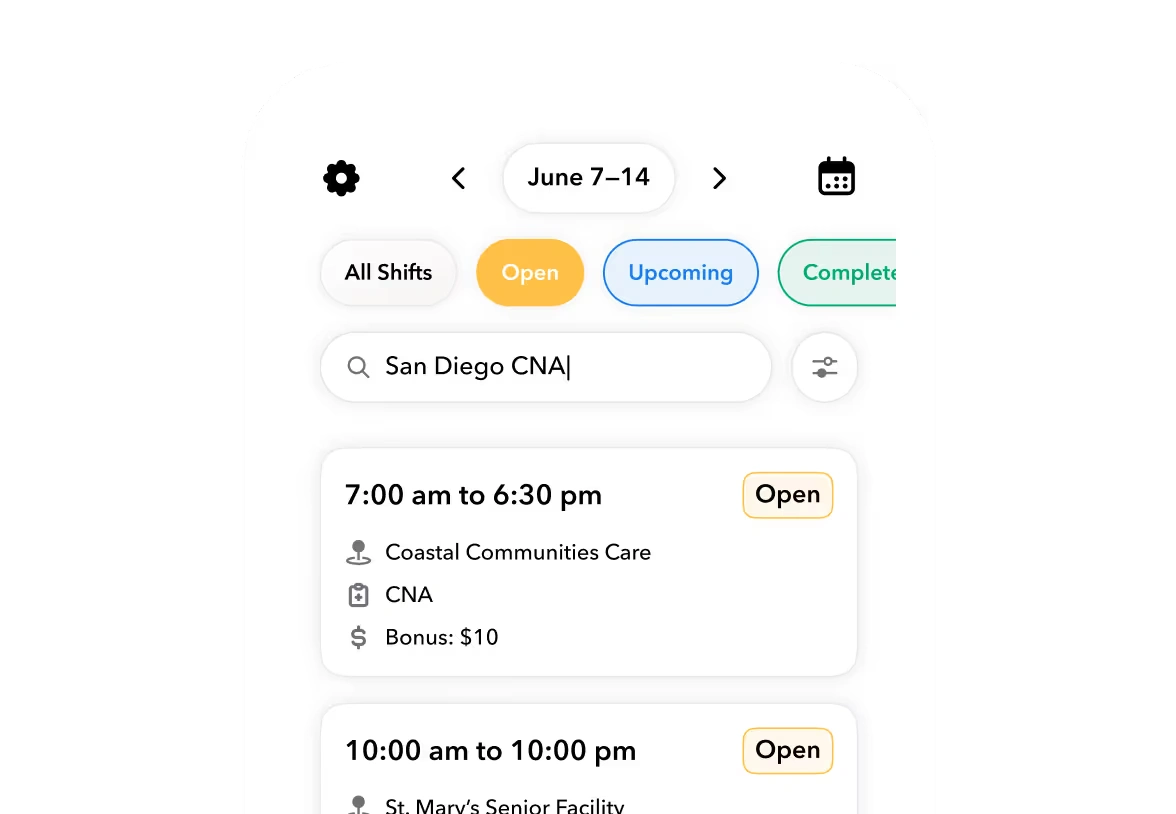
- Shift offers, swaps, and exception handling without a coordinator in the middle
- Clock-in exceptions resolved automatically when possible
- Visit documentation that flows directly to billing
- Payroll and billing handoff with no rekeying
Compare that to the typical reality:
| Workflow | Typical Agency Stack | Single-Platform Approach |
|---|---|---|
| Scheduling | Scheduling tool A | One record |
| EVV | State aggregator portal + EVV app | One record |
| Credentials | Spreadsheet or HRIS module | One record |
| Time & attendance | Time clock vendor | One record |
| Caregiver comms | SMS app or group chat | One record |
| Billing | Billing system | One record |
| Payroll | Payroll provider | One record |
Most agencies are running four to six disconnected tools, with the scheduler acting as the human integration layer between them. That's why moving to a single workforce record — like the model we describe on the Teambridge platform — is the prerequisite for any of the AI conversation that comes later. You can't automate workflows that live in seven systems.
Ready to move?
Ready to see Teambridge in action?
EVV Compliance Without Another Bolt-On System
EVV is the most visible example of the integration tax. It's also the most expensive when it breaks.
The 21st Century Cures Act established the federal floor for EVV compliance across all state Medicaid programs — personal care services first, followed by home health services. Every in-home visit must electronically capture six specific data points: service type, the individual receiving care, caregiver identity, visit date, precise start and end times, and service location. Any EVV system missing one of those elements produces records that fail federal EVV compliance standards — and in 2026, failing state payment systems automatically as a result.
That federal floor isn't the hard part. The hard part is what's happening on top of it. Minnesota has a 50% EVV compliance threshold for personal care assistant services with a jump to 80% required by July; the state uses HHAeXchange as its aggregator, providers using third-party EVV software must have that integration validated and active, and agencies falling below threshold face corrective action plans and potential payment holds. Michigan executed a hard cutover to EVV for all managed care home health service codes, covered service billing now routes exclusively through HHAeXchange, and incomplete or missing EVV records prevent claim creation entirely — not just flag it for review.
Warning
Hard-edit enforcement means a claim with an EVV gap doesn't get reviewed and resubmitted. It doesn't get created. Revenue evaporates before the billing team sees it.
This is what "native EVV" actually has to mean. Visit verification has to live on the same record as the schedule, the timecard, the credential check, and the billing line item. If the EVV system is a separate vendor stitched on with an integration, the audit trail breaks at the join.
We go deeper into how this works in practice on the Teambridge home care page, but the operational test is simple: if a coordinator has to log into a second system to fix an EVV exception, the platform isn't doing the work.
Credential Expiry, Onboarding, and the Day-One Problem
Here's the scenario every operator knows. A caregiver shows up Tuesday morning. Their TB test expired Monday. The shift is logged, the visit is delivered, and three weeks later the claim bounces because the state payer requires active credentials at time of service. Now you're refunding the visit, retraining the scheduler, and explaining to the client why their caregiver is being reassigned.
The fix isn't a dashboard. It's a rule. The platform should not allow that shift to be scheduled in the first place.
What "credential enforcement at schedule time" actually means
- The schedule blocks any assignment with an expired or expiring credential
- The credential record knows the state-specific requirements for the service code
- Renewal nudges fire on a calendar before the expiration, not after
- The caregiver can complete renewal documentation in the mobile app, not a portal
- Once renewed, the schedule unblocks automatically
The same logic applies upstream, on day one. Most agencies treat onboarding as a post-hire administrative process. By the time the new caregiver is on their first visit, half the paperwork is still open. That's how compliance gaps start. Our onboarding product is built around the principle that documents, training, and credentials should be complete before day one — not after a missed visit triggers a review.
AI Agents vs. More Dashboards: The Digital Labor Shift
Every software vendor is talking about AI in 2026. Most of it is a smarter dropdown.
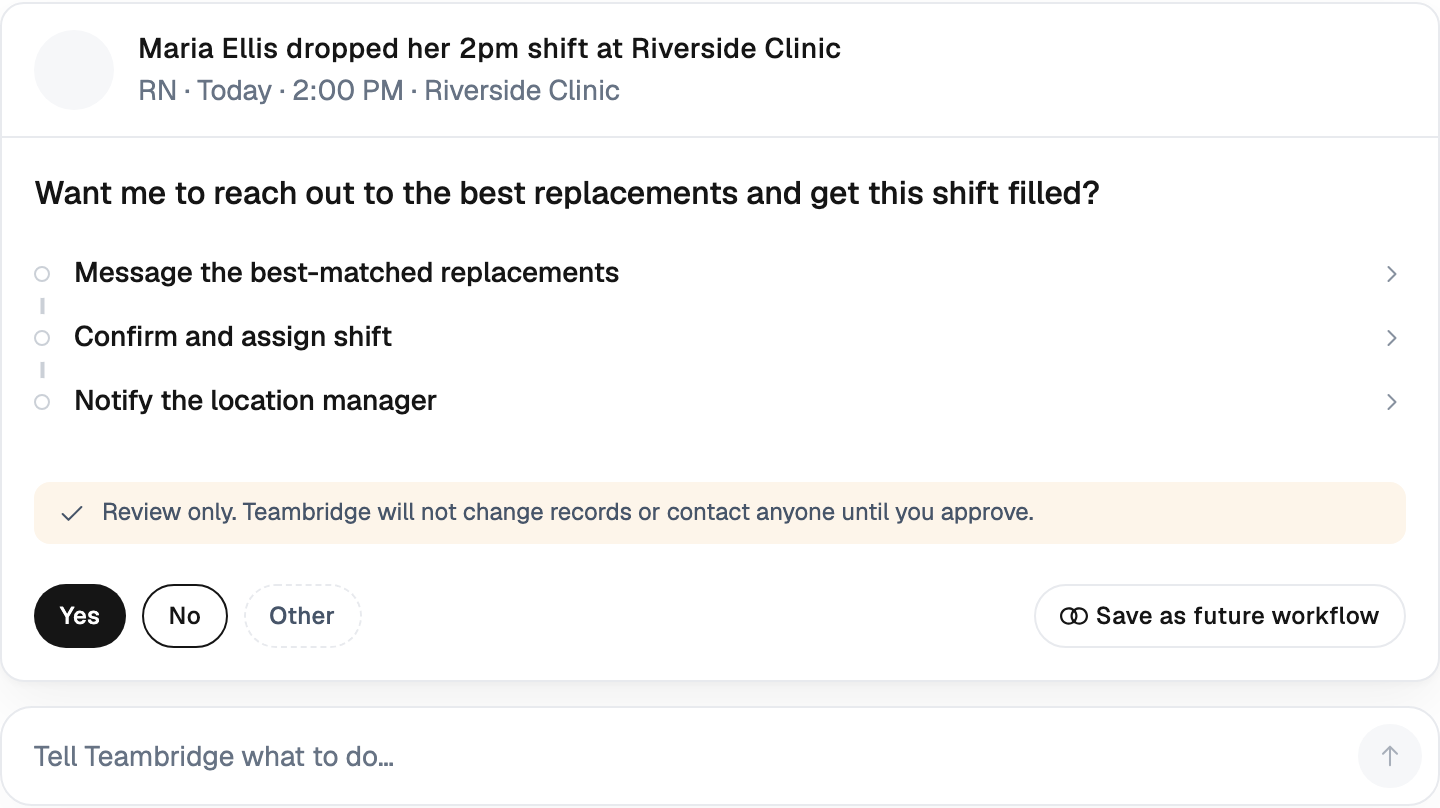
There's a real distinction here and it's worth being precise about. An AI feature improves a workflow a human is doing. Digital labor is software that does the workflow on its own, end-to-end, including the messy parts — texting the caregiver, parsing the response, updating the schedule, logging the audit trail, escalating to a human only when the rules say so.
The difference shows up in what the coordinator's day looks like.
Concrete examples of digital labor in home care
- Auto-filling an open shift: An agent identifies a callout, ranks qualified caregivers by credential, geography, hours, and historical reliability, sends shift offers, confirms acceptance, updates the schedule, and notifies the client — without a coordinator in the loop.
- Resolving a clock-in exception: A caregiver clocks in 12 minutes late. The agent checks the GPS data, checks the prior visit, texts the caregiver to confirm, and either approves the exception or routes to a manager with the evidence attached.
- Chasing a missing visit note: An agent notices a visit closed without documentation, sends a reminder to the caregiver, waits for the note, files it against the visit record, and updates the billing line.
42% of organizations aren't using AI yet — a number that reflects caution more than resistance. When asked where AI could add the most value over the next 12 months, 58% pointed to scheduling and workforce management, 53% to back-office automation, and 47% to clinical documentation.
That's the right priority list. Those are exactly the workflows that consume scheduler and coordinator time today. Our automations and AI Specialists are designed to absorb that work — credential renewals, no-show follow-ups, onboarding steps — so the human team can spend their time on the exceptions that actually need judgment.

How to Evaluate Home Care Software Without Getting Sold a Demo
Demos are theater. They are designed to look like everything works. The only useful evaluation is one where you bring your own messiest week.
Use this checklist when you're talking to vendors:
- Single record test. Does the platform own scheduling, EVV, credentials, time, comms, and pay on the same record — or does it just integrate with five other systems? Ask to see the data model, not the screens.
- Credential enforcement at schedule time. Try to schedule a caregiver with an expired credential. If the platform lets you save the shift, the rule isn't enforced.
- Exception handling without a human. Walk through a clock-in 15 minutes late. Walk through a callout at 11pm on a Sunday. Who resolves it? If the answer is "the coordinator gets a notification," the platform isn't doing the work.
- Audit trail walkthrough. Pretend the state surveyor just walked in. Pull a random visit from six months ago. How many clicks to produce the verified EVV record, the caregiver credential at time of service, the schedule, the visit note, the timecard, and the claim?
- Your hardest week. Don't let the vendor configure a sandbox. Make them model your last bad week — the snowstorm callouts, the credential lapse, the EVV edge case in a hard-edit state.
Tip
If a vendor can't model your worst week in their demo environment, they can't run your normal week in production.
And ask the operational questions vendors hate. How many of your reference customers consolidated off other systems versus added you to the stack? What's the median number of integrations a typical customer runs? What's the average coordinator-to-caregiver ratio after 12 months?
Where to Start: One System of Record, Then Automate the Exceptions
The sequencing matters. Agencies that try to add AI on top of a fragmented stack get the worst of both worlds — more automation hitting more silos, with the same coordinators still acting as the integration layer.
The sequence that works:
- Consolidate onto a single workforce record. Scheduling, EVV, credentials, time, comms, pay — one data model.
- Enforce rules in the system. Credentials, overtime, client preferences, EVV completeness — coded into the schedule, not the scheduler's head.
- Automate the exceptions. Open shifts, callouts, clock-in variances, missing notes, expiring credentials — all handled by digital labor with humans escalating only when needed.
- Then measure what the team is actually doing. Most agencies discover their coordinators were spending 60% of their time on work the platform should have absorbed.
This isn't theoretical. Home health aide demand is expected to rise roughly 36% by 2030 driven by aging demographics, agencies report turning away up to 25% of clients because they lack sufficient staff to meet demand, and recruitment costs for caregivers continue to rise, averaging between $2,600 and $5,000 per hire. Every dollar of admin labor you can absorb back into the platform is a dollar that can fund retention, recruitment, or margin.
If you want to see how other operators have made this transition, the Teambridge customer stories page has examples from staffing, healthcare, and facilities teams that consolidated off fragmented stacks.
The agencies that will be running well in 2028 aren't the ones with the most features. They're the ones that decided in 2026 to stop running their operations on administrative labor and started running them on software that does the work.

Put this research into operation
Compare software choices separately from this analysis of administrative work and operating handoffs. non medical home care software buyer guide.
Connect caregiver readiness, visit coverage, communication, time, and administrative workflows in one operating layer. home care workforce management software.
About the author

Content Writer at Teambridge
Anis Nanai is a content writer at Teambridge, with a focus on workforce management and the realities of running hourly teams. He prioritizes conversations with customers, staying close to the market, and understanding how workforce needs are changing. His writing connects those concerns to practical decisions about scheduling, time tracking, staffing, and automation. He examines product developments through the questions that matter to operators: what does this solve, how would it work for my team, and what evidence supports it?
Company perspective: this author works at Teambridge. Customer outcomes are attributed to their published sources.
View LinkedIn profile