

Because the spreadsheet lies. The build-vs-buy math for shift scheduling software has never been more lopsided than it is in 2026, and the gap is widening as compliance surface area grows and AI capabilities raise the floor on what "good" looks like. This piece is the honest breakdown — what it actually costs to own scheduling forever, where internal builds quietly fail, and the narrow set of cases where building still makes sense.
The Real Question Isn't 'Can We Build It?' — It's 'Should We Own This Forever?'
Shift scheduling sits at an awkward intersection. It's not just a calendar. It touches payroll accuracy, labor law compliance, frontline UX, credential management, and time tracking. Get any one of those wrong and you're either underpaying workers, overpaying them, exposing the company to penalties, or watching attrition climb.
For CTOs, IT leaders, and ops execs evaluating the build path, the relevant question isn't whether your team is capable. They are. The question is whether scheduling is a system you want to own, debug, and update every time Oregon changes a notice requirement or Apple ships a new iOS that breaks geofenced clock-in.
The market context matters here. The 2026 Nucleus Research WFM Value Matrix reveals a market pivot toward real-time analytics, automated compliance, and deep ERP integration to relieve overburdened frontline managers. Frontline managers face a breaking point. They spend hours wrestling with complex schedules instead of leading their teams. In 2026, workforce management technology is delivering measurable ROI by shifting from scheduling efficiency to real-time decision support within frontline operations. Organizations with large hourly workforces are increasingly evaluating WFM platforms on their ability to reduce manager workload, automate labor decisions, and provide embedded guidance directly within daily workflows.
In plain terms: the bar has moved. A v1 internal scheduler that just publishes a roster is no longer competitive with what's available off the shelf.
The True Cost of Building: Engineering Time and Opportunity Cost
Most build-vs-buy decks under-scope by an order of magnitude. The line items that get missed:
- A core scheduling engine — constraints, availability, credentials, overtime rules, fatigue rules, fair-workweek rules
- A worker mobile app (iOS + Android) with offline support
- An admin/manager console with bulk actions and exception handling
- Notifications infrastructure — push, SMS, email, with retries and delivery tracking
- A time clock with geofencing, photo verification, and EVV for home care
- A reporting layer with payroll exports
That's the v1 surface area. Below it sits everything else: SSO, audit logs, role-based access, data retention policies, multi-tenant isolation if you operate across business units.
For reference, on average, WFM software delivers $12.24 for every $1 spent, often achieving payback in less than five months. Implementation costs vary widely, typically ranging from $40,000 to over $250,000 for large-scale rollouts, depending on customization and complexity. That $40K-$250K is the cost to buy and configure an existing platform. Building means a 6-10 person squad — backend, mobile, infra, QA, design, PM — for 12-24 months before v1 ships. Then you maintain it forever.
Warning
Every engineer assigned to scheduling is an engineer not working on your actual product. For a staffing agency or healthcare operator, that's an opportunity cost in the millions before you ship a single shift.
What the Build Squad Actually Looks Like
| Role | Headcount | Loaded annual cost (US) | Notes |
|---|---|---|---|
| Backend engineers | 2-3 | $200-260K each | Scheduling engine, rules, APIs |
| Mobile engineers (iOS + Android) | 2 | $210-260K each | Two codebases or RN expertise |
| Infra/SRE | 1 | $230-280K | On-call, scaling, uptime |
| Design | 0.5-1 | $180-220K | Worker app + admin console |
| QA | 1 | $140-180K | Regression + device matrix |
| PM | 1 | $200-240K | Roadmap, ops liaison |
| Year-one fully loaded | 6-9 | ~$1.5M-$2.2M | Before benefits, equipment, AWS |
That's year one. Year two is roughly the same, because the roadmap doesn't end at v1 — it starts there.
Maintenance, On-Call, and the 'It Works' Tax
Internal builds don't end at launch. They begin a permanent obligation.
The iOS team ships a new background-task API and your clock-in app starts dropping punches. Daylight saving moves a shift across midnight and your overtime calc breaks for a week before anyone notices. A union contract gets renegotiated and the rules engine needs new conditions. A Sunday morning database failover takes 14 minutes — long enough that 200 home health aides can't clock in, and EVV records are missing for an entire shift.
Who owns that pager? Your engineering team. And when scheduling goes down for a shift-based operation, it isn't a P2 incident. It's a payroll incident, a clinical safety incident, or a contract-breach incident depending on the industry.

Vendors amortize this across thousands of customers. One platform's SRE team replaces the SRE team you'd need to hire. One platform's mobile release process replaces yours. The vendor's compliance counsel replaces the labor lawyer you'd otherwise have on retainer reviewing your rules engine.
Compliance: The Moving Target That Eats Internal Roadmaps
If you build, you are also signing up to be a labor-law interpretation shop. The surface area is enormous and growing.
Predictive scheduling laws have been enacted in several jurisdictions across the United States, including cities like Berkeley, Chicago, Emeryville, Los Angeles, New York City, Philadelphia, San Francisco, San Jose, and Seattle. Oregon has also enacted them statewide. On July 1, 2025, the County of Los Angeles is set to join these jurisdictions. The Los Angeles County ordinance applies to retail employers with over 300 employees worldwide, operating in unincorporated areas of Los Angeles County.
Each of those jurisdictions has its own notice period, predictability pay formula, rest-period requirement, and recordkeeping rule. Predictive scheduling laws across the board tend to be highly technical and nuanced, requiring employers to navigate a web of compliance obligations. The complexity increases for companies operating across multiple jurisdictions, many with their own versions of predictive scheduling rules – making a one-size-fits-all policy difficult to apply.
And that's only one slice of compliance. A real scheduler also has to handle:
- California meal/break premium calculations and waivers
- Minor work rules (school hours, max hours by age, by state)
- EVV (Electronic Visit Verification) for Medicaid home care
- OSHA recordkeeping for light industrial
- Credential expiry for healthcare (RN, LPN, BLS, ACLS), security (guard cards), and trades
- Union work rules, seniority bidding, and grievance trails
- Multi-state overtime (daily vs. weekly thresholds, double-time, seventh-day rules)
Compliance is not a feature. It's a subscription to ongoing legal interpretation. Vendors amortize that across thousands of customers and a compliance team that does nothing else. Your internal team will do it on Fridays, between sprints, when someone forwards an email from legal.
Integrations: The Iceberg Under Every Build Plan
Nobody scopes integrations correctly the first time. The integration matrix for a real scheduler usually looks like this:
- Payroll: ADP, Paychex, Gusto, Rippling, Paylocity, Paycor, plus regional bureaus
- Accounting: QuickBooks, NetSuite, Sage Intacct
- HRIS: Workday, BambooHR, Rippling, UKG
- Background checks and credentialing: Checkr, Sterling, Symplr
- SSO / SCIM: Okta, Azure AD, Google Workspace
- Messaging: Slack, Teams, Twilio for SMS
- BI: Snowflake, Looker, Power BI
Each connector is a contract with another vendor's API surface — including their rate limits, their breaking changes, their auth refresh quirks, and their deprecation timelines. When their API changes, your sprint gets eaten.
For scale context, established platforms maintain integration counts in the hundreds — ADP Workforce Now alone publishes a marketplace of hundreds of pre-built connectors. A two-person build team can deliver maybe four or five solid integrations per quarter, and that's before they start maintaining the ones already shipped. See how Teambridge handles this on the integrations page.
Note
Integrations are not a one-time build. They're a perpetual maintenance contract you sign on every customer's behalf. Vendors absorb that cost because they spread it; you absorb it alone.
Scalability, Reliability, and Security: Where Internal Builds Quietly Fail
Enterprise buyers — and increasingly mid-market ones — expect a security and reliability posture by default:
- SOC 2 Type II, refreshed annually
- HIPAA where healthcare data is in scope
- Penetration testing on a regular cadence
- 99.9%+ uptime SLA, with public status page
- Audit logs with immutable retention
- Role-based access with fine-grained permissions
- Mobile device management compatibility (Intune, Jamf)
- Data residency options for multi-region operations
None of that is free. SOC 2 Type II alone is a six-figure annual line item once you factor in the auditor, the tooling, and the engineering hours to remediate findings. Add a security engineer or two to maintain the posture, plus a compliance lead, and you're at $500K-$800K per year before you've written a single feature.
For shift-based ops, an outage during a Sunday morning hospital shift handoff isn't a P2 ticket. It's a clinical safety event. The blast radius of a scheduling outage is wider than almost anything else in your stack, and your customers — internal or external — will measure you against vendors who treat uptime as a product.
The Speed and Risk Math: Time-to-Value vs. Time-to-Regret
The most consequential gap is timing. Buying delivers published schedules, mobile clock-in, geofencing, and payroll exports in weeks. Building delivers a v1 in 12-18 months that still lags commercial platforms on AI scheduling, predictive forecasting, and labor analytics by years.
While AI and machine learning have long been staples of labor demand forecasting, several vendors have invested in Generative AI, offering assistants that can answer employee inquiries and provide managers with actionable recommendations to accelerate and improve decision-making. Those capabilities aren't shipping out of your internal team in year one. They aren't shipping in year two either.
Build vs. Buy: The Honest Comparison
| Dimension | Build in-house | Buy a platform |
|---|---|---|
| Time to v1 in production | 12-24 months | 2-8 weeks |
| Year-one cost | $1.5M-$2.5M | $40K-$250K |
| Ongoing annual cost | $1.2M-$2M+ | Subscription + minor config |
| Compliance coverage | What you build | Updated by vendor across customers |
| Integration footprint | What you build | Hundreds available |
| AI scheduling / forecasting | Year 3+ if ever | Available today |
| SOC 2 / HIPAA | DIY | Inherited from vendor |
| Outage owner | Your eng team at 2 a.m. | Vendor's SRE team |
The ROI math is similarly one-sided. In a review of ROI case studies published on WFM deployments since 2016, Nucleus found that WFM pays back an average of $12.24 for every dollar spent, with an average payback period of just under 5 months. Those numbers describe buying a platform. The equivalent ROI calculation for an internal build is a multi-year negative until at least the second major version ships — and the comparable feature set never quite arrives.
When Building Actually Makes Sense (And When It Doesn't)
A fair take: there is a narrow set of cases where building is defensible.
- Scheduling is your core differentiator. You ARE a staffing marketplace, and the matching algorithm is the product. In that case, you're not building "a scheduler" — you're building the company.
- Your operational model has no commercial fit. A truly novel labor model where vendor rules engines genuinely can't express your constraints. This is rarer than people think.
- You have specific regulatory or data-residency requirements that no vendor can meet, and the legal cost of working around them exceeds the build cost. Almost never the case in North America.
For everyone else — staffing agencies, healthcare, home care, security, janitorial, light industrial, hotels, events, construction — buying is the operationally sane choice. The platforms exist. They are good. They get better every quarter without consuming your roadmap.
Where Teambridge Fits
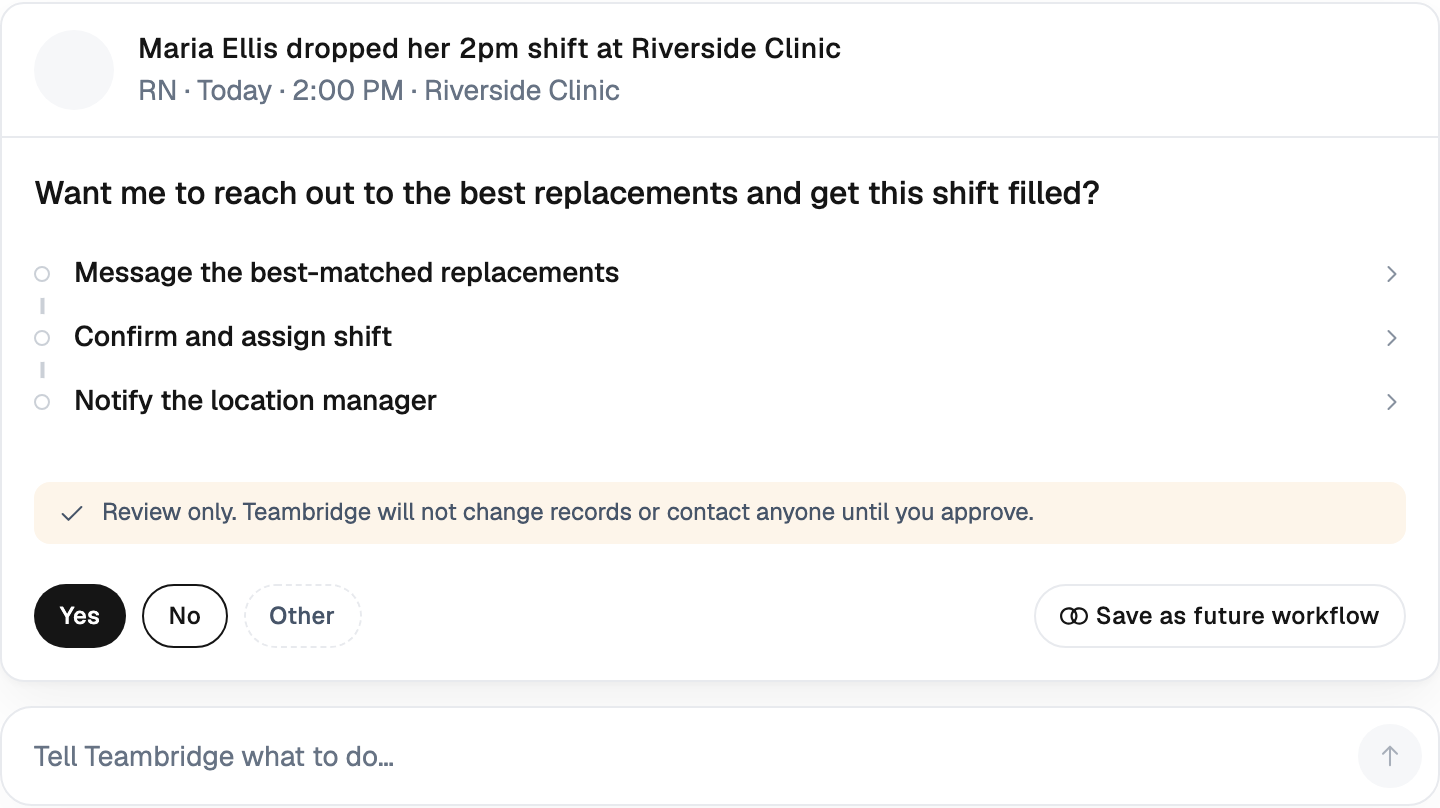
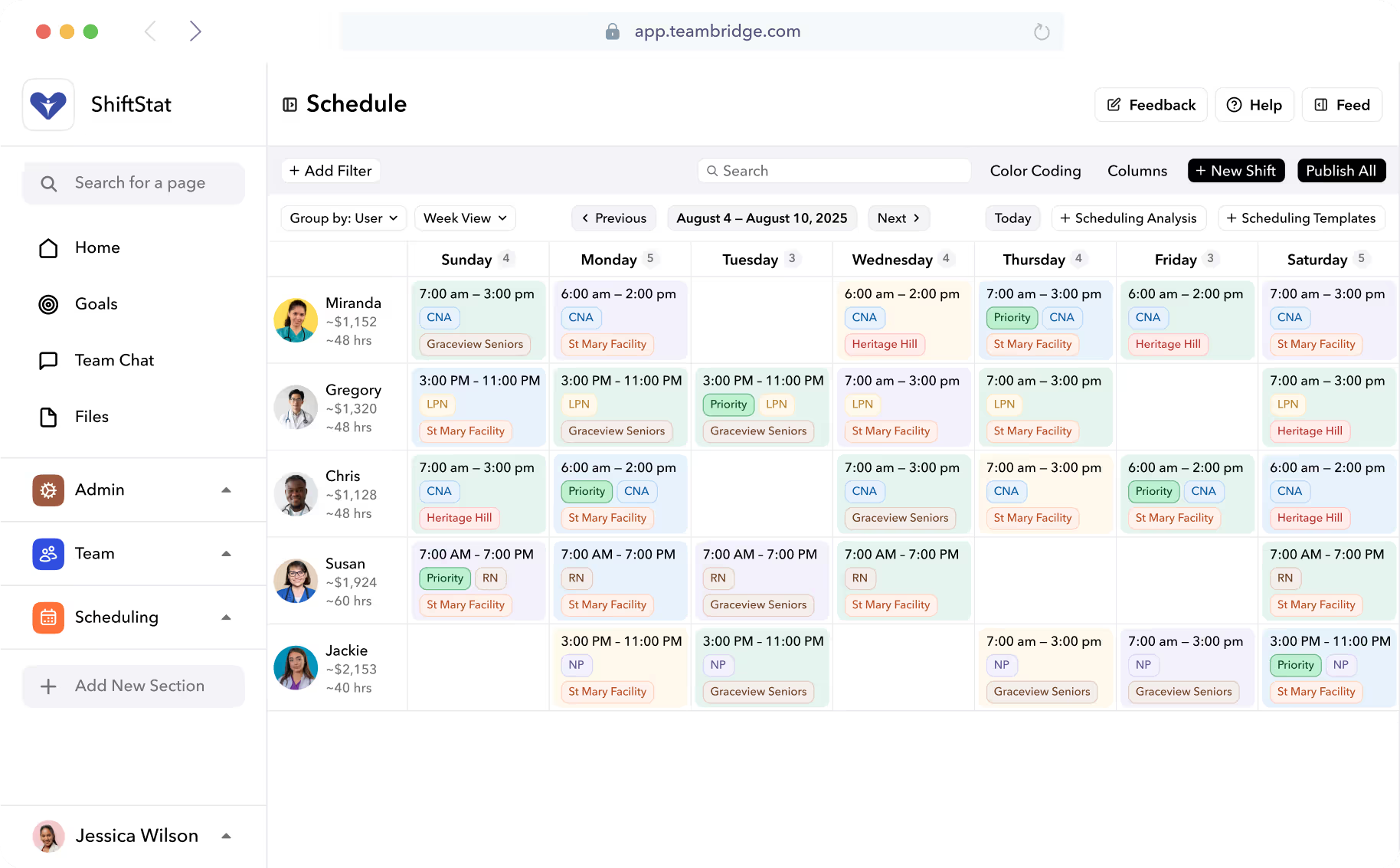
Teambridge is purpose-built for shift-based operations: AI-driven scheduling, credential tracking, native mobile worker app, time tracking, compliance reporting, and the integration footprint already in place. The AI Specialists handle the work an internal team would spend years approximating — auto-filling shifts against availability and credentials, flagging predictive-scheduling violations before they happen, and surfacing labor-cost anomalies as they occur.
The customer evidence is on the customer stories page: staffing agencies, healthcare systems, and facilities operators who chose to buy and shipped operational improvements in weeks rather than fiscal years.
Before your team greenlights a build proposal for Q3, do the boring version of the math. Price the squad. Price the on-call. Price the compliance subscription. Price the integrations roadmap. Then compare it to a platform tour. The numbers tend to make the decision for you.
The Bottom Line
Building scheduling in-house is one of those decisions that looks great in a planning doc and looks expensive forever after. The teams that win in shift-based operations are the ones who treat scheduling as critical infrastructure they consume — not infrastructure they own — and redirect their engineers to the product their customers actually pay for.
For a credible external view of where the market is moving, the Nucleus Research 2026 WFM Value Matrix is the cleanest starting point. Read it before you read your own build proposal.

About the author

Content Writer at Teambridge
Anis Nanai is a content writer at Teambridge, with a focus on workforce management and the realities of running hourly teams. He prioritizes conversations with customers, staying close to the market, and understanding how workforce needs are changing. His writing connects those concerns to practical decisions about scheduling, time tracking, staffing, and automation. He examines product developments through the questions that matter to operators: what does this solve, how would it work for my team, and what evidence supports it?
Company perspective: this author works at Teambridge. Customer outcomes are attributed to their published sources.
View LinkedIn profile