

This guide is for the people running hourly and deskless operations: HR managers at staffing agencies, ops leaders at home care companies, owners of janitorial and security firms, schedulers at hospitals, and project managers at construction outfits. If a missed shift, an expired license, or a bad timecard hits your P&L the same week it happens, this is for you.
Why Workforce Management Looks Different in 2026
The category has stopped being a back-office utility. The workforce management software market is expected to increase from USD 9.36 billion in 2025 to USD 9.76 billion in 2026, with uptake of generative AI copilots, real-time payroll-tax engines, and mobile-first applications reshaping labor operations and turning a formerly back-office tool into a compliance and risk-mitigation platform.
Three forces are doing the reshaping. First, labor cost pressure — every hour of overtime, every no-show, every misclassified break shows up in margin. Second, regulation. Predictive scheduling ordinances in cities like New York, Seattle, and Chicago, plus state-by-state break and overtime rules, have made spreadsheet scheduling a legal liability for multi-site operators. Third, worker expectations have changed. Hourly employees now expect schedule visibility, shift swap, and fast pay — and they leave when they don't get it.
Buyers have responded by consolidating their stack. 73% of buyers evaluate monitoring software as part of a broader workforce management platform purchase, according to Gartner. The era of stitching together a scheduler, a punch clock app, a messaging tool, and a payroll export is ending.
Note
If you're still running scheduling in a spreadsheet and time tracking in a separate app, the cost is not the software you'd buy to replace them. It's the overtime, turnover, and compliance exposure you're absorbing today.
What is Workforce Management? A Plain-English Definition
Workforce management (WFM) is the integrated set of processes a company uses to forecast labor demand, schedule the right people, track their time, stay compliant with labor law, pay them correctly, and keep them engaged enough to come back tomorrow.
It sits between HR and payroll. HR hires the person, sets the policy, and administers benefits. Payroll cuts the check. WFM is everything in the middle — the operational layer where the work actually gets done.
A concrete example. A home care agency with 200 caregivers serving 600 clients across a metro area doesn't have an HR problem most days. It has a WFM problem: which caregiver, with which certifications, can reach which client by 8 a.m., given who called out, who's near overtime, and which clients require a specific language. That's a forecasting, scheduling, routing, compliance, and time-tracking problem all at once — and it repeats every shift.
Compare that to a knowledge-work team where "WFM" is mostly calendar coordination and a quarterly OKR review. The depth of the discipline scales with how operational the workforce is.
The eight areas that matter
A modern WFM platform covers eight functions:
- Demand forecasting and scheduling
- Time tracking and attendance
- Compliance (labor law, credentials, documentation)
- Payroll inputs and pay delivery
- Communication
- Analytics and reporting
- Employee experience (self-service, shift swap, transparency)
- Integrations with HRIS, payroll, ATS, and billing
The rest of this article walks through them.
Scheduling: The Operational Core
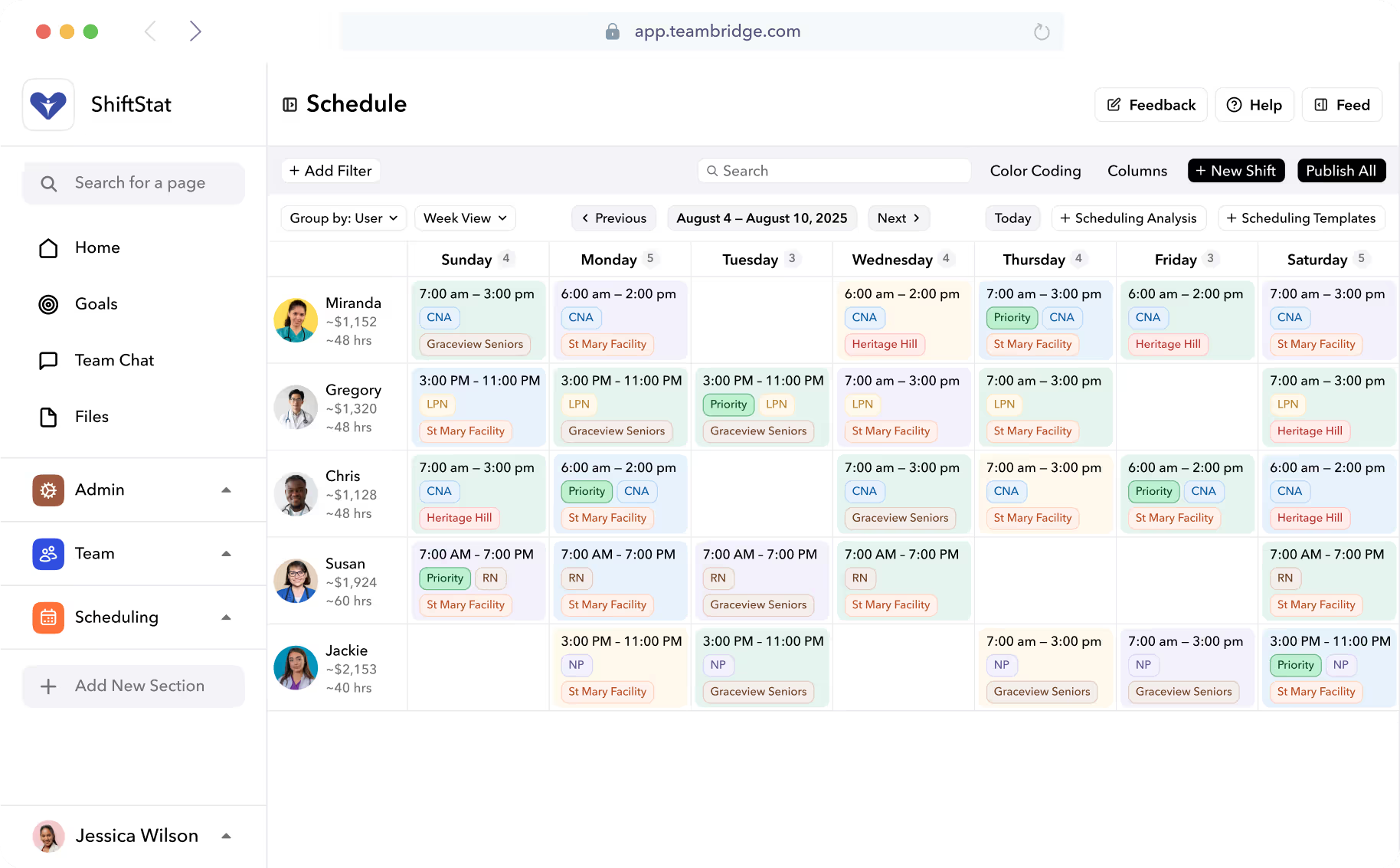
Scheduling is where WFM either pays for itself or quietly bleeds. The job has four parts: forecast demand, build the roster, fill gaps, and respect constraints.
Forecasting used to mean copying last week's schedule. Now it means ingesting historical demand, day-of-week patterns, weather, events, and (for retail and hospitality) point-of-sale data. European manufacturers and logistics operators utilize machine-learning models that ingest point-of-sale and weather data to enhance hourly labor forecasts by 15-20% compared to static templates.
Building the roster used to take a scheduler half a day. AI now produces a draft schedule in minutes — respecting availability, certifications, overtime caps, predictive scheduling ordinances, fatigue rules, and client preferences. The scheduler's job becomes review and exception, not construction.
Two examples make this concrete:
- Janitorial. A facilities company auto-assigns night routes by zip code and required certifications (floor care, biohazard, OSHA-10). The system holds drive time under 25 minutes and keeps any single worker under 40 hours.
- Hospital. A medical-surgical unit matches RNs to shifts by license type, unit competency, last-shift-worked (fatigue), and overtime exposure. Float pool is queried before agency.
Teambridge's Scheduling product handles credentials, overtime caps, and predictive scheduling rules natively, which matters in multi-jurisdiction operations where the rules change at the city line.

Time Tracking and Attendance: Where Margin Leaks or Holds
If scheduling is where you commit labor cost, time tracking is where you measure whether you got what you paid for. The basics: a way for workers to clock in (mobile, GPS, kiosk, biometric), a way for supervisors to handle exceptions (missed punches, early-in, no-show), and a clear set of rules for breaks, rounding, and overtime.
The failure modes are not subtle:
- Buddy punching. A coworker clocks in for a friend who's running late. Biometric and selfie-based clock-in eliminate this.
- Missed punches. Workers forget to clock out, supervisors approve the timecard without reviewing it, and you pay for hours that weren't worked.
- Rounding rules. A seven-minute rule applied inconsistently can shift thousands of dollars per pay period in either direction.
- Off-the-clock work. A driver who clocks out at the yard but then drives 20 minutes home in a company vehicle is creating wage-and-hour exposure.
GPS-verified clock-in has become standard for deskless and multi-site operations. It's the difference between trusting a punch and verifying it. About 78% of companies now use employee monitoring tools to watch their activities, according to data compiled from ExpressVPN surveys — though in hourly operations the goal is less about surveillance and more about proving compliance and accuracy of pay.
Teambridge's Time Tracking supports GPS, geofence, kiosk, and biometric clock-in, plus exception workflows that route missed punches to the right supervisor.
Compliance: From Reactive Fire-Drill to Built-In Guardrails
Compliance is the area where modern WFM most clearly outperforms legacy approaches. The traditional pattern: someone gets sued, audited, or fined, and the company scrambles to reconstruct records from spreadsheets and emails. The modern pattern: the platform refuses to schedule a worker without a valid license, automatically logs every break, and generates audit-ready reports on demand.
The compliance stack for most US hourly operators includes:
| Layer | What it covers | Where it hurts when it fails |
|---|---|---|
| FLSA | Overtime, minimum wage, exempt/non-exempt | Back wages, liquidated damages, DOL action |
| State break/meal rules | CA, NY, OR, WA, others | Per-shift penalties; class actions |
| Fair Workweek | Predictive scheduling ordinances | Predictability pay; per-violation fines |
| Credential expiry | Licenses, certifications, training | Disqualified shifts; client clawbacks |
| I-9 / E-Verify | Work authorization | Civil and criminal penalties |
| OSHA | Safety training, incident logs | Site shutdowns, fines |
A staffing agency placing RNs across three states tracks license expirations by jurisdiction — Texas, Florida, and Georgia all have different renewal cycles. A construction firm tracks OSHA-10 cards by job site because the GC requires proof on entry. A retail chain in Seattle has to give 14 days' notice of a schedule under that city's Secure Scheduling Ordinance, or pay predictability premiums.
None of this is optional. All of it is automatable. Teambridge's Admin Tools flag violations in real time and produce the reports that auditors actually ask for.
Warning
Multi-state operators routinely underestimate compliance complexity. A break rule that's fine in Texas is a per-shift penalty in California. If your scheduling system can't enforce by location, you're accruing liability every pay period.
Payroll, Pay, and the Hours-to-Cash Loop
WFM feeds payroll. Approved timecards become gross wages, deductions apply, net pay goes out. Sounds simple. It isn't.
The complications in hourly operations:
- Multiple pay rates per worker (different rates by client, shift, or task)
- Shift differentials (nights, weekends, holidays)
- Per-diems and reimbursements (especially in healthcare staffing and travel construction)
- Overtime calculations that vary by state — California's daily overtime rule is the obvious example
- Retro adjustments when a timecard is corrected after payroll runs
Payroll errors are the fastest way to lose an hourly worker. A single missed paycheck or a meaningfully short one ends the relationship. In high-turnover industries — staffing, hospitality, security, janitorial — pay accuracy is a retention lever, not just an accounting function.
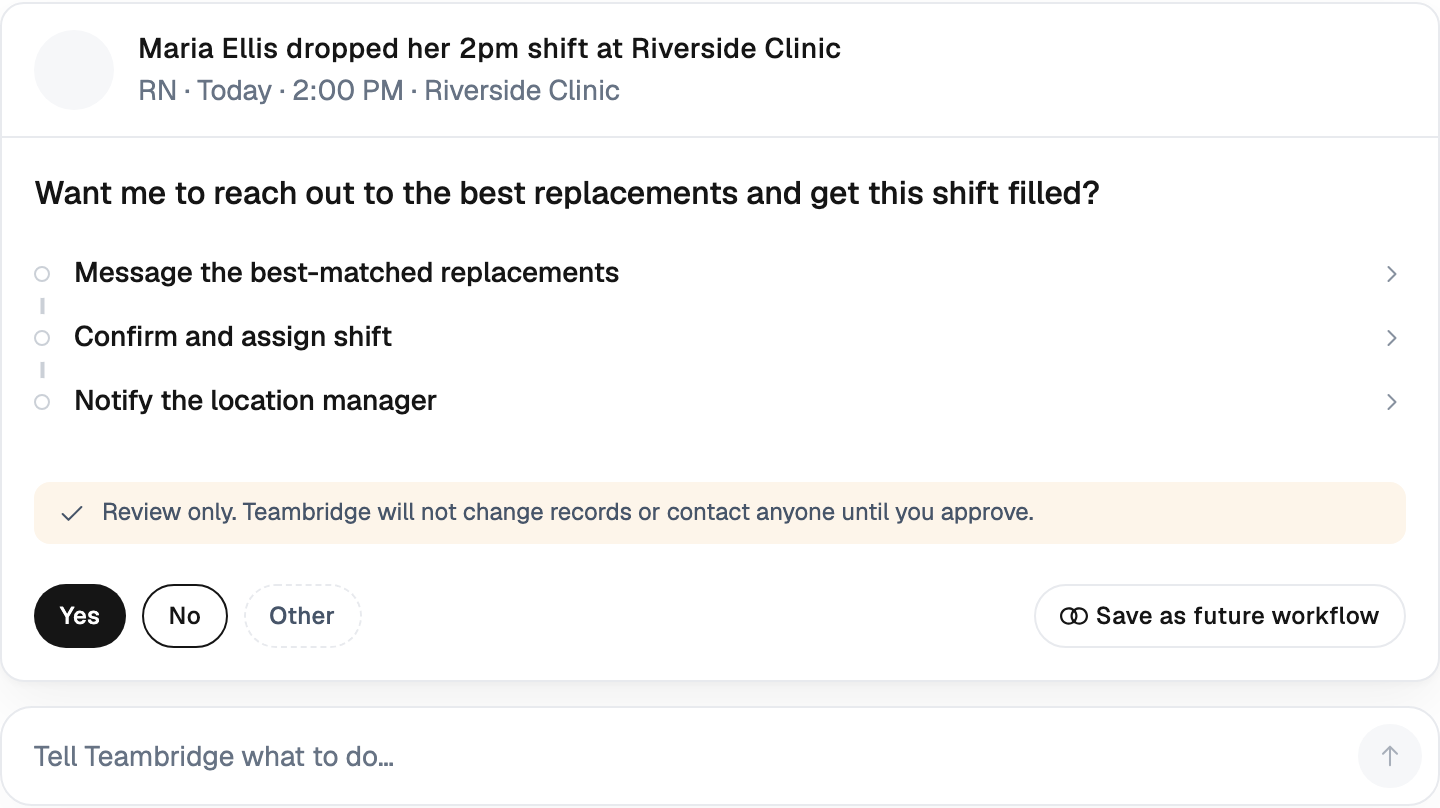
Instant or earned wage access has emerged as the other side of this lever. Workers can access a portion of earned wages before payday. For staffing and gig-adjacent workforces, where workers may be choosing between three agencies on any given week, instant pay is becoming a default expectation. Teambridge's Instant Pay ties earned wages directly to verified clock-out, eliminating the manual approval bottleneck.
Communication, Analytics, and Employee Experience
Three tightly linked areas that share one underlying truth: deskless workers don't sit at a computer, so the channel is mobile.
Communication
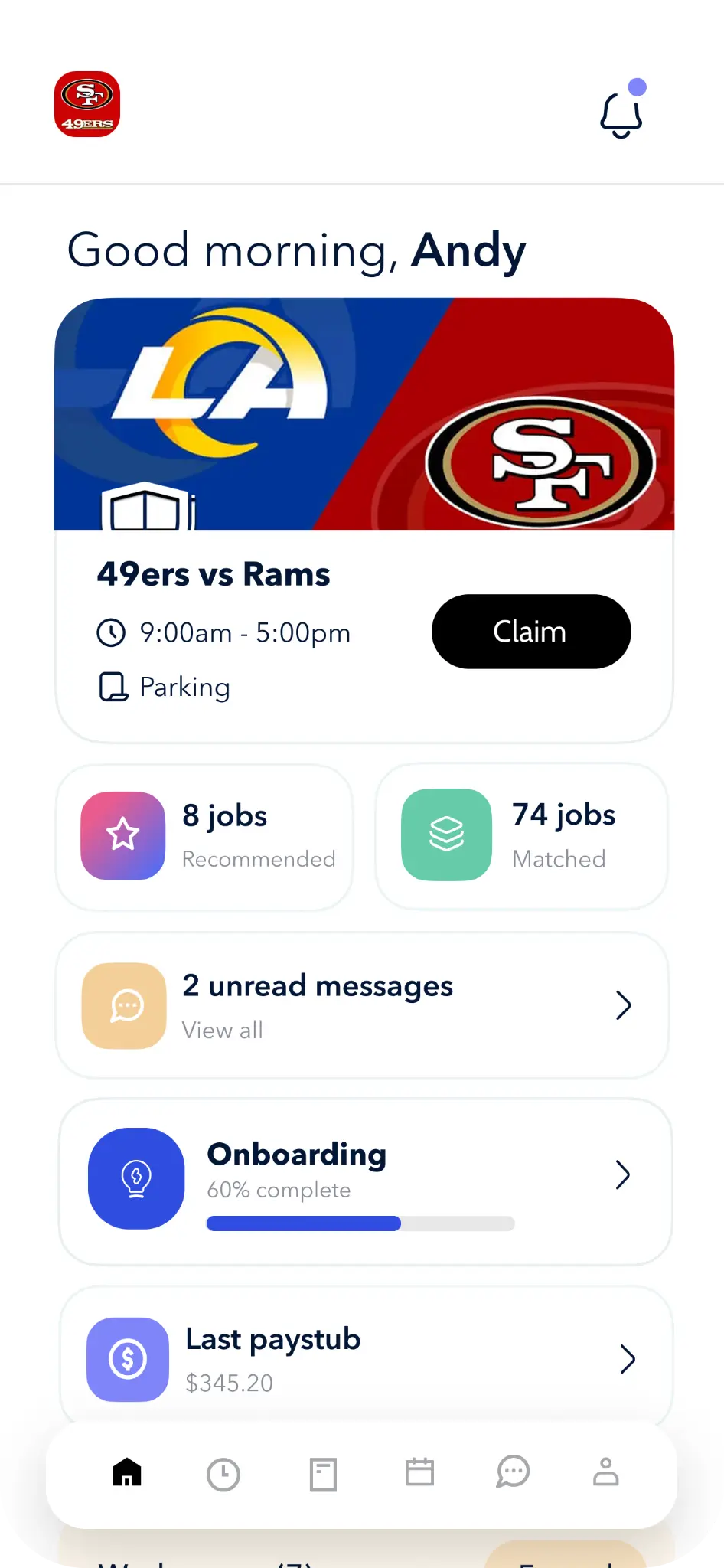
For hourly and deskless teams, communication has to reach workers wherever they are, in whatever app they actually open. That means a worker app, broadcast messaging for company-wide updates, 1:1 messaging for supervisor-to-worker conversations, and SMS fallback for workers who haven't installed the app yet. Document delivery — pay stubs, training materials, policy updates — has to flow through the same channel. Teambridge's Communication and Mobile App handle this end to end.
Analytics
The dashboards ops leaders run their week off of are not complicated. They are:
- Labor cost vs. budget (by site, by client, by week)
- Fill rate (how often did we cover the shifts we committed to)
- No-show rate (by worker, by site, by shift type)
- Overtime trend (rolling four weeks)
- Attendance reliability score per worker
Time and attendance accounted for a 29.63% share in 2025, driven by payroll statutes; however, analytics led to growth at a 6.81% CAGR through 2031. Analytics is the fastest-growing sub-segment because operators have figured out that visibility is what turns a WFM system from a record-keeper into an operating system.
Employee experience
Schedule transparency, shift swap, easy time-off requests, mobile pay. Workers want autonomy and clarity. The teams that give it to them win on retention. Workforce management software helps in enhancing employee engagement by providing self-service tools, transparent communication channels, and scheduling flexibility, and engaged employees are more productive and less likely to turnover, which contributes to overall organizational success.

How to Choose a Workforce Management System in 2026
If you're evaluating WFM platforms this year, use this checklist. It's the one we'd hand to a friend running a staffing agency, a healthcare staffing firm, or a multi-site janitorial operation.
Buyer's checklist
- Unified platform, not stitched point tools. Every handoff between systems is a place for data to break.
- Mobile-first for deskless workers. If your workforce never sits at a desk, the worker experience has to be a phone-first app, not a web portal.
- AI scheduling that respects credentials and overtime caps. Auto-fill is only useful if it doesn't schedule unqualified workers or trigger overtime.
- Real-time compliance engine. Not a quarterly report — a guardrail that prevents the violation in the first place.
- Native payroll and HRIS integrations. Approved hours should flow to payroll automatically. Worker records should sync from your HRIS.
- Communication built in. A separate messaging app is a separate adoption curve.
- Reporting your operators will actually use. If the dashboards require a BI analyst, your supervisors won't open them.
- Industry fit. Healthcare staffing, security, janitorial, construction, live events, and light industrial all have specific workflows. A horizontal platform with no industry depth will require six months of configuration.
Operators don't buy WFM software. They buy fewer missed shifts, faster pay, fewer compliance fines, and lower turnover. Evaluate every demo against those four outcomes.
Where Teambridge fits
Teambridge runs all eight WFM areas on one platform, with deep configurations for staffing agencies, healthcare, construction, janitorial and facilities, and security. The same system handles a 200-caregiver home care agency in Phoenix and a 5,000-worker staffing firm placing across light industrial, healthcare, and events.
The through-line: workforce management in 2026 is not eight tools your team logs into. It's one platform that runs the operation, with AI doing the construction work and humans handling the exceptions. The companies that get there first stop competing on price and start competing on reliability — which, for an hourly workforce business, is the only durable moat there is.
Sources: Mordor Intelligence Workforce Management Software Market 2026, Employee Monitoring Statistics 2026 (Digital.com / ExpressVPN data), Straits Research WFM Software Market.

About the author

Content Writer at Teambridge
Anis Nanai is a content writer at Teambridge, with a focus on workforce management and the realities of running hourly teams. He prioritizes conversations with customers, staying close to the market, and understanding how workforce needs are changing. His writing connects those concerns to practical decisions about scheduling, time tracking, staffing, and automation. He examines product developments through the questions that matter to operators: what does this solve, how would it work for my team, and what evidence supports it?
Company perspective: this author works at Teambridge. Customer outcomes are attributed to their published sources.
View LinkedIn profile