

The scheduler lives in one tool. Punches come from a second. Crew chat sits in a third — usually a personal WhatsApp thread no one can audit. Invoicing happens in QuickBooks, three days after the work was delivered. Each tool does one thing acceptably. Together, they create the operational tax that eats your Sunday nights and your gross margin.
This article is about the alternative: a composable workforce operating system, where scheduling, time, comms, credentials, and pay/bill all share one data model. Not a monolithic HCM suite. Not five SaaS tools stitched together with Zapier. One configurable system of record, with modular surfaces.
The Hidden Tax of a Fragmented Workforce Stack
The pain is always the same, in every operation we walk into.
A bad schedule becomes overtime. A missed punch becomes a payroll cleanup ticket. A vague leave rule becomes a compliance dispute. A disconnected labor plan becomes a manager's spreadsheet on Sunday night, reconciling what was supposed to happen against what actually did.
None of this is a software problem at the tool level. Each tool, evaluated in isolation, looks fine. The scheduler has good adoption. The time clock collects punches. The invoicing tool exports to the GL. The problem is the seams between them.
Fragmented workplace tools are quietly draining productivity. Together, they create new ones: harder to find information, harder to reach the full workforce, harder to know whether any of it is working.
The data backs this up at the enterprise level. According to Eptura's 2025 Workplace Index, most organizations are not short on tools — fifty percent are using an average of 17 standalone workplace technologies. Seventeen tools. None of them sharing a worker record.
The real cost shows up in three places:
- Margin leak from unapproved overtime, no-show coverage at premium rates, and bill rates that don't match what was actually worked.
- Compliance exposure from credential expirations that the scheduler doesn't see, missed breaks the time system can't enforce, and audit trails that span four databases.
- Manager burnout from being the human integration layer between systems that refuse to talk to each other.
Warning
If your operations manager is the integration between scheduling and payroll, you don't have a workforce stack. You have a person doing data entry between four vendors who all charge you a per-seat fee.
What 'Composable' Actually Means for Workforce Ops
Three architectures are competing for your workforce ops budget. They are not the same thing.
Monolithic HCM suites
Big HCM platforms — the ones built for salaried headcount and benefits administration — were designed for a different problem. They're strong at open enrollment and weak at the shift floor. Adding a per-diem nurse, a janitorial route, or a same-day event crew to that model usually means custom modules and a six-month implementation.
Stitched-together point tools
The other extreme: best-of-breed tools wired together with middleware. Each one is good at its job. Collectively, they share nothing except CSV exports. Fragmented systems create data silos, where critical information is trapped within individual tools. Managers lack a holistic view of operations, hindering their ability to make informed decisions.
Composable workforce operating systems
A composable workforce OS is the middle path. One data model — workers, shifts, credentials, hours, pay rates, clients, bill rates — with modular surfaces on top: scheduling, time tracking, comms, invoicing, admin. The surfaces can be reconfigured per business unit, but they all read and write to the same underlying record.
The market is moving this direction. Success in 2026 belongs to organizations adopting unified platforms that seamlessly blend automated AI-driven sales forecasting and scheduling, unwavering compliance assurance, and robust tools for recruiting, rewarding, and retaining top talent. These elements interconnect within intuitive dashboards, delivering time savings, cost reductions, and profit acceleration without fragmented add-ons.
Here's how the three approaches stack up in practice:
| Capability | Stitched Point Tools | Monolithic HCM Suite | Composable Workforce OS |
|---|---|---|---|
| Single worker record across scheduling + time + pay | No — CSV syncs | Partial — HR-centric | Yes — one schema |
| Configurable per business unit | Per-tool config | Limited, costly | Rule engines + workflows |
| Frontline comms in-context | External chat | Bolt-on module | Embedded on shifts |
| Pay and bill from one approved timecard | Manual reconciliation | Pay only | Both, automated |
| Implementation timeline | Weeks per tool | 6–12 months | 4–8 weeks |
| AI on operational data | Not really | Limited to HR | Native, agentic |
The Single Source of Truth: Why the Data Model Matters More Than the Features
Operators get sold on feature checklists. What actually scales is shared data.
A unified worker record holds everything the rest of the system needs to make a correct decision: credentials and their expiration dates, certifications, skills, pay rates, client assignments, location preferences, OT history, and per-client bill rates. Once that record exists in one place, every downstream surface becomes safer and faster.
The scheduler can't book an RN to a shift if her BLS certification expired yesterday — the system knows, and refuses the action. The timecard auto-applies the right OT rule because it knows which jurisdiction the shift ran in. The invoice line item matches the punch because both are derived from the same shift record, not reconciled across two databases.

This is the precondition for everything else operators want from modern WFM. Many systems already offer real-time dashboards and workforce analytics, allowing organisations to monitor key metrics such as current labour costs versus budget, overtime usage, absence rates, and productivity per hour – all in real time. None of those dashboards work on fragmented data. If your overtime number is a weekly export from one system reconciled against a payroll file from another, it's already wrong by the time it lands in a deck.
Predictive dashboards are table stakes for CFO presentations now. They are also useless if the underlying labor data is stitched together from four exports.
The sequence matters: data model first, surfaces second, AI third. Skip the first step and the AI is just expensive autocomplete on bad data.
Scheduling and Time Tracking Have to Live in the Same System
This is the most common break point in workforce stacks, and the most expensive.
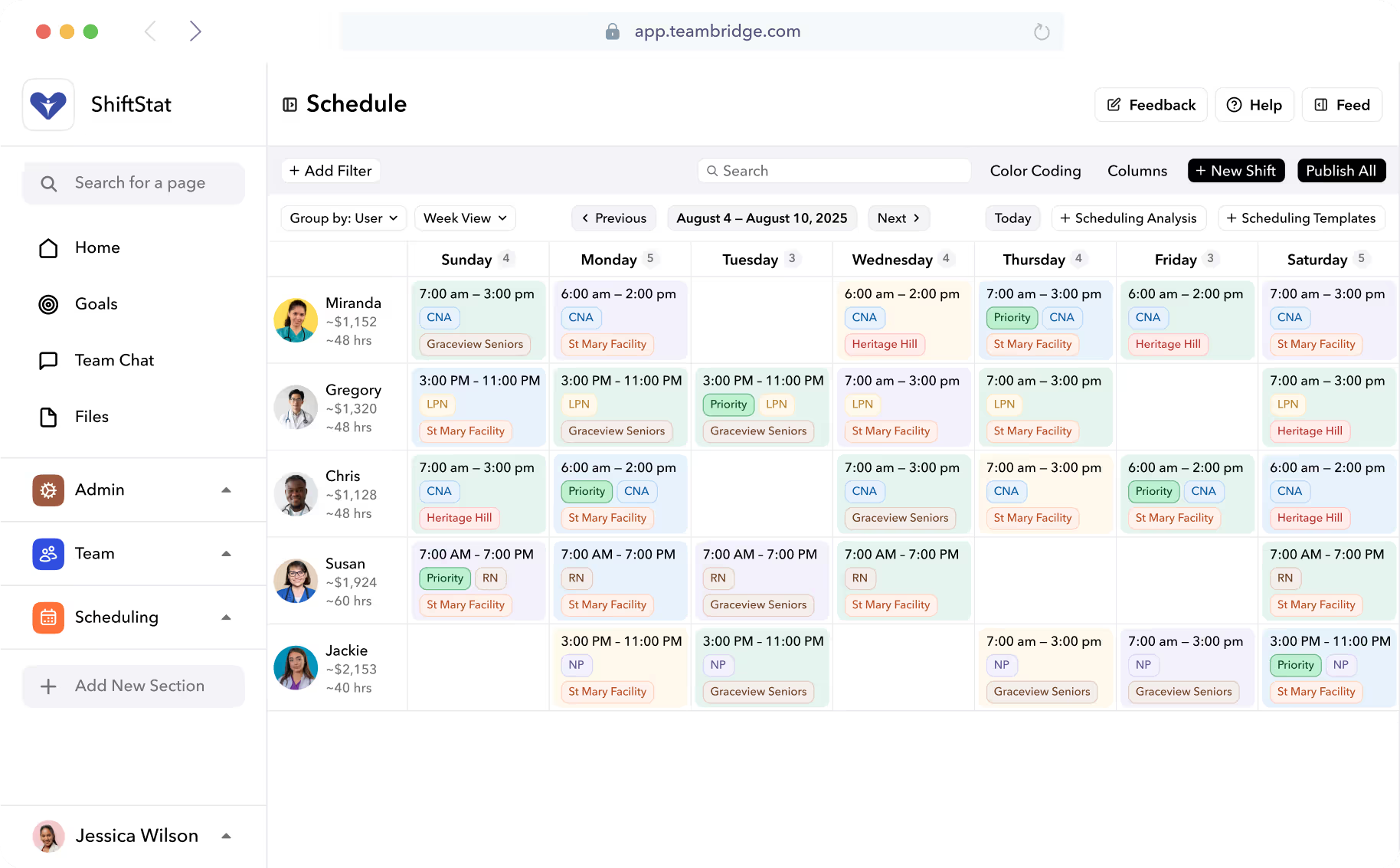
The operational flow is supposed to be continuous: scheduled shift → clock-in → exception → approved timecard → payroll export. When scheduling and time live in separate databases, that flow becomes four integrations, four reconciliation steps, and four places where a shift can quietly fall out of sync with what was actually worked.
The symptoms look like this:
- A worker is scheduled but never clocked in. Did they no-show, or did the punch fail to sync?
- A worker clocked in but isn't on the schedule. Unauthorized shift, or last-minute fill the dispatcher forgot to log?
- Hours approved in the time system don't match hours scheduled. Which one wins for payroll?
- Overtime triggered, but the schedule was built assuming straight time. Who eats the variance — the client or your margin?
Every one of those questions becomes a ticket when scheduling and time aren't the same system. In a unified model, they're not questions — they're exceptions surfaced on a single dashboard with one-click resolution.
And this is where AI starts to matter. Advanced predictive models analyze vast datasets historical sales trends, seasonal fluctuations, real-time traffic, weather impacts, and employee patterns to generate precise demand forecasts. Scheduling, once a time-consuming manual process prone to errors, now occurs in moments, delivering balanced rosters that curb overtime, eliminate coverage gaps, and align shifts with both business needs and personal preferences. That kind of forecasting is impossible when your scheduling history and your actuals live in different databases.
This is the core of the Teambridge platform: scheduling and time tracking on one worker record, so the schedule, the punch, and the timecard are three views of the same object — not three records hoping to reconcile.
Communication Isn't a Separate App — It's a Layer on Operations
Group chat in Slack or WhatsApp is where operational knowledge goes to die.
The shift fill thread from last Tuesday — the one where a dispatcher confirmed a swap, agreed to a different rate, and approved an unusual credential exception — is gone. It exists in a personal device, in a thread that scrolls past, with no connection to the timecard or the invoice it should have updated.
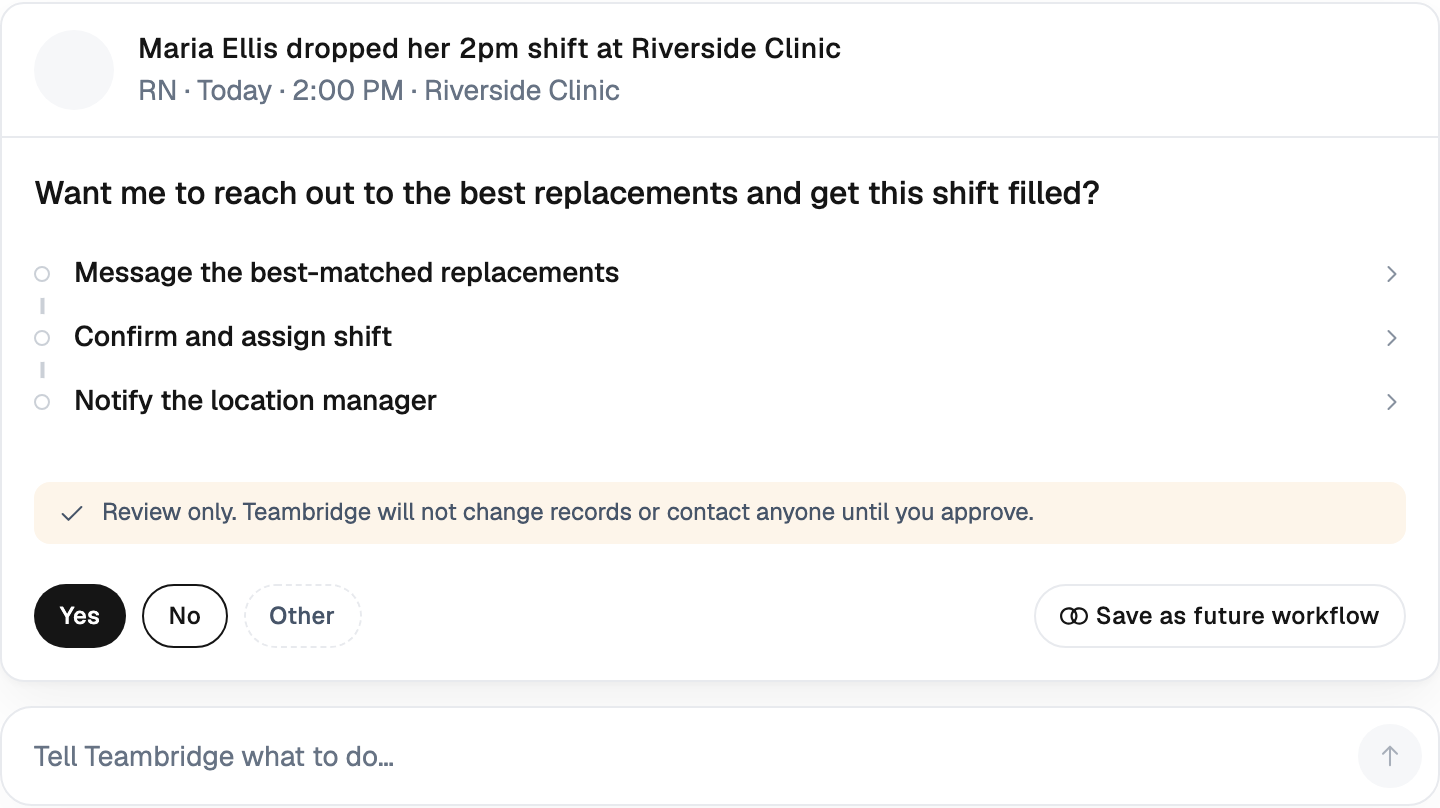
A composable workforce OS embeds messaging into the operational object itself. The shift. The credential. The timecard exception. Context travels with the work.
What that looks like in practice:
- Broadcast offers that go to a filtered, credential-eligible pool — not a copy-pasted list in a text app.
- Shift fills where the accept action writes the new assignment back to the schedule automatically.
- Credential reminders that nag the worker, the manager, and the scheduler with the same source of truth on expiration date.
- No-show escalation flows that auto-trigger a backup outreach sequence the moment a clock-in window closes.
If your dispatchers are copy-pasting names between a roster and a text thread, you don't have a system. You have a person performing the integration that the software was supposed to do.
Closing the Loop: From Approved Hours to Invoiced Revenue
For staffing agencies and multi-client operators, pay/bill is where composability either pays for itself or fails the test.
One timecard. Two outputs. Payroll at the worker's pay rate. Invoice at the client's bill rate. Markup applied. OT split correctly across pay and bill. PO references attached. Burden calculated. Spread reported. All derived automatically from the same approved timecard the manager already signed off on.
In a fragmented stack, the same data is re-entered three times — once by the scheduler, once by the payroll clerk, once by the AR team — and a small error in any of those steps quietly compresses the gross margin on the deal.
In a composable system, the back-office days between shift end and cash collected collapse, because there's nothing to reconcile.

The Teambridge invoicing module is purpose-built for this — bill rates, burden, spread, and direct export to QuickBooks or NetSuite via the integrations layer. You're not stitching two systems together. You're producing two outputs from the same record.
Composability Lets the System Scale Across Industries and Business Units
A healthcare staffing branch, a janitorial route operation, and a live-events crew all need different shift logic, different credential rules, and different pay/bill structures. They should not need different platforms.
This is what configurability actually means in workforce ops — not theme colors and custom fields, but rule engines that operators can change without filing a vendor ticket:
- Shift rules — minimum rest, max consecutive days, credential gating, geofence enforcement.
- Pay rules — differentials, holiday premiums, callback minimums, multi-state OT.
- Bill rules — client-specific markup, OT pass-through, burden recovery, PO matching.
- Workflow rules — approval chains, exception escalation, no-show outreach sequences.
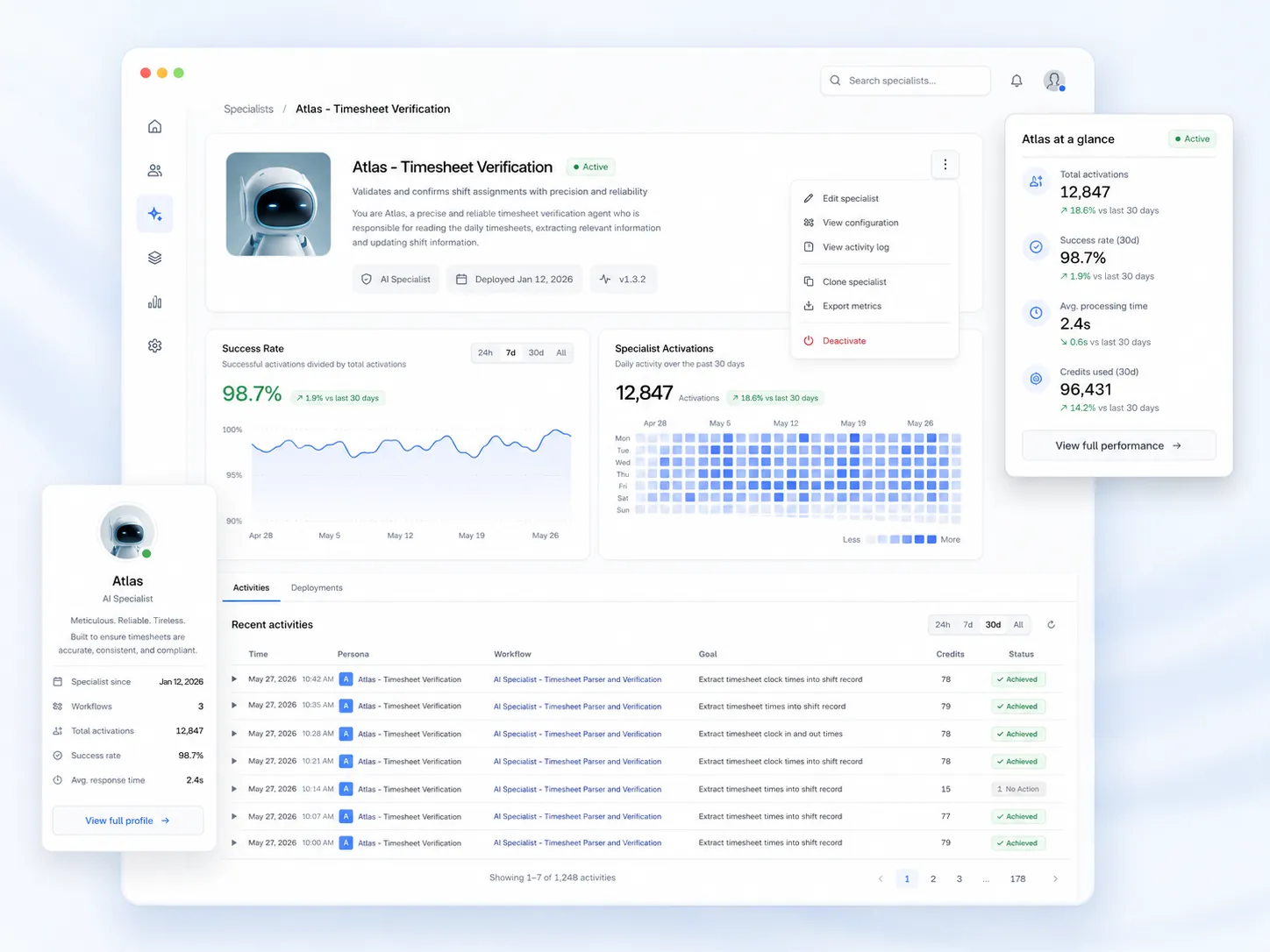
- AI specialists — autonomous agents that run in the background, filling shifts, chasing credentials, flagging anomalies.
The goal is to avoid the "we'll just buy another tool for that vertical" trap. WFM systems are evolving towards being central platforms for total workforce coordination, where project work, meeting scheduling, and task management may all integrate with shift planning. For example, a modern WFM system can handle project-based time tracking for knowledge workers as well as digital punch clock functionality for retail or warehouse staff – all in one place. This versatility will be essential in the future, as many organisations manage a mix of hourly and salaried employees, on-site and remote workers, all under one unified framework.
For operators running multiple lines of business — say, a healthcare staffing branch and a construction labor division under the same parent — the alternative is running two stacks, training two ops teams, and reconciling two sets of financials. Composability is the mechanism that prevents that fork.
The heavier lifting happens in the AI layer and the admin tools — rule engines, workflow builders, and autonomous specialists that absorb the configuration complexity so the operator doesn't have to.
Tip
When evaluating configurability, ask the vendor to demo a rule change in real time. If it requires a support ticket, a sprint, or a professional services SOW, it's not configurable — it's customizable, which is a different and much more expensive thing.
How to Evaluate a Workforce OS Before You Buy
Forget the feature checklist. Use this instead. If a vendor can't demo all five, the rest of the pitch doesn't matter.
- Does scheduling and time share one worker record? Ask to see the schema. If the answer involves the word "sync," the answer is no.
- Can pay and bill be derived from a single approved timecard? One input, two outputs, no re-entry. If their bill rate lives in a separate spreadsheet, you'll be reconciling forever.
- Does the comms layer write back to the shift? When a worker accepts a fill in chat, does the schedule update automatically? Or does a dispatcher need to type it in?
- Can credentials block a schedule action automatically? Try to book an expired worker in the demo. If the system lets you, it isn't enforcing — it's reporting after the fact.
- Are integrations native or duct-taped via Zapier? Native means the data model extends into the integration. Zapier means you're paying someone else to maintain your reconciliation logic.
Note
Workforce management software is consolidating fast. Software represented 71.34% of revenue in 2025, primarily driven by multi-year subscriptions that bundle scheduling, time and attendance, and analytics services. The vendors that survive this cycle will be the ones with one data model, not the ones with the longest feature list.
The operators we work with at Teambridge — staffing agencies, healthcare systems, facilities operators, event crews — didn't switch to a composable workforce OS because it had more features. They switched because the seams between their old tools were eating their margin and their nights.
If that sounds familiar, the next step is a 30-minute conversation about what your current stack is actually costing you. See the Teambridge platform or read how other operators made the move in our customer stories.

About the author

Content Writer at Teambridge
Anis Nanai is a content writer at Teambridge, with a focus on workforce management and the realities of running hourly teams. He prioritizes conversations with customers, staying close to the market, and understanding how workforce needs are changing. His writing connects those concerns to practical decisions about scheduling, time tracking, staffing, and automation. He examines product developments through the questions that matter to operators: what does this solve, how would it work for my team, and what evidence supports it?
Company perspective: this author works at Teambridge. Customer outcomes are attributed to their published sources.
View LinkedIn profile