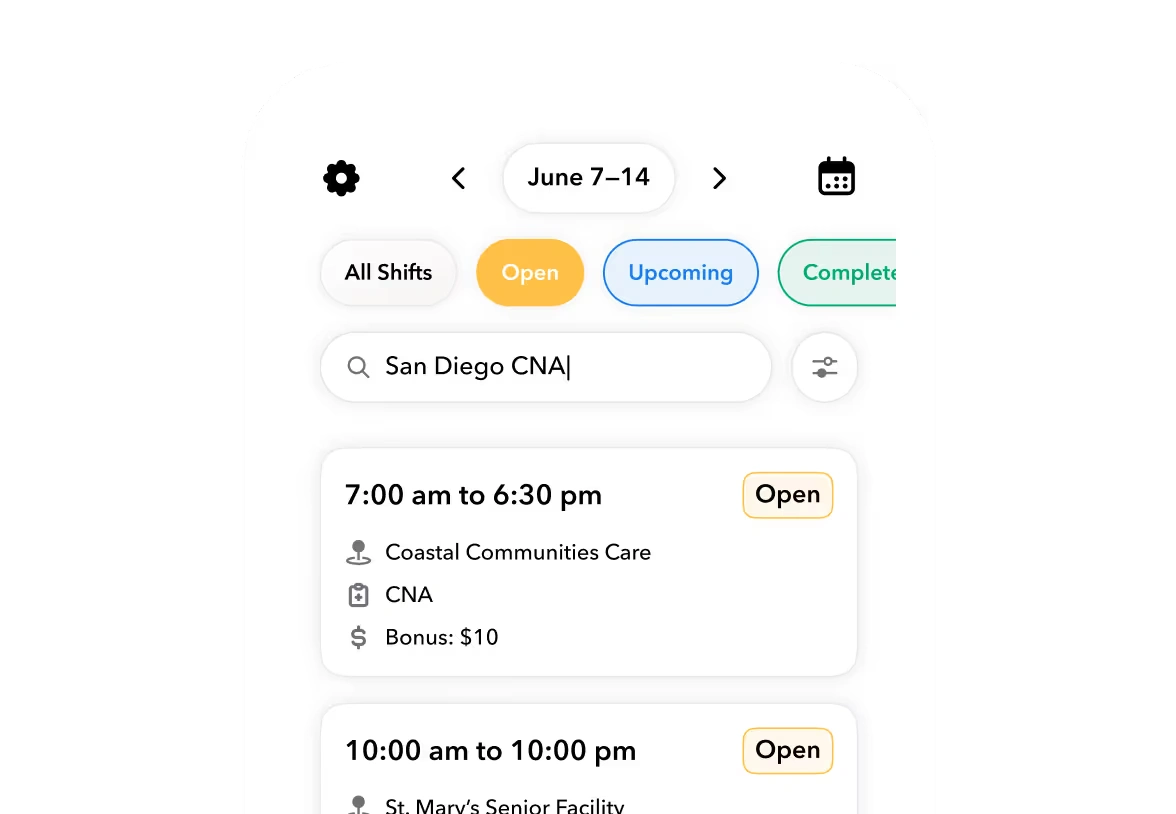


Hypothetical evaluation scenario: A supervisor away from a computer needs to correct a missed punch, replace a released shift, and check a worker awaiting document review. Assume the supervisor has the required permissions. These are proposed buying tests, not demonstrated capabilities of every product below.
A mobile workforce app should let supervisors close the exception
The buying question is not whether employees can clock in or see their schedules. It is whether an authorized supervisor can move an exception to a usable result without handing it back to the office. A notification, an approval button, and a corrected operational record are different things.
For this comparison, the best mobile workforce management software is the system whose documented phone actions match your supervisors’ daily responsibilities. That includes the return path when an approval was wrong, a replacement falls through, or a record needs another review.
This guide compares official vendor documentation, not hands-on testing. It separates documented actions, explicit browser dependencies, and questions the reviewed documentation does not answer. A missing answer means “Not established by reviewed documentation,” not “Unavailable.”
There is also a role distinction. We use “supervisor” as an operational description, not a promise about any vendor’s permission tier. Deputy’s cited manager guide, for example, addresses System Administrator and Location Manager access; buyers should not assume every action applies to its separately named Supervisor role.
Teambridge, Connecteam, and Deputy document different supervisor capabilities
The evidence is not symmetrical. Teambridge’s mobile page describes a connected worker experience, while Connecteam and Deputy publish guides specifically covering mobile administration. That difference supports a more precise demonstration request, not a blanket ranking.
The table draws on Teambridge’s mobile app documentation, Connecteam’s mobile Admin-tab guide, Connecteam’s mobile scheduling guide, and Deputy’s mobile manager guide. Additional platform-level sources are linked where relevant.
| Decision criterion | Teambridge | Connecteam | Deputy |
|---|---|---|---|
| Supervisor mobile actions | Worker app connects schedules, open work, onboarding, time, documents, messages, and earnings. Complete supervisor administration is not established by reviewed documentation. | Mobile administrators can manage users, shifts, time-clock activity, employee requests, forms, and tasks. | Documented manager actions include shift creation and changes, attendance review, replacements, timesheet amendment and approval, and task assignment. |
| Correction and reversal paths | Supervisor phone-based correction and reversal are not established by reviewed documentation. | Mobile shift editing and deletion are documented. Activity identifies timesheet and shift editors; complete reversal coverage is not established by reviewed documentation. | Mobile timesheet amendment and approved-timesheet history are documented. Unapproval requires the web app. |
| Worker readiness and assignment context | Scheduling documentation describes worker, role, location, credential, and availability context. Phone-based administration of those rules is not established by reviewed documentation. | Shift-claim and replacement-request approval or rejection are documented. End-to-end mobile document-readiness review is not established by reviewed documentation. | Attendance and replacement management are documented. End-to-end mobile document-readiness review is not established by reviewed documentation. |
| Task evidence and review | A complete supervisor mobile task-evidence workflow is not established by reviewed documentation. | Mobile forms support notes, comments, and entry-status changes. Tasks support creation, management, and reminders. | Mobile task assignment is documented. Equivalent form-evidence review is not established by reviewed documentation. |
| AI execution scope | Agents documentation describes triggers, conditions, actions, and outputs. Complete mobile agent controls are not established by reviewed documentation. | Comparable AI execution scope is not established by the reviewed mobile administration documentation. | Time-and-attendance documentation markets AI discrepancy detection, timesheet fixes, and approval of matching records. Mobile controls are not established by reviewed documentation. |
| Browser dependencies | The worker app is distinguished from the full administrative interface. Exact supervisor handoffs need demonstration. | Some scheduling capabilities require dashboard configuration. | Timesheet unapproval requires the web app. Schedule templates must first be saved on the website. |
| Plan or configuration requirements | Exact scheduling setup is defined during implementation; verify role-specific mobile scope. | Schedule access depends on permissions. Mobile day/week template loading requires Advanced or above, not all mobile scheduling. | The guide covers System Administrator and Location Manager access. Confirm the quoted entitlements separately. |
The useful distinction is between performing an action and owning its entire lifecycle. All three require questions beyond “Does it have a mobile app?” The questions differ because their documentation establishes different boundaries.
Approval from a phone does not guarantee correction from a phone
An approved timecard can still contain an error. If the supervisor can approve it on a phone but cannot reopen it there, someone else may inherit the correction. That can be an acceptable division of responsibility, provided it is deliberate and staffed.
Deputy explicitly documents that unapproving a timesheet requires its web app. The same guide documents mobile access to approved-timesheet history. Those facts should stay separate: mobile history visibility does not mean mobile reversal is available.
Connecteam documents mobile scheduling actions while noting that some capabilities need dashboard configuration. A browser setup dependency is different from a daily browser dependency. Determine whether the office configures something once or must intervene whenever a common exception occurs.
Decision framework
Three checks before selecting a system
https://help.connecteam.com/en/articles/6401351-the-admin-tab-mobile-app-schedule-management
https://help.deputy.com/hc/en-au/articles/4753103029263-Manager-guide-to-the-Deputy-mobile-app
Traceability needs its own demonstration. Connecteam’s Admin-tab activity view identifies timesheet and shift editors, but that does not establish complete before-and-after history. Deputy documents timesheet history, but its completeness still needs checking against your requirements.
Important
Ask who can correct the action, where they must do it, and what evidence remains afterward. Do not treat approval access, correction access, and history visibility as the same capability.
A web-only reversal may be reasonable if payroll owns reopening approved time. It becomes an operational problem when the purchasing team expects an off-site supervisor to handle that work independently.
Ready to move?
Ready to see Teambridge in action?
Products discussed
Best Mobile Workforce Management Software for Supervisors tools mentioned
Official marks identify the products materially discussed in this section.
A replacement assignment needs more context than an available worker
A replacement workflow can fill a shift while still leaving the supervisor with a decision to make. Does the worker meet the assignment requirements? Is acceptance final, or does a manager need to approve it? The button matters less than the assignment it creates.
Deputy’s documented Find Replacement flow assigns the shift to the first invited worker who claims it. For a manager-approval path, its mobile manager guide directs managers to delete the existing shift and create an open shift requiring approval. Buyers should test the intended flow rather than assume every replacement waits for review.
Connecteam documents mobile approval or rejection of shift-claim and replacement requests. Its broader Admin tab also covers forms and tasks. Our editorial judgment: it merits consideration when the same frontline manager handles scheduling, daily submissions, and task follow-up, subject to the documented dashboard dependencies.
Teambridge’s scheduling documentation describes assignment context spanning workers, roles, locations, credentials, and availability, with exact setup defined during implementation. Its platform connects workforce records and approval points. Neither page establishes that every rule or document review can be administered from a phone.
For staffing operations, that connected context is a reason to investigate Teambridge. It is not evidence of complete mobile supervisor administration. The product boundary here is workforce operations: document presence or assignment context should not be treated as proof of mobile credential verification, task completion, or an external system’s final acceptance.
Actual Teambridge product · Time approval, from the staffing page. This shows the timecard workflow’s interface context, not proof of equivalent supervisor controls in the mobile app.
AI capability and mobile control require separate evidence
AI adds another possible handoff. An agent may change a record, flag an exception, or route an item for review while the supervisor is on-site. The operational question is whether that supervisor can understand and address the outcome from the device they actually carry.
Teambridge’s agents documentation describes triggers, conditions, permitted actions, approved data access, and outputs returned to schedules, profiles, or review queues. Its AI platform also describes human approval and review for exceptions and sensitive decisions. These are platform claims, not proof of phone access to every control.
Deputy’s time-and-attendance page markets AI actions including comparing timesheets with schedules, flagging discrepancies, fixing timesheets, identifying missing clock-outs, and approving matching records. The examples do not establish native-mobile review controls or inclusion in a particular plan.
The reviewed Connecteam mobile guides do not establish comparable AI execution scope. That is a limit of this comparison’s evidence, not evidence that Connecteam lacks AI.
An AI-assisted action is only part of the workflow. The supervisor still needs a usable path to inspect, review, or correct its result.
Require the vendor to show the relevant outcome using the proposed supervisor role. Ask what changed, which record received the result, and what happens when the supervisor disagrees. If that answer involves a browser or office reviewer, record the dependency rather than hiding it under “AI included.”
Record each mobile exception from action to resulting record
Use the Supervisor Mobile Acceptance Record below as the reusable buying artifact. It is not a weighted scorecard. Its purpose is to expose unfinished work and identify who owns it.
The three suggested rows are proposed evaluation cases, not verified capabilities across Teambridge, Connecteam, and Deputy. Leave a cell unresolved when the vendor has not demonstrated the action; a verbal assurance is not an observable result.
| Operational exception | Authorized role | Phone action demonstrated | Resulting record | Browser or office handoff | Correction or reversal demonstrated |
|---|---|---|---|---|---|
| Missed punch | |||||
| Released shift | |||||
| Worker awaiting document review |
Run the same evaluation for each shortlisted vendor:
- Set the environment. Use your intended phone environment, anonymized records, actual permissions, and the quoted configuration. Do not substitute an unrestricted administrator login for the role you plan to deploy.
- Complete the exception. Have the vendor perform the phone action and open the resulting record. Record whether the demonstration used the native app or a mobile browser.
- Test the return path. Ask for the supported correction or reversal, then inspect the available history. Capture any office handoff and its required role.
- Attach the evidence. Retain demonstration notes or approved captures with the proposal. Have the vendor acknowledge unresolved cells and configuration assumptions.
For a document-review case, distinguish viewing an uploaded file from recording an approval and changing assignment eligibility. For a released shift, distinguish sending invitations from confirming the replacement. For a missed punch, distinguish editing a draft from correcting already approved time.
The record makes tradeoffs explicit without inventing completion times. A phone action that ends with an office request may still fit your operation. It should simply appear as a handoff, not as a completed mobile workflow.
Choose the mobile scope your supervisors need every day
There is no supported overall winner from these sources. There are three plausible shortlist decisions, each with a different burden of proof:
- Consider Connecteam for supervisors combining scheduling, forms, and task administration. Verify dashboard setup dependencies, role access, and the required plan for specific features such as template loading.
- Consider Deputy for attendance, replacement coverage, and time approval. Accept or resolve its documented web-only unapproval and website template setup, and check that replacement acceptance follows your approval policy.
- Consider Teambridge for assignment-connected workforce operations. Require a demonstration of role-specific mobile administration and configured workflows rather than treating the worker app as the full administrative interface.
Compare commercial proposals only after aligning roles, modules, AI entitlements, and configuration. The reviewed evidence does not establish equivalent pricing, so it cannot support a cheapest-product verdict. A lower quote with a different scope is not a like-for-like comparison.
Attach the completed acceptance record to the proposal and have remaining dependencies acknowledged before purchase. Where assignment-connected operations fit your needs, use a Teambridge platform demonstration to test those exact exceptions.
Buy the mobile scope your supervisors can actually use. Keep office-owned work where it belongs, but make sure every handoff has a named role responsible for finishing it.

Put this research into operation
Use the established comparison to evaluate vendors, then test the operating requirements discussed in this article. workforce management app comparison.
About the author

Content Writer at Teambridge
Anis Nanai is a content writer at Teambridge, with a focus on workforce management and the realities of running hourly teams. He prioritizes conversations with customers, staying close to the market, and understanding how workforce needs are changing. His writing connects those concerns to practical decisions about scheduling, time tracking, staffing, and automation. He examines product developments through the questions that matter to operators: what does this solve, how would it work for my team, and what evidence supports it?
Company perspective: this author works at Teambridge. Customer outcomes are attributed to their published sources.
View LinkedIn profile