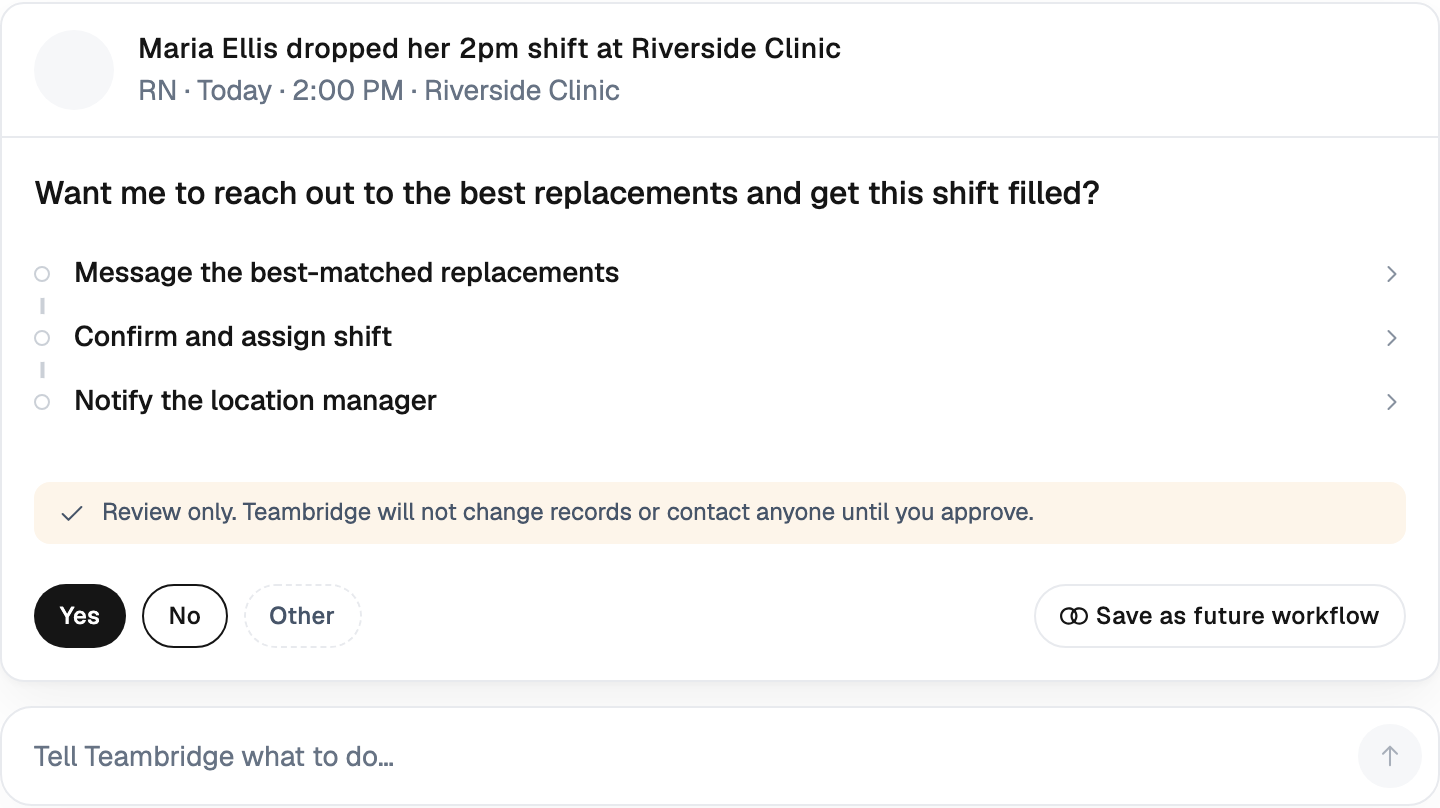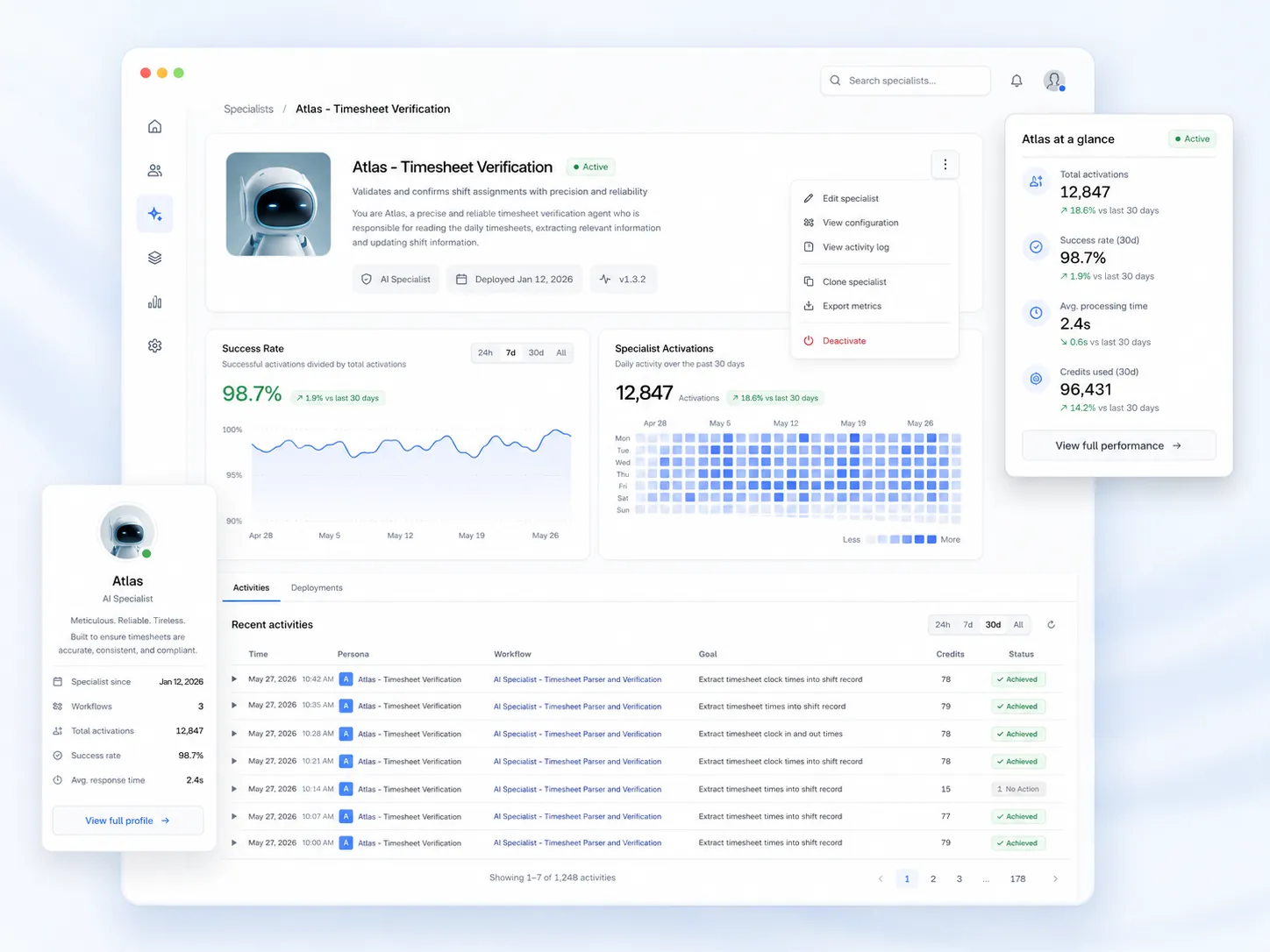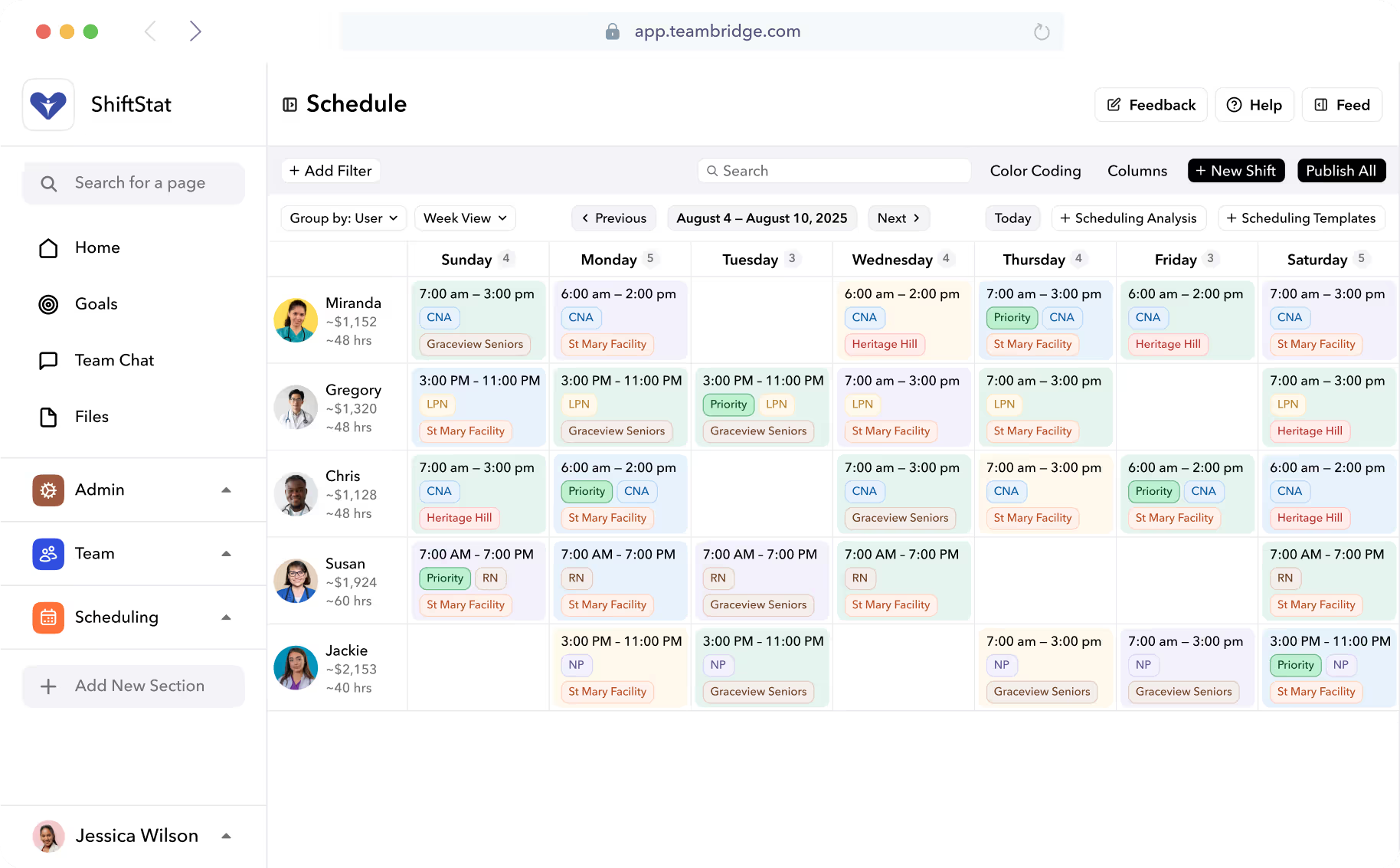
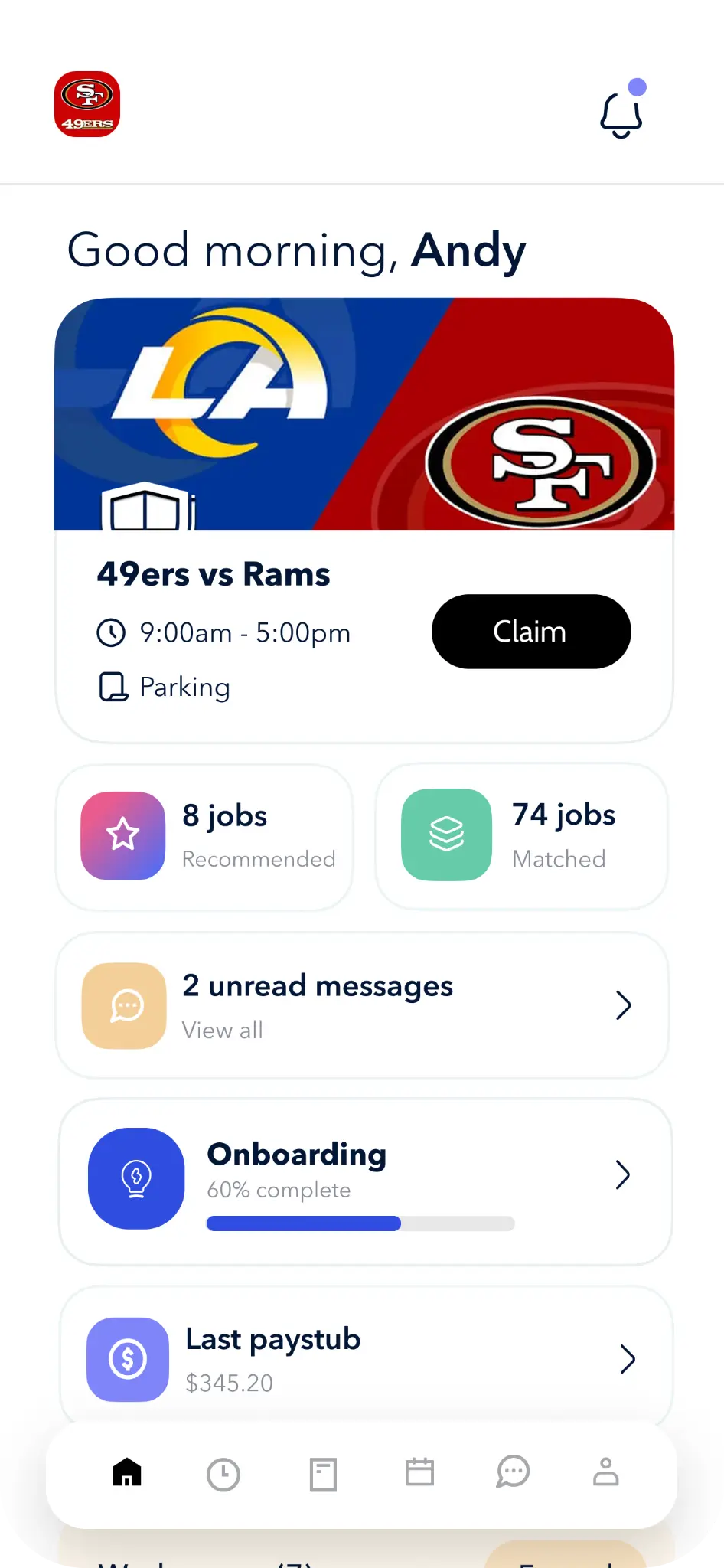


That is the reality of most "workforce platforms" today. They're systems of record dressed up as systems of action. They surface the problem beautifully. The work of solving it still falls on a human who has about 12 minutes before a client calls asking where their nurse is.
This is the gap AI workforce operations is built to close. Not another dashboard. Not a chatbot bolted onto your scheduling screen. Software that actually runs the loop.
The Coordination Tax Eating Your Ops Team Alive
Talk to any ops lead at a staffing agency, a hospital system, or a stadium operator and you'll hear the same sentence in different accents: my team spends all day coordinating, not managing.
Schedulers text 40 people to cover one 6 a.m. call-off. Compliance leads live in a spreadsheet of expiring credentials, pinging workers one at a time. Payroll admins spend Friday reconciling missed punches against GPS logs and schedule data. Recruiters re-enter the same candidate into four systems because the ATS doesn't talk to the onboarding tool, which doesn't talk to the scheduling platform.
This is the coordination tax. It's not a technology problem in the traditional sense — most of these teams have software. It's that the software reports the problem and then gets out of the way.
The industry is finally naming this shift. Instead of sitting on top of the platform, AI is being woven directly into how contingent workforce programs operate day-to-day, improving both the user experience and the quality of decisions being made. That's from Conexis's 2026 contingent workforce analysis, and it's a precise description of where the real line is being drawn: AI as a layer on top of your tools vs. AI embedded in the workflow itself.
Historically, VMS platforms acted primarily as systems of record. They captured data, enforced process, and produced reports. Valuable — but largely reactive. The same is true of most shift-based workforce tools. They know what happened. They don't do anything about it.
Dashboard Software vs. AI That Actually Does the Work
There's a hard line forming in workforce tech, and it's worth naming it clearly.
On one side: legacy WFM. A system of record. It shows you the schedule, the timecard, the credential list. When something breaks, it lights up red and waits for a human.
On the other side: AI-native ops. A system of action. It sees the call-off, ranks the qualified available workers, texts the top three, gets a yes, books the shift, notifies the client, and updates the schedule — before your scheduler has finished her coffee.
The distinction isn't marketing. It's architectural. And most of the industry is still on the wrong side of it.
Note
Gartner's latest research underlines why this matters. In infrastructure and operations, just 28% of AI initiatives meet ROI expectations. One in five fails outright. The reason isn't the models. It's implementation. That mismatch shows up most clearly in areas where expectations are highest. Auto-remediation systems, self-healing infrastructure, and agent-led workflows are among the most common failure points.
Why do those projects fail? Because most vendors ship copilots — assistants that draft a message for a human to send, or summarize a report a human still has to act on. That's not execution. That's a more verbose dashboard.
Real AI workforce operations requires agents with scoped authority to act: to send the text, fill the shift, flag the credential, resolve the punch. Anything short of that just moves the coordination tax from one screen to another.
We've written about this architectural choice in more depth on our AI Strategy page, and the specialists that implement it live on our AI Platform page.
Legacy WFM vs. AI Workforce Operations
| Capability | Legacy WFM | AI Workforce Operations |
|---|---|---|
| Call-off at 5:47 a.m. | Shift turns red on a dashboard | Agent ranks candidates, texts in priority order, books replacement |
| Credential expiring in 14 days | Appears in a compliance report | Worker is notified, renewal doc is initiated, manager gets status |
| Missed punch on a timecard | Exception queue grows | Agent reconciles against GPS + schedule, resolves or escalates |
| Open shift for next week | Posted to a board | Eligibility-ranked, OT-aware shortlist contacted automatically |
| Manager's Monday morning | Inbox of 40 exceptions | Summary of what was auto-resolved overnight |

What "Runs It For You" Actually Means: The AI Specialists Model
The easiest way to understand the difference is to walk through the loops operators actually hate.
The Scheduling Specialist. A worker cancels a 6 a.m. shift at 5:47 a.m. Instead of waking your scheduler, the agent pulls the job's required credentials, filters the workforce to everyone currently qualified and available, deprioritizes anyone within two hours of overtime, and starts texting from the top of the list. It respects worker preferences, client blacklists, and union rules. It books the first yes, updates the schedule, and sends the client a heads-up. If nobody responds within a threshold, it escalates to a human — with the full context already attached. See the mechanics on our Scheduling page.
The Compliance Specialist. A bloodborne pathogens cert expires in 14 days for a worker assigned to three shifts next week. The agent notifies the worker, initiates the renewal flow in Document Studio, tracks completion, and — if the cert isn't renewed by day 12 — proactively rebuilds the schedule so the worker isn't placed on a site they legally can't work. No one opens a spreadsheet.
The Timecard Specialist. A worker forgot to clock out. The agent checks GPS data, schedule data, and prior-shift patterns. If the evidence converges on a clean answer, it closes the timecard with a note. If it doesn't, it escalates with the ambiguity highlighted. Monday morning payroll runs clean. Our Time Tracking module is built around this pattern.
These aren't suggestions. They aren't drafts for a human to approve. They're execution loops that close themselves, with humans looped in only when judgment is required.
Coverage, Credentials, and Cash: The Three Loops We Close
Every operator we talk to has the same three operational pains, regardless of industry. We think of them as coverage, credentials, and cash.
1. Coverage
Open shifts and no-shows are the most visible failure mode, and the one clients notice first. An AI-native scheduling system auto-fills gaps against real eligibility rules — not just "who's free" but "who's qualified, available, not about to hit OT, and likely to actually show up based on historical reliability."
The outcome: fewer uncovered shifts, less overtime spend, and schedulers who stop living in their text messages.
2. Credentials
In healthcare, security, construction, and light industrial, a worker showing up to a site without a valid credential isn't an inconvenience — it's a liability event. Many HR teams still rely on spreadsheets, emails, and disconnected manual systems to track compliance, leaving organizations vulnerable. A single oversight — an expired certification, untrained worker, or missing safety documentation — can disrupt production, compromise safety, and result in costly fines.
An AI Compliance Specialist catches expirations 30, 14, and 7 days out, drives renewal, and — critically — won't let the scheduler place that worker on a non-compliant shift in the first place.
3. Cash
This is the one finance cares about. Dirty timecards mean dirty payroll and dirty invoicing, which means retro adjustments, angry clients, and margin leakage. For staffing agencies in particular, the bill-pay spread is everything; if a timecard gets corrected on Wednesday, you've already invoiced the wrong number on Monday.
Clean timecards on Monday morning mean payroll runs without a fire drill and client invoicing goes out accurate the first time. That ties directly into our Invoicing module, where bill rates, burden, and spread flow from verified time data into QuickBooks or NetSuite without human re-keying.
Coverage keeps the client happy. Credentials keep you out of court. Cash keeps the business alive. AI that doesn't touch all three is a demo, not a platform.
Built for the Industries Where Ops Actually Break
This model matters more in some industries than others. A salaried 9-to-5 office with predictable demand doesn't need agents chasing call-offs. But that's not the economy most of our customers live in.
The industries where AI workforce operations earns its keep share a pattern: high volume, high churn, shift-based, credential-sensitive, and demand that spikes without warning.
- Staffing agencies running hundreds of placements per week across dozens of clients
- Healthcare systems juggling per-diem nurses, credentialing, and differentials
- Live events — 400 people staffed for a Saturday concert, 40 for Tuesday's rehearsal
- Hotels balancing housekeeping, F&B, and banquets across properties with peak/valley demand
- Light industrial, security, janitorial, and construction — credential-heavy, site-dispersed, multi-shift
SHRM and practitioner research increasingly points to the same conclusion: generalist AI tools underperform in operational contexts where domain rules matter. A generic scheduling optimizer doesn't know that a Registered Behavior Technician can't cover an RN shift, or that a Class A CDL expiring in 10 days means the worker can't drive the van tomorrow morning. Specialist AI, trained on the actual rules of the work, does.

Trust, Governance, and the Human in the Loop
The honest objection to any of this is: I'm not handing my schedule over to a bot. Good. You shouldn't.
The Conexis analysis puts it well: AI adoption in this space will only scale at the pace of enterprise trust, not vendor ambition. Trust isn't a marketing claim. It's a set of guardrails built into the platform.
There are four non-negotiables:
- Confidence thresholds. Every agent action has a confidence score. Below a threshold, the action escalates to a human instead of executing.
- Scoped authority. Agents can text a candidate and book a shift. They cannot change pay rates, terminate workers, or modify client contracts. The scope is configurable per customer.
- Full audit trail. Every action — every text sent, every timecard resolved, every credential flagged — is logged with reasoning and retrievable. If payroll asks why a punch was auto-closed, the answer is one click away.
- Operator override. A human can intervene at any step, reverse any decision, and retrain the agent's behavior for that scenario.
This is why the specialists model works and generic "AI copilots" tend not to. The 40% cancellation prediction doesn't mean agents are useless — it means poorly scoped, overpromised, ungoverned projects fail. Enterprises following proven patterns (constrained autonomy, strong guardrails, measurable outcomes) achieve real ROI and avoid the failure statistic.
The point isn't to replace your scheduler. It's to take the 80% of routine execution off her plate so she can spend her day on the 20% that actually needs judgment — the VIP client, the complicated shift pattern, the new account ramp-up.
Important
If a vendor pitches you autonomous AI with no override, no audit log, and no confidence thresholds, walk. That's not enterprise AI. That's a liability.
What Changes on Monday Morning
Here's the test. On Monday morning, your scheduler opens her laptop. In the legacy world, she sees:
- 14 uncovered shifts from the weekend
- 8 missed punches in the exception queue
- 3 credentials that expired Sunday
- 40 unread texts from workers and clients
In the AI-native world, she sees:
- A summary: 12 of 14 weekend gaps were auto-covered; 2 are escalated to her with context
- The exception queue is empty; 7 punches auto-resolved against GPS, 1 was escalated
- The 3 credentials expiring were renewed Friday; the workers are cleared for this week
- Her inbox is quiet because the agents handled the routine back-and-forth
That's the difference between software that reports problems and software that runs operations. Your compliance lead opens a clean queue. Payroll closes without a Friday fire drill. Your recruiters spend their time on new business instead of re-entering the same candidate into four systems.
That's what we mean when we say Teambridge runs it for you. It's also why we built the whole platform around agents, not dashboards. If you want to see what overnight coverage looks like when agents handle the coordination tax, we'd rather show you than tell you.
The operator-level question isn't will AI replace my team? It's what would my team do with 30 hours a week back? That's the conversation worth having.

About the author

Content Writer at Teambridge
Anis Nanai is a content writer at Teambridge, with a focus on workforce management and the realities of running hourly teams. He prioritizes conversations with customers, staying close to the market, and understanding how workforce needs are changing. His writing connects those concerns to practical decisions about scheduling, time tracking, staffing, and automation. He examines product developments through the questions that matter to operators: what does this solve, how would it work for my team, and what evidence supports it?
Company perspective: this author works at Teambridge. Customer outcomes are attributed to their published sources.
View LinkedIn profile