


The practical question is not how many reminders you can send. It is whether the process finishes, and whether someone can see what still needs attention.
This guide covers five workflows, the records each needs, and examples of how to handle the point where automation should stop and a person should decide.
Note
The short version: Start with one recurring problem. Define the trigger, the responsible person, the approval, and the record that proves completion. Test the exception path before expanding.
What an HR workflow needs to work
A workflow needs more than a trigger and a notification. It needs an outcome. “Welcome message delivered” is different from “worker approved for the first assignment.” “Timesheet approved” is different from “payroll received the approved hours.”
An automation can move information and prompt action between those states, but it should not erase the distinction. Workato's documentation illustrates this broader design principle through workflows that combine automated steps, human input, and approval states. Read Workato's workflow documentation.
The operating model
From an event to a completed task
- 01Something changes
An offer is accepted, a document approaches expiry, or a worker requests a swap.
- 02Check the record
Identify the worker, assignment, timing, and applicable requirements.
- 03Act or request a decision
Send the task to the right person. Keep exceptions visible.
- 04Confirm the result
Verify that the intended record changed before closing the task.
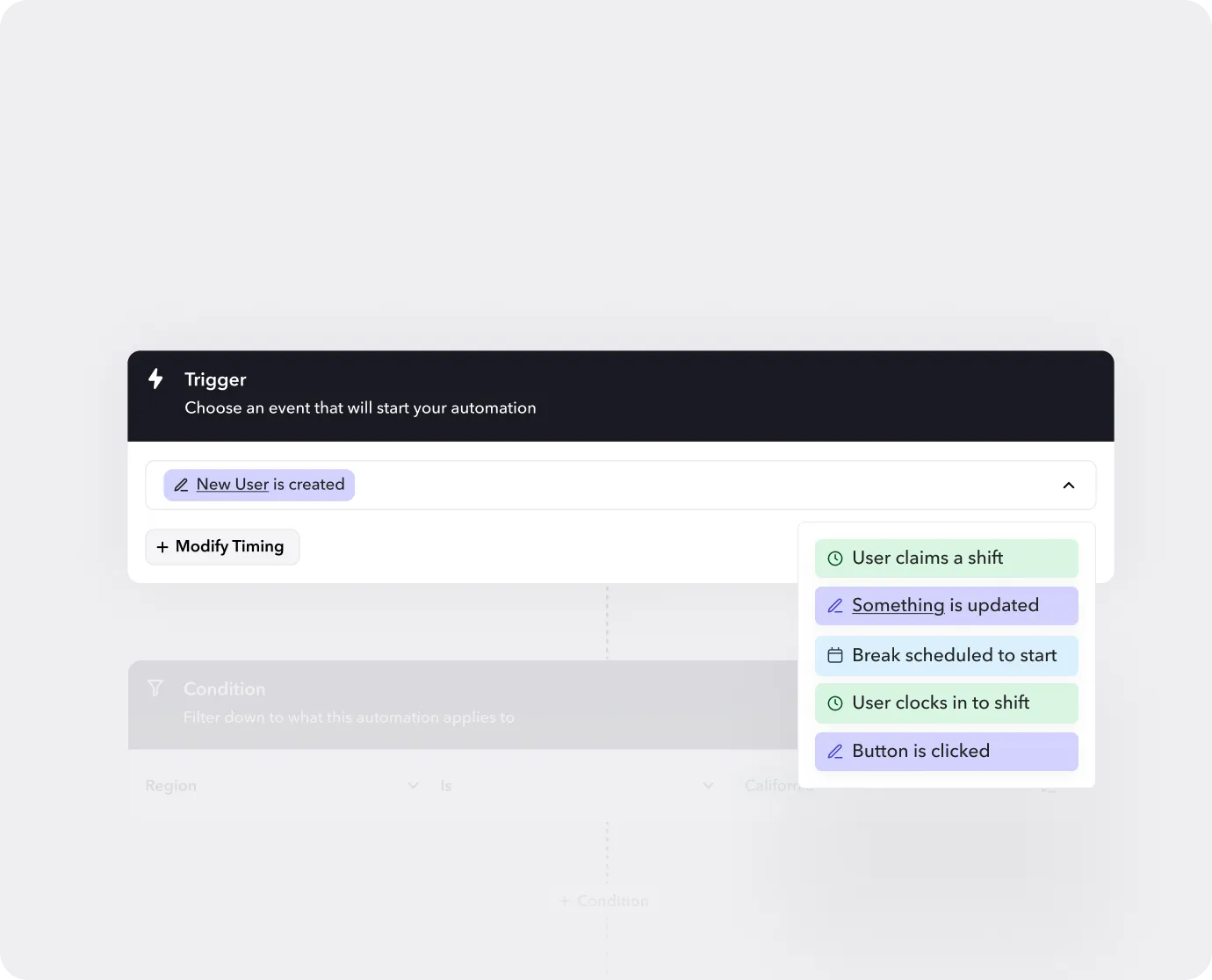
The following examples are proposed operating designs. Names, times, and case numbers are fictional. Product controls depend on account configuration, permissions, and connected systems.
Five workflows at a glance
| Workflow | What starts it | Who owns the decision | What counts as done |
|---|---|---|---|
| First shift readiness | Offer accepted | Onboarding manager | Required evidence reviewed and readiness recorded |
| Credential renewal | Renewal window opens | Credential reviewer | Renewal verified and the record updated |
| Missing clock in | Expected punch is absent | Site supervisor | Attendance verified and any coverage task assigned |
| Timecard correction | Hours need review | Time approver | Correction approved and payroll handoff checked |
| Shift swap | Worker submits a request | Scheduler | Replacement confirmed in the saved schedule |
1. Move an accepted offer toward a first shift
The problem: recruiting sees an accepted offer, while scheduling still cannot tell whether the worker is ready.
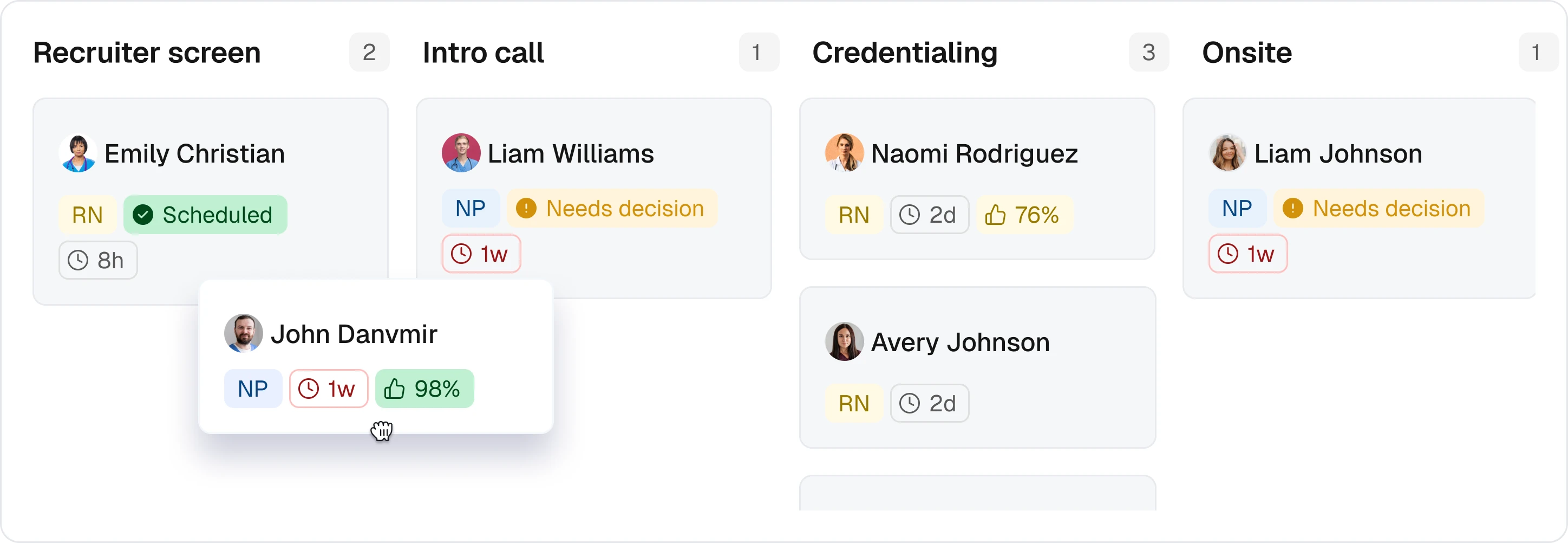
Begin with a worker identifier, the intended role and site, the proposed start, and the requirements for that assignment. Route missing items to their owners. Give the onboarding manager a clear view of what has been submitted, rejected, and approved.
Worked example. Maya accepts a warehouse assignment on Tuesday for a Thursday start. Her identity record and availability are complete, but site induction is not. The workflow creates an induction task and notifies its owner. It does not mark Maya ready merely because the welcome message was delivered. After the manager reviews the completed requirement, scheduling can use the recorded readiness decision.
Exception to test: the document arrives but is unreadable. It should return for correction, with an owner and deadline, rather than silently completing the requirement.
Measure: time from offer acceptance to approved readiness, plus the number of intended starts still blocked. Keep unfinished cases visible so a fast median does not hide a backlog.
2. Bring credential renewals to a reviewer before expiry
The problem: receiving a replacement document gets mistaken for verifying it.
Use the credential record and its expiry date to start a renewal task within the window your organization defines. The reviewer needs the worker identity, the relevant requirement, the submitted evidence, and any upcoming assignments affected by an unresolved renewal.
Worked example. Jordan uploads a renewal, but the new date cannot be read. The upload completes the submission step, not the review. The reviewer requests a clearer copy. If a scheduled assignment is approaching, the assignment owner receives a separate task to resolve the readiness risk.
Exception to test: the renewal is verified, but the updated date fails to save. The task remains open until the record is correct. Confirm how your configured scheduling process treats an unresolved requirement rather than assuming it blocks assignments automatically.
Measure: renewals verified before expiry divided by renewals due in the same period. Also track affected assignments still awaiting a decision. The organization must define which credentials are required; this example is not a legal determination.
3. Verify a missing clock in before replacing the worker
The problem: a missing event is treated as proof that a worker is absent.
The workflow should bring the assignment, expected start, available clock records, and worker response to the site supervisor. Keep attendance verification separate from the scheduler's coverage decision.
Worked example. At 8:10 a.m., Alex's clock in is missing. The supervisor confirms that Alex arrived at 8:00 and is working, but the device has not synchronized. Attendance is recorded as verified. Any time record correction follows its own review process. The scheduler does not recruit a second person for an already covered role.
Exception to test: nobody can verify attendance. Keep the case unresolved and give the supervisor a deadline. If coverage action is necessary, record that decision explicitly rather than labeling the missing punch as confirmed absence.
Measure: time to verified attendance, alerts later found to be false, and coverage issues unresolved at shift start. These are different measures and should remain separate.
4. Resolve a timecard discrepancy before payroll handoff
The problem: an incomplete punch record reaches payroll without a verified correction.
Preserve the original time record, the worker's explanation, the proposed change, and the approval. For covered employers and workers, the U.S. Department of Labor says actual hours must be recorded when work differs from a fixed schedule. Scheduled hours are not a substitute for investigating what happened. Source: DOL Fact Sheet 21.
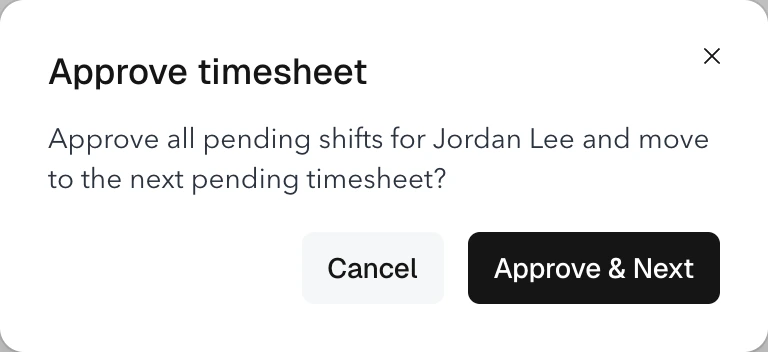
Worked example. Sam's shift was scheduled to end at 4:00 p.m., but the clock out is missing. Sam reports finishing at 4:20. The supervisor checks the available evidence and records the approved correction. The payroll owner then checks that the corrected hours reached the agreed export or integration destination. Neither step establishes that payment has been made.
Exception to test: approval succeeds but the handoff fails. Keep the handoff task open and avoid creating a duplicate correction when someone retries it.
Measure: unresolved exceptions at cutoff, correction time, and cases reopened after approval. Never use a deadline as permission to assume missing hours.
5. Finish a shift swap in the schedule, not the message thread
The problem: both workers think a swap is approved while the saved schedule still names the original worker.
Identify the exact assignment, proposed replacement, acceptance, availability, and applicable requirements. The scheduler should review the current record before confirming the change, especially if the request has been waiting for approval.
Worked example. Morgan asks Taylor to take Friday's shift. Taylor accepts, but receives another assignment before the scheduler reviews the request. The final check catches the conflict. The scheduler returns the request for resolution rather than applying a decision based on yesterday's availability.
Exception to test: approval is recorded but the schedule update fails. The request is not complete until someone verifies the saved assignment and informs the affected workers.
Measure: time from request to decision and unresolved swaps at shift start. Also inspect reversals to understand whether the review is missing important information.
A published example: Revv Staffing
Customer reported result
60% less administrative time
This is a customer account, not a forecast for the five workflows in this guide. The story does not disclose the measurement period or an independent attribution method. Its useful lesson here is the connection between processes that had previously lived in separate tools.
Keep room for frontline judgment

Applied to these workflows, that means a worker must be able to report an incorrect record and a supervisor must be able to resolve an exception. Automating a rule does not make the underlying information correct. Give the person closest to the work a usable path to question it.
Pilot one workflow and inspect the finished records
Choose one site, one accountable owner, and one recurring problem. Record the current effort before changing the process. Agree on what success means and which failures should stop the pilot.
The table below is an illustrative review log, not customer data. It makes the difference between a completed step and a completed process visible.
| Case | Latest event | Still needs attention | Owner |
|---|---|---|---|
| A101 | Induction submitted | Manager review before Thursday start | Onboarding lead |
| A102 | Attendance verified | Time correction review | Site supervisor |
| A103 | Timecard approved | Confirm export receipt | Payroll owner |
Store links to restricted source records rather than copying sensitive documents into a shared tracker. Add the trigger time, next action due, approval reference, final record, and closure time to the actual case record.
Before expanding, test:
- Missing or conflicting information. The case remains visible with a named owner.
- A repeated trigger. The process does not create contradictory tasks or duplicate changes.
- An unavailable approver. A designated delegate has the right access.
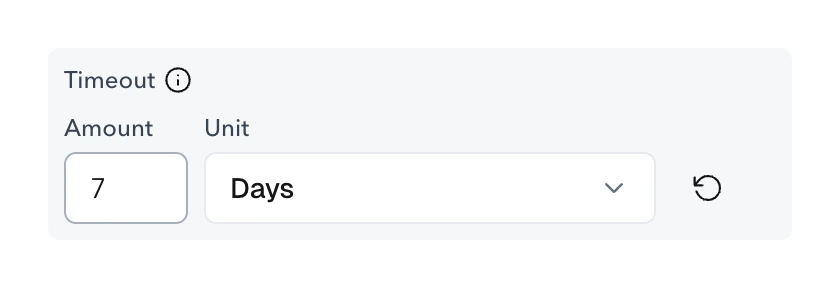
- A failed save or integration. The task does not appear complete until the result is checked.
Teambridge's workflow guide distinguishes verifying a definition, saving a draft, and publishing it. Verification is not proof that the workflow has run successfully with real records. Use a controlled test and inspect the result. Read the workflow publishing guide.
Compare the pilot with its baseline using the same definitions: elapsed time, manual interventions, unfinished cases, and incorrect closures. Do not claim improvement from a shorter completion time if more cases are stuck or being closed incorrectly.
Choose your first workflow
Start where your team repeatedly asks the same question: is this worker ready, did they arrive, are these hours correct, or who is actually assigned?
Bring that question, its source records, and the person responsible for the final decision to a Teambridge Automations walkthrough. Map one process and test its exception path before adding another. For broader rollout planning, see our HR automation best practices.
Sources and editorial notes
This guide combines product documentation, a published customer account, an external author's perspective, and explicitly fictional operating examples. It does not report an independent product test or a new customer interview.
- Workato documentation: Workflow apps. Supports the distinction between automatic steps, human input, and approvals.
- Teambridge customer story: Revv Staffing. Source for the reported administrative time reduction, not a guaranteed outcome.
- U.S. Department of Labor: Fact Sheet 21, Recordkeeping. Revised July 2008. Source for recording actual hours when work differs from a fixed schedule.
- Zeynep Ton, MIT Sloan: The 4 essential choices in a good jobs system. June 6, 2023. Source for the outside perspective on routine processes and frontline judgment.
- Teambridge product documentation: Review and approve timesheets and Build, verify, and publish a Workflow. Guides reviewed September 21, 2026. Account configuration and permissions affect available controls.

About the author

Content Writer at Teambridge
Anis Nanai is a content writer at Teambridge, with a focus on workforce management and the realities of running hourly teams. He prioritizes conversations with customers, staying close to the market, and understanding how workforce needs are changing. His writing connects those concerns to practical decisions about scheduling, time tracking, staffing, and automation. He examines product developments through the questions that matter to operators: what does this solve, how would it work for my team, and what evidence supports it?
Company perspective: this author works at Teambridge. Customer outcomes are attributed to their published sources.
View LinkedIn profile

























.jpg)