

The decision you are making when you buy time and attendance software is not which clock to use. It is whether the system runs exceptions, approvals, and payroll handoff on its own, or whether your supervisors become the integration layer.
Time tracking fails at the exception, not the punch
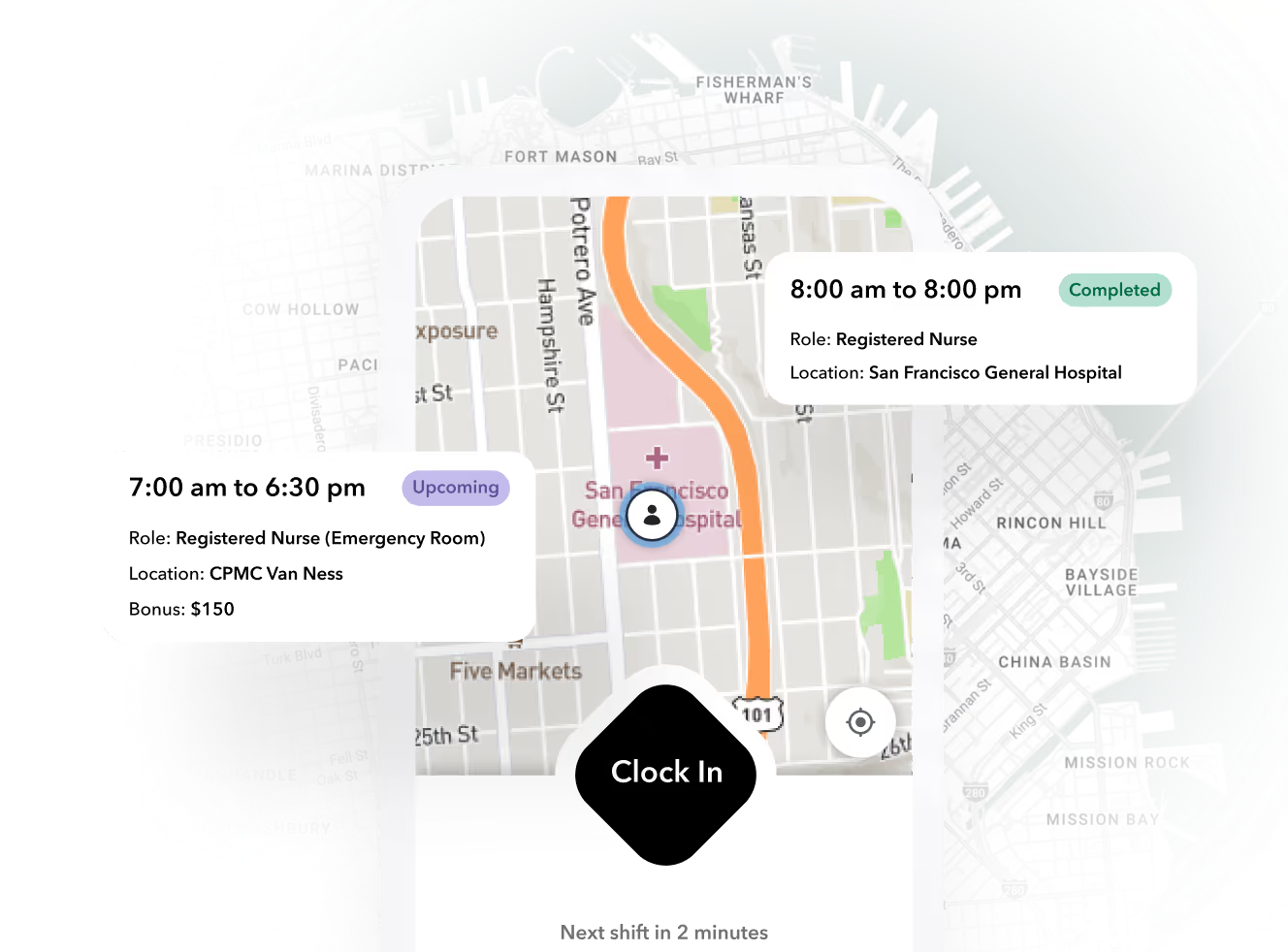
Punch capture is a commodity. Every credible vendor offers mobile clock-in, GPS verification, QR codes, kiosks, or some combination. What separates systems is the five to ten percent of shifts that do not go as planned.
The failure modes are predictable:
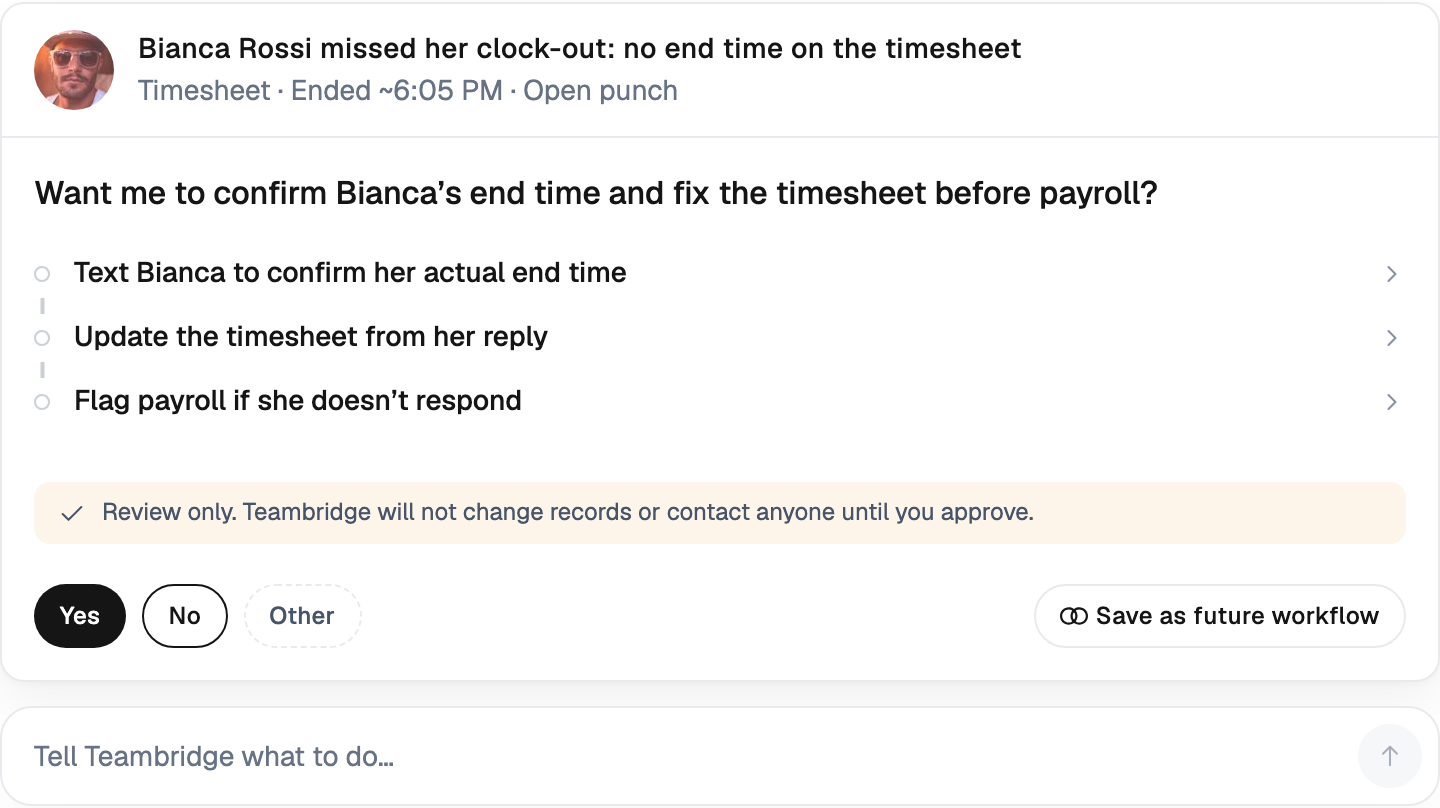
- Missed punches discovered two days later, when the worker no longer remembers the actual time
- Early clock-outs that convert a scheduled shift into an overtime premium nobody approved
- Credential gaps, where a worker shows up but is not cleared for the assignment, and the time gets logged anyway
- Manual edits with no audit trail, which become a liability the first time a wage dispute lands
The cost of getting this wrong is well documented. The American Payroll Association estimates that buddy punching alone costs U.S. employers roughly $373 million per year, and that organizations without automated tracking lose between 2% and 8% of gross payroll to time theft and error. Nucleus Research has put the buddy punching figure at about 2.2% of gross payroll for employers on traditional time clocks. Those are the fraud numbers. The operational number is quieter: supervisors spending their Friday reconstructing timecards instead of running the floor.
Every exception a system cannot resolve automatically becomes a task with a name attached to it, and that name is usually your best supervisor.
Ready to move?
Ready to see Teambridge in action?
The evidence: what attendance data actually changes
Here is what the current research supports, what it implies for operators, and where the evidence runs thin.
Operator view
Key evidence
Cloud deployment is the default architecture, not a differentiator
Payroll integration and compliance features are where buyer demand is moving
The cost case for verification and exception automation is structural, not anecdotal
The honest reading: cloud delivery and mobile capture are table stakes. The differentiating layer is payroll integration and compliance automation, which is exactly where Mordor Intelligence shows demand growing fastest. That aligns with what operators report anecdotally: the pain is not capturing time, it is trusting it enough to pay against it without manual review.
A worked scenario: 120 temps, one payroll run
This is a hypothetical illustration, not a Teambridge customer result. Assumptions are stated so you can swap in your own numbers.
Assumptions: a 120-worker staffing roster, five shifts per worker per week, an 8% exception rate (missed punches, overtime breaches, location mismatches), six minutes of supervisor time per exception handled manually, a $28 loaded supervisor hourly wage, and automation that resolves or routes 70% of exceptions without supervisor touch.
Operator view
Key evidence
$94.08 saved per week across 52 weeks, on supervisor time alone
The same figures as a reference table:
| Line | Manual handling | With automated routing |
|---|---|---|
| Weekly exceptions | 48 | 48 |
| Supervisor-touched exceptions | 48 | 14.4 |
| Supervisor hours per week | 4.8 | 1.44 |
| Weekly cost at $28/hr | $134.40 | $40.32 |
| Annualized cost | $6,988.80 | $2,096.64 |
The number that matters is not the $4,876. It is that exception volume scales linearly with headcount while supervisor capacity does not. At 300 workers, the manual version of this math consumes a quarter of a supervisor's week.
Products discussed
Time and Attendance Software Is an Operating System, Not a Clock tools mentioned
Official marks identify the products materially discussed in this section.
Feature checklists hide the decision that matters: system architecture
Buyers compare feature lists. They should be comparing data models. There are three architectures in this market, and they fail in different places.
| Standalone clock apps | Payroll-suite add-ons | Unified workforce platforms | |
|---|---|---|---|
| Examples | Deputy @ deputy.com | ADP @ adp.com, UKG @ ukg.com | Teambridge @ teambridge.com |
| Does the schedule drive the timecard? | No; time is captured blind | Partially; schedule lives in a separate module | Yes; expected hours, credentials, and location are on the shift itself |
| Exception handling | Flagged, resolved manually | Routed inside the suite, breaks at the staffing or multi-client edge | Detected against the schedule, routed to the right approver automatically |
| Integration maintenance | You own the payroll export | Vendor-owned but rigid | Native; time, pay, and billing share one data model |
| Multi-site or multi-client fit | Weak | Weak to moderate | Built for it |
The question that exposes architecture in one sentence: does the system know what the shift was supposed to be before it evaluates the punch? Standalone apps capture time with no context, so every variance is an exception a human must interpret. Payroll add-ons know pay rules but not operational context. A unified platform like the Teambridge platform evaluates each punch against the scheduled shift, the worker's credentials, and the geofence at capture time, which is what makes automatic exception routing possible.
Teambridge fits hourly, shift-based operations: staffing agencies, healthcare, venues, events, facilities. It is not the right tool for salaried professional services with project-based billing, where time is captured against matters and clients rather than shifts. That boundary matters, because buying a shift-oriented system for a project-oriented workforce recreates the manual-stitching problem in a different form.
The exception queue is the product: a workflow to test in any demo
Run this sequence against every vendor on your shortlist. Do not let them drive.
- Trigger a missed punch. Have a test worker clock in but never clock out. Ask where it surfaces, who gets notified, and how long until it is resolved. Measure the clicks.
- Trigger an overtime threshold breach. Schedule a shift that crosses your weekly OT line. Ask whether the system warns before the breach or reports it after.
- Trigger a location mismatch. Clock in from outside the geofence. Ask whether the punch is blocked, flagged, or silently accepted.
- Trace the audit trail. Edit a timecard as a supervisor. Ask to see the log: who edited, what changed, when, and the original value.
- Push it to payroll. Ask what the export contains for each exception: resolved value, original value, approver, timestamp. If the answer is a CSV someone reconciles by hand, that is your Friday.
In Teambridge, time tracking evaluates each punch against the schedule at capture, routes exceptions to a queue with the right approver attached, and keeps the full edit history on the timecard. The admin tools give supervisors bulk actions across that queue so a Monday morning backlog clears in minutes. But the test above works regardless of vendor. Any system that passes it will serve you; any system that fails it will bill you in supervisor hours.
Important
If a vendor cannot demonstrate the exception queue with live data in the first demo, the queue either does not exist or does not survive contact with real volume. Ask for the demo again with your own exception scenarios loaded, and walk away from slide-based answers.
Buyer's checklist and FAQ-style disclosures
Use this as the evaluation artifact. Score each vendor yes, no, or demo-required.
- Clock capture: mobile, kiosk, QR, and offline mode with queued sync
- Geofencing: per-site configuration, tolerance radius, block versus flag behavior
- Schedule-driven timecards: expected hours, credentials, and location attached to the shift
- Exception routing: automatic assignment to approvers, not a shared inbox
- Edit audit trail: immutable log of original value, editor, and timestamp
- Payroll export: native integrations plus a documented API, not just CSV
- Multi-client or multi-site support: separate pay rules, approvers, and billing per entity
Three disclosures buyers consistently underweight:
Biometric privacy. Illinois' Biometric Information Privacy Act allows private lawsuits for improper collection of biometric data, and settlements have reached nine figures. If you evaluate fingerprint or face-based clocks, require documented consent flows and retention policies. The Illinois statute is the strictest, but Texas and Washington have their own regimes.
State break and overtime rules. California's daily overtime and meal break penalties differ structurally from federal FLSA weekly overtime. Your system must apply the right rule set per work location, not per company headquarters. Confirm this in the demo with a two-state scenario.
Data retention. FLSA requires three years of payroll records; some states require more. Ask vendors where timecard data lives, how long it is retained, and what happens to it at contract end.
For the downstream path from approved timecards to client billing, Teambridge connects time data to pay and invoicing in the same system, and the customer stories show how staffing, healthcare, and venue operators run this in production.
What to do before you sign anything
Three moves, in order. First, run the exception workflow test from the previous section with your own data and your own supervisors in the room, not just the evaluators. Second, demand the audit trail demo and try to find a gap in it. Third, price the integration maintenance over three years, not the seat license, because the seat license is never where these systems get expensive.
If you want to see schedule-driven timecards and automated exception routing in a working system, the Teambridge platform demo runs the exact workflow described above. Bring your worst exception scenarios.

About the author

Content Writer at Teambridge
Anis Nanai is a content writer at Teambridge, with a focus on workforce management and the realities of running hourly teams. He prioritizes conversations with customers, staying close to the market, and understanding how workforce needs are changing. His writing connects those concerns to practical decisions about scheduling, time tracking, staffing, and automation. He examines product developments through the questions that matter to operators: what does this solve, how would it work for my team, and what evidence supports it?
Company perspective: this author works at Teambridge. Customer outcomes are attributed to their published sources.
View LinkedIn profile