Start with Connecteam when managers need visibility into competing schedules, When I Work when the priority is offering shifts across locations, and Teambridge when assignments depend on site and worker requirements. These are starting points for evaluation, not an exclusive list of what each product can do.
Your shortlist
Three approaches to shared staffing
Which app should you shortlist?
Teambridge publishes this comparison. The recommendations below come from vendor documentation, not comparative product testing.
Connecteam: See conflicts across schedules
Connecteam shows overlapping shifts, unavailability, and time off across schedules. Its documentation says a manager can still assign a shift after a conflict notification.
Shortlist it when: Managers need to see competing commitments and retain discretion over assignments.
Check before buying: The feature requires Operations Expert. Enable data from other schedules on each schedule, check the viewing settings, and decide whether draft shifts should count.
Source: Maya D, Cross Schedule Issues, Connecteam Help Center.
When I Work: Offer open shifts across schedules
When I Work lets managers share OpenShifts with eligible, available workers on other schedules. Pickup approval is on by default and can be disabled in the web app. Sharing does not require approval from the worker's regular scheduling manager.
Shortlist it when: Your priority is borrowing available staff to cover another location.
Check before buying: Decide whether your operation needs the regular manager's permission. Shared OpenShifts do not support repeating shifts or shift templates.
Source: Labor Sharing Reference Guide, When I Work.
Teambridge: Match workers to site requirements
Teambridge supports filtering by role, credentials, location, availability, and other worker fields. Workers can review and claim open shifts from mobile. The exact configuration is defined during implementation.
Shortlist it when: Eligibility changes by client, site, role, or qualification.
Check before buying: Bring your actual requirements and ask the team to demonstrate assignment permissions, overlapping shifts, and employee claims in the proposed setup.
Source: Teambridge scheduling.
Matching requirements
Why one worker fits a shift
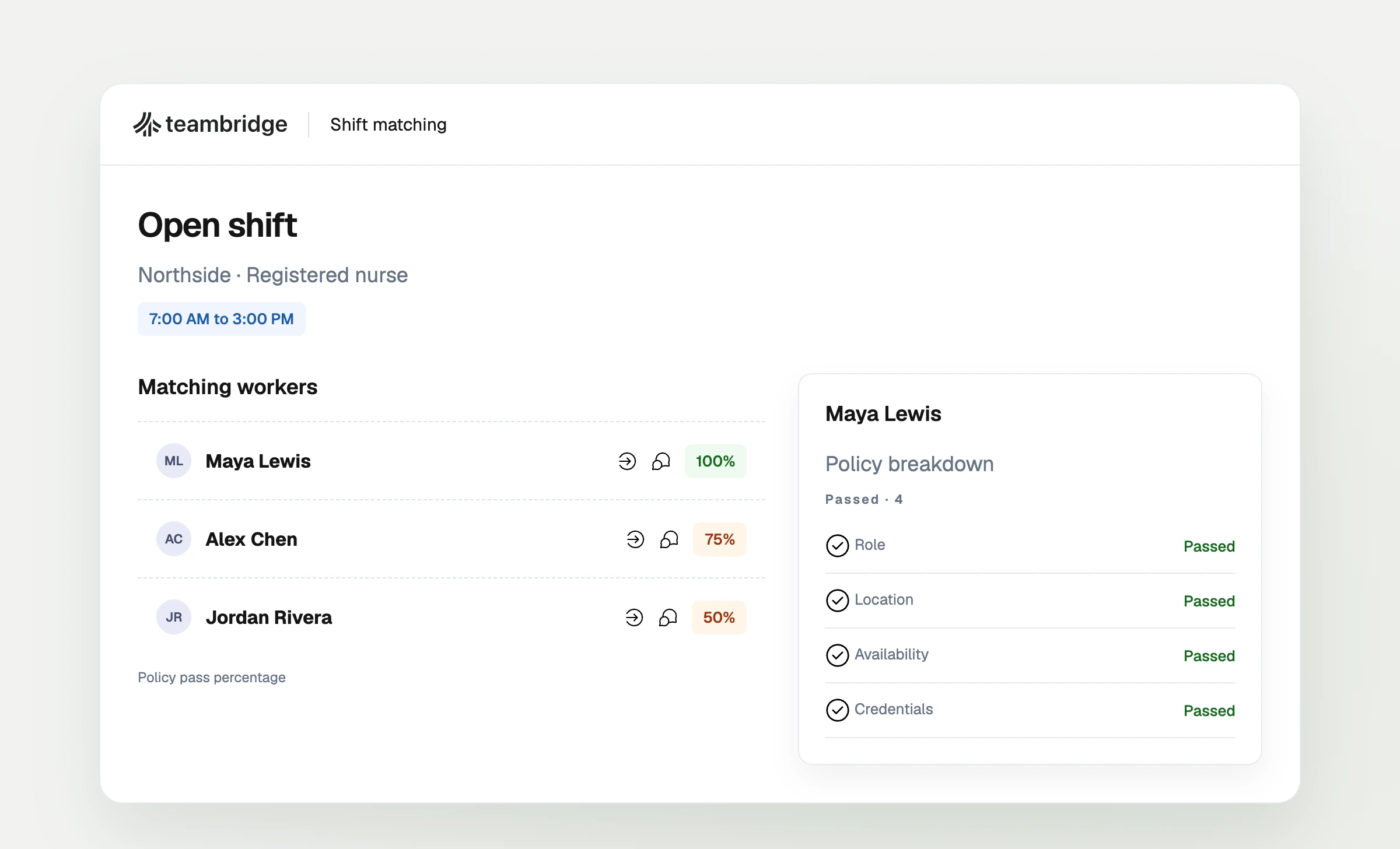
Four checks a location calendar can miss
Use these fictional examples in the same demonstration. Set your operating rules first so each vendor is tested against the same requirements.
Beyond an open slot
Can this worker actually cover the shift?
Maya finishes at North Campus at noon. Riverside starts at 12:15 p.m., but the journey takes 30 minutes. The shifts do not overlap; she is still 15 minutes short.
Jordan has 34 scheduled hours across two sites. Another eight hour shift brings the total to 42. If your internal limit is 40, the manager needs that total before assigning.
Avery can work at Site A but lacks Site B's required credential. Sharing a job title does not make Avery eligible for both.
Riverside wants to assign Sam, but your policy requires the home manager's approval. Test whether that approval happens before confirmation.
For each case, record whether the software enforces the rule, warns the manager, or needs a manual check. The hours limit is an illustrative internal policy, not a statement of legal requirements. None of these examples claims that every product automatically handles the rule.
Test overlapping assignments in two open sessions
Illustrative test scenario
One person. Two sites. One hour of overlap.
Maya Chen is initially available and qualified at both sites. Maya and the sites are fictional.
Save this assignment first.
Maya cannot work at both sites during this hour.
Try to save this assignment second. Check whether it is confirmed, blocked, or requires an override.
- Open two manager sessions. Both managers should see Maya as available before either assignment.
- Save the North Campus assignment. Keep the Riverside session open, then attempt to assign its overlapping shift.
- Inspect the saved result. Does the system warn, block, or allow an override? Refresh both schedules and check what Maya sees.
- Repeat through employee pickup. Have Maya open the Riverside shift before the first assignment is saved, then try to claim it afterward. Complete any approval step.
If your policy forbids overlaps, two confirmed assignments fail your requirement. If exceptions are allowed, verify who can authorize one and what record remains. A warning alone does not tell you whether the second assignment was saved.
Record the proposed plan, permissions, result, and any manual work required. Mark a behavior as unverified if the vendor cannot demonstrate it.
What to inspect in Teambridge
Inside Teambridge
Act on a matching result
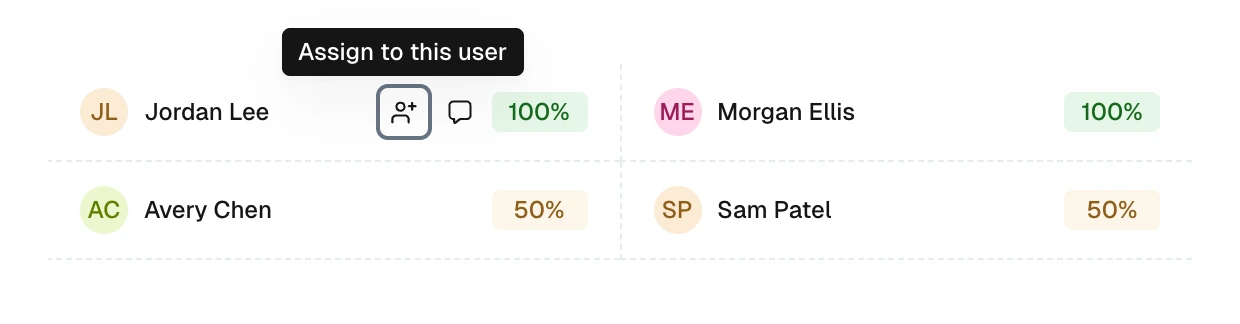
Hover over a result or focus it with your keyboard to reveal the available actions. The person icon starts assignment. The speech bubble opens a message draft.
Rendered from Teambridge product components with fictional example data. Available controls depend on account access.
Follow the product guideIn Teambridge's matching flow, selecting an assignment action can prefill the assignee. Saving completes the change. Reopen the record after saving and check the worker's view. This visual shows the assignment flow; it does not establish how your configuration handles overlapping shifts.
Source: Assign from matching, Teambridge product guide.
The worker view
Check what the person claiming the shift sees
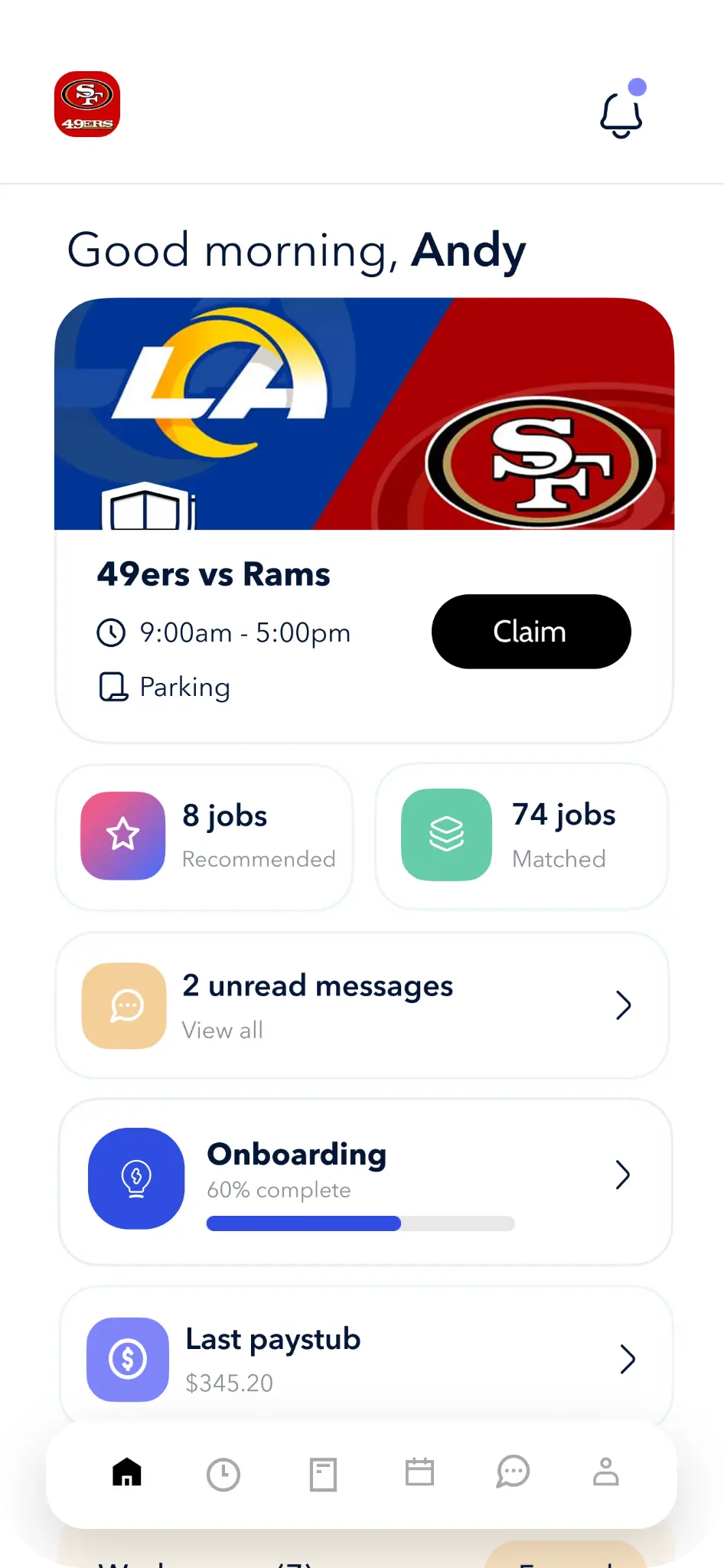
Before the claim
Can the worker see the time, location, and role?
After the claim
Is the shift confirmed or awaiting approval?
After another assignment
Can the worker still claim an overlapping shift?
Compare the cost of running it, not just the subscription
Before you buy
Three questions for your quote
When I Work's plan cards list scheduling across locations under Essentials and labor sharing under Pro. Confirm those inclusions in your quote. For every vendor, price the same worker count, locations, modules, and setup scope. Ask who imports your worker records, configures site rules, and maintains them after launch. Have a manager demonstrate adding a new site and changing a qualification requirement: that reveals work a subscription price alone cannot show.
How to make the final choice
Remove a product from your shortlist if it cannot meet a rule your operation requires. Among the remaining options, compare the manual checks managers must perform, the setup you must maintain, and the full quote. A useful warning may be enough for a team that permits exceptions; it is insufficient when your policy requires a blocked assignment.
Ask the vendor to include the demonstrated configuration in the proposed scope. If Teambridge is on your shortlist, bring your sites, worker requirements, and approval rules to a demo.

Put this research into operation
Compare scheduling products in the main buyer guide before testing this article's specific workflow. employee scheduling app comparison.
About the author

Content Writer at Teambridge
Anis Nanai is a content writer at Teambridge, with a focus on workforce management and the realities of running hourly teams. He prioritizes conversations with customers, staying close to the market, and understanding how workforce needs are changing. His writing connects those concerns to practical decisions about scheduling, time tracking, staffing, and automation. He examines product developments through the questions that matter to operators: what does this solve, how would it work for my team, and what evidence supports it?
Company perspective: this author works at Teambridge. Customer outcomes are attributed to their published sources.
View LinkedIn profile