The best employee scheduling software for your operation depends on how much of that recovery work it actually handles. A fast schedule builder and a reliable coverage workflow solve related problems, but they are not the same purchase.
A published schedule is only half the scheduling job
Schedule creation starts with known inputs: operating hours, expected demand, worker availability, and recurring assignments. Coverage recovery starts when one of those inputs changes, often with little time to respond.
That difference changes the buying criteria. Employee self-service might remove the manager from a straightforward shift trade. It may not remove the manager from deciding whether a replacement has the right role, can work at another location, or meets a credential requirement attached to the assignment.
This comparison evaluates seven criteria: schedule creation, replacement handling, eligibility controls, worker self-service, cross-location coordination, demand forecasting, and full commercial scope. The last criterion includes the plan, add-ons, billable users, and implementation needed to deliver the workflow you expect.
The evidence is published vendor documentation reviewed September 10, 2026, not independently tested performance. A listed feature establishes something worth evaluating. It does not establish how quickly your managers will recover coverage or which exceptions the software will resolve without intervention.
A filled shift is not necessarily a resolved change. Approval, eligibility, and the final assignment record still need an owner.
Homebase, When I Work, Deputy, and Teambridge compared
These products overlap on scheduling, but their published packaging draws different boundaries. The table names tiers where the source establishes them and flags questions where the documentation does not settle the workflow.
| Product | Schedule creation | Replacement handling | Eligibility controls | Worker self-service | Cross-location coordination | Demand forecasting | Full commercial scope |
|---|---|---|---|---|---|---|---|
| Homebase | Basic: basic scheduling for one location, up to 10 employees. Essentials: advanced scheduling. Plus: AI-powered scheduling. | Documents open-shift pickup, trades, approval notifications, and automatic updates; confirm tier. | Documents conflict highlighting; confirm qualification filters and outreach targeting. | Shift pickup and trades documented; confirm approval configuration. | Location-based pricing; verify shared-worker and reassignment workflow. | Sales forecast and POS-informed scheduling documented; confirm tier and inputs. | Essentials: $30/location monthly or $24/month billed annually. Payroll extra. |
| When I Work | Essentials: auto scheduling, templates, and multi-week scheduling. | Essentials: OpenShifts and swaps. Pro: employee callout reporting within 24 hours. | Pro: scheduling rules and role permissions; confirm assignment-specific checks. | Essentials: OpenShifts, swaps, and messaging. | Essentials cards list multi-location scheduling; Pro adds labor sharing. FAQ conflicts require clarification. | Essentials lists forecast tools; Pro adds custom unit forecasting. | Essentials/Pro/Premium: $2.50/$5/$8 per user monthly. Resolve attendance and location scope. |
| Deputy | Lite: basic scheduling. Core: auto-scheduling. | Lite: swaps and replacement finding. Open shifts with approval also documented. | Confirm required qualification filters and approval sequence. | Lite: availability, leave, swaps, and messaging. | Pro adds location hierarchies; confirm the tier for your sharing workflow. | Core: demand forecasting, labor optimization, and wage and labor budgets. | Lite/Core/Pro: $5/$6.50/$9 per user monthly, excluding tax. Monthly-plan minimum applies. |
| Teambridge | Documents scheduling using worker context, availability, preferences, and operational limits. | Eligible-worker outreach, mobile claims, and live assignment updates documented. | Role, credential, location, tier, and custom-field filters; setup defined during implementation. | Mobile shift claims documented; confirm surrounding approvals. | Shared worker context and configurable coverage workflows; confirm site rules. | Do not assume equivalence to a required demand-forecasting model. | Confirm price, implementation, integrations, and approval scope; no public price established by the reviewed page. |
Sources: Homebase solutions, When I Work pricing, Deputy pricing, and Teambridge scheduling.
Do not read “confirm” as “missing.” It means the reviewed source does not establish the precise tier, rule, or action sequence. That distinction matters when comparing a detailed pricing page with a product page describing a configurable workflow.
Shift swaps and eligible replacement outreach solve different problems
A shift swap starts with workers proposing an exchange. Eligible replacement outreach starts with an uncovered assignment and a search for people who can take it. Both can reduce coordination, but they leave different decisions with the manager.
When I Work Essentials documents OpenShifts and swaps. Those are relevant when workers can pick up available work or exchange assignments. Pro's callout reporting adds a way to surface a coverage problem, but reporting the callout is not proof that the replacement sequence is complete.
Deputy Lite explicitly lists replacement finding as well as swaps. Its documentation also lists open shifts with approval. Buyers should still establish which qualifications are checked, how candidates are selected, and where manager approval enters the sequence.
Homebase also documents replacement-related actions: open-shift pickup, trades, manager approval notifications, automatic schedule updates, and conflict highlighting. The unresolved questions are not whether those capabilities exist. They are which tier includes the required combination and how eligibility, targeting, and approval behave in your operation.
Teambridge's scheduling workflow documents a different starting point: build an eligible audience, send shift details, accept mobile claims, and write the assignment back to the live schedule. The listed filters include role, credentials, location, tier, and custom worker fields, alongside availability and operational limits. That makes it relevant when finding the right audience is a substantial part of the recovery work.
Important
A mobile claim does not prove that every approval or scheduling rule is configured. Ask whether the claim creates a confirmed assignment, a pending request, or another workflow state, and who owns the next action.
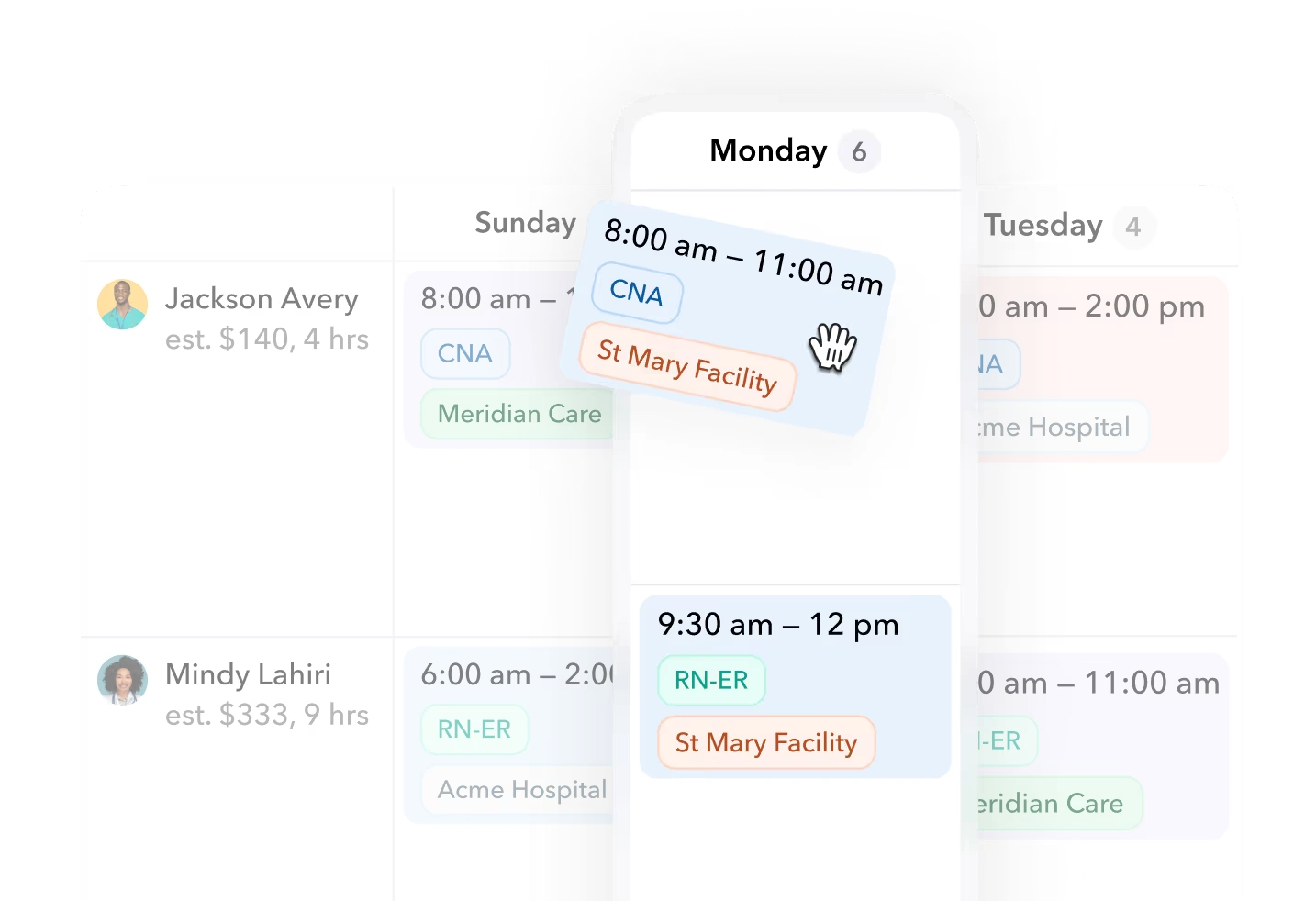
The existing Teambridge product image shows workers and shift cards with times, roles, and facility labels. It does not, by itself, demonstrate credential enforcement or replacement performance.
Before comparing automation claims, identify the manager's current bottleneck. If workers already find suitable replacements, better self-service may be enough. If managers spend their time checking who qualifies before contacting anyone, eligibility-based outreach deserves closer examination.
Ready to move?
Ready to see Teambridge in action?
Products discussed
Best Employee Scheduling Software for Last-Minute Changes tools mentioned
Official marks identify the products materially discussed in this section.
Demand forecasting and cross-location coverage need separate evaluations
Forecasting asks how many workers you will need. Cross-location coverage asks whether available people can work where the gap exists. A product can support one well without satisfying your requirements for the other.
Deputy Core explicitly packages demand forecasting, labor optimization, and wage and labor budgets. That makes it a defensible candidate when expected demand and labor spending drive the schedule. It does not make Deputy the only forecasting option.
When I Work lists forecast tools in Essentials and custom unit forecasting in Pro. Homebase describes scheduling informed by sales forecasts and POS data. Compare the inputs your operation actually uses, the planning interval, and how a forecast becomes a staffing requirement rather than treating the word “forecasting” as a complete specification.
Cross-location work needs a separate conversation. When I Work Pro documents labor sharing, while its Essentials plan cards list multi-location scheduling. Seeing several schedules is not necessarily the same as sharing workers between them, and the page's conflicting location descriptions need written clarification.
Homebase's location-based model may fit a small hourly operation, but buyers should verify how shared availability, approvals, and reassignments work across their stores. For Teambridge, the retail workflow provides multi-location context around availability, roles, schedules, communication, and time. It positions Teambridge alongside POS and inventory systems, not as their replacement.
The Teambridge platform also documents configurable fields, views, permissions, forms, and workflows. Those capabilities are relevant when locations need shared worker context with different operating rules. They are not evidence that every forecast model or third-party integration is included.
The tradeoff is operational ownership. A relatively simple recurring schedule may benefit more from straightforward setup than extensive configuration. A coverage workflow with role restrictions, shared workers, and multiple approval owners needs more definition during implementation, regardless of vendor.
Compare the required plan, not the advertised starting price
Pricing is only comparable after you identify the tier that handles your required changes. A low entry price is not useful if labor sharing, scheduling rules, or forecasting sits in another plan.
The September 10, 2026 source review lists Homebase Essentials at $30 per location monthly, or $24 per month billed annually, with unlimited employees. Plus is $70 monthly or $56 with annual billing. Basic is free for one location with up to 10 employees, and payroll is an add-on, according to Homebase's plan descriptions.
When I Work lists Essentials at $2.50, Pro at $5, and Premium at $8 per user monthly. However, its plan cards present attendance as an optional toggle and list multi-location scheduling under Essentials. Its FAQ instead says every plan includes attendance and describes different single-location and multi-location pricing scope.
That inconsistency prevents a clean all-in comparison without a written quote. Resolve it before multiplying a headline rate by headcount.
Deputy lists Lite at $5, Core at $6.50, and Pro at $9 per user monthly, excluding applicable taxes. Administrators and supervisors count as billable users. Monthly plans have a $30 U.S. minimum per invoice, and SMS can carry separate charges; payroll has separate pricing and plan or geographic conditions.
Teambridge's reviewed scheduling page does not establish public pricing. That is a request for commercial clarification, not evidence of a higher or lower cost.
Decision framework
Three checks before selecting a system
Pricing source
Scheduling source
Ask each finalist to price the same operating scope:
- Required scheduling tier, locations, workers, and administrator seats.
- Attendance, payroll, messaging, and other separately charged components.
- Implementation, data setup, approval configuration, and required integrations.
- Billing commitment, minimum charges, and treatment of inactive or seasonal users.
Per-location pricing and per-user pricing respond differently to growth. Compare both against your actual staffing pattern, including busy-season headcount and the number of managers who need access. Reconfirm prices and terms before signing.
Record who owns each schedule change before choosing a finalist
A feature list tells you what a vendor advertises. A responsibility log tells you who must act when the schedule changes. Use the blank artifact below once per finalist, keeping the same change types so differences remain visible.
Editable schedule-change responsibility log
| Change type | Software action | Remaining manager action | Approval owner | Required tier or configuration | Evidence |
|---|---|---|---|---|---|
| Callout | |||||
| Unavailable replacement | |||||
| Cross-location reassignment |
Keep the evaluation cells blank until you have evidence. “Replacement finding” belongs in the evidence record as a documented capability, not automatically as proof that managers no longer make calls.
Use the log in three passes:
- Record documentation. Add the exact source, review date, and relevant tier. Label the evidence “vendor documentation.”
- Observe the change. Ask the vendor to demonstrate the sequence using your role, location, and approval requirements. Label what you actually see “observed demonstration.”
- Assign the remaining work. Record who handles rejected claims, no eligible responses, approval delays, and the final assignment update. Keep unresolved behavior explicitly unresolved.
The unavailable-replacement row is particularly useful. A demonstration may stop after the first worker accepts, while your operation needs to know what happens if that person withdraws or fails an eligibility check. The log should preserve that unanswered handoff rather than hide it behind a positive feature label.
This is an ownership record, not a scorecard. Its value is making the work left with managers visible before the contract and implementation plan are finalized.
Shortlist by the coverage problem your managers actually face
The following best-fit recommendations are editorial inferences from the documented capabilities, not tested rankings. There is no defensible overall winner without knowing which schedule changes consume your managers' time.
Homebase belongs on a small hourly team's shortlist when location-based pricing fits. Its published scheduling and worker pickup features make it relevant beyond basic schedule creation. Confirm the required replacement controls, forecasting tier, and cross-location behavior rather than assuming every documented feature sits in Essentials.
When I Work is a candidate for recurring planning and employee self-service. Essentials documents auto scheduling, OpenShifts, swaps, and messaging; evaluate Pro when labor sharing or additional scheduling rules are necessary. Resolve the attendance and location scope conflicts in writing before treating the quoted rate as complete.
Deputy Core merits evaluation when demand forecasting and labor budgeting drive scheduling decisions. Lite already documents replacement finding and swaps, so do not assume Core is necessary for every recovery workflow. Include billable managers, minimum spend, messaging charges, and any payroll requirements in the commercial comparison.
Teambridge merits evaluation when replacement eligibility and configurable coverage workflows dominate. Its documented audience filtering, outreach, claims, and live assignment updates map to that work. Confirm implementation scope, approval ownership, integrations, and pricing, and do not presume it replaces a required demand-planning system.
Choose the finalist that can account for the whole change, including the actions it leaves to your team. If Teambridge is on your shortlist, bring the responsibility log to a workflow-specific walkthrough and ask to trace each handoff. The useful answer is not simply that a feature exists, but who owns the next action when coverage breaks.

About the author

Content Writer at Teambridge
Anis Nanai is a content writer at Teambridge, with a focus on workforce management and the realities of running hourly teams. He prioritizes conversations with customers, staying close to the market, and understanding how workforce needs are changing. His writing connects those concerns to practical decisions about scheduling, time tracking, staffing, and automation. He examines product developments through the questions that matter to operators: what does this solve, how would it work for my team, and what evidence supports it?
Company perspective: this author works at Teambridge. Customer outcomes are attributed to their published sources.
View LinkedIn profile