

This is a proposed operational playbook, not a universal legal requirement or a documented native Teambridge workflow. Its purpose is concrete: prevent a corrected upload from leaving the worker profile or training report wrong.
Record the change before anyone edits the document
Start with a correction receipt, not a replacement upload. Record which worker and document are involved, what should change and who has authority to review it. Until those details are clear, the records administrator should not apply the proposed correction.
Operator view
Process steps
- 01CaptureRecord the worker, file, requested change and review owner. Onboarding
- 02Review and applyRecord the human decision and preserve original and corrected references through a tested configuration. Platform
- 03Verify and closeCheck affected fields separately because replacing a document file leaves its other fields unchanged. API documentation
Use one correction receipt to connect ownership and evidence
Copy the table below into your approved request system. It is an editorial template, not an existing Teambridge template. Each completion rule specifies evidence rather than a status label.
| Receipt field | Completion rule |
|---|---|
| Request ID and intake time | Assign a unique identifier and record receipt time with timezone. |
| Worker ID and document ID | Use stable identifiers that distinguish the worker and specific document. |
| Requested change and reason | Describe the error, intended correction and reason for the request. |
| Requester | Record the identity or authorized account that submitted the request. |
| Original version reference | Link an authorized reviewer to the original record or approved repository copy. |
| Proposed replacement reference | Reference the proposed file, or state that no replacement is needed. |
| Before and after values | Record current and proposed values for each metadata field being corrected. |
| Reviewer | Name the assigned person and their review role. |
| Decision and timestamp | Record approval, return or rejection, the reason and time with timezone. |
| Records administrator | Name the person applying the change and record their action and time. |
| Corrected version reference | Reference the saved corrected file, or the unchanged source and updated metadata record. |
| Affected destinations and owners | List each affected field, record, report or connected destination with its update owner. |
| Verification evidence | For each destination, record the observed saved value, verifier, time and evidence reference. |
| Closure owner and timestamp | Record who closed the request and when, after checking the required evidence. |
Keep sensitive document contents in an approved repository. The receipt should connect authorized people to evidence without copying identity documents or other sensitive contents into a broadly visible queue.
The FTC’s business guidance on protecting personal information recommends limiting employee access to what their jobs require and establishing a written retention policy. It does not establish one retention period for every employee document.
The receipt’s identity, action, time and outcome fields also follow a useful evidence pattern in NIST SP 800 171A Revision 3, section 03.03.02. That guidance concerns security assessment for controlled unclassified information. Here, it informs the evidence structure by analogy, not an employee document mandate.

Approve the correction without losing the previous record
The reviewer first decides whether the source file is wrong, the recorded data is wrong, or both. These are different corrections. An accurate training certificate with an incorrectly entered date does not need a replacement file.
Teambridge Onboarding describes Scout reading uploaded documents, extracting details and flagging records for human review. Extraction is not the organization’s approval decision. The designated reviewer still needs to compare the requested change with the source and apply the organization’s review policy.
Use this sequence before changing the saved record:
- Inspect the source. Confirm the worker, document and relevant information against the original reference.
- Resolve the proposed change. Identify the accepted replacement or exact metadata values, and resolve any competing submissions.
- Record the decision. Save the reviewer’s identity, decision, reason and timestamp in the receipt.
- Preserve the references. Before applying an approved correction, confirm that authorized users can retrieve the original and the corrected evidence through the approved repository or tested configuration.
For a metadata correction, retain the unchanged source reference and record the before and after values. For a replacement, distinguish the original, proposed replacement and final saved file. A filename alone is weak evidence if someone can reuse it for a different file.
Warning
Do not treat permission to upload as authority to alter a signed document. Route signed documents through the organization’s applicable review and execution process. This playbook does not prescribe a retention period or establish that superseded files remain retrievable in Teambridge.
Missing originals, unclear review authority and competing replacements leave the request open. The coordinator assigns the next action and owner rather than allowing a vague “pending” status to hide the blocker. If the reviewer rejects a request, preserve that decision and reason without applying the requested change.
Put the workflow into practice
See how your team could use this workflow
Verify every affected field after the approved change
Before applying the correction, the records administrator identifies the destinations that actually depend on the information. These may include document metadata, a worker profile field, a training report or a connected system. Do not add payroll or scheduling merely because they exist in the organization.
The crucial product boundary is explicit in Teambridge’s API documentation, “Replace a document’s file”: replacing the file leaves the document’s other fields and title unchanged. A successful replacement therefore does not prove that a completion date, title or other saved value has been corrected.
A replacement upload proves that a file changed. It does not prove that every affected record is now correct.
Give each identified destination an update owner. That owner checks the saved value against the approved correction, then records the destination, observed value, verification time and evidence reference in the receipt. “Update submitted” and “record verified” are separate states.
For a report, verify the value in the report itself after the relevant refresh, not only in its source record. If the report is stale or a connected destination rejects the update, record the mismatch and keep the request open. The coordinator remains responsible for follow through even when another team owns the fix.
Use stable record or repository references that support authorized retrieval. The API documentation describes file reads returning temporary presigned URLs, so a copied download URL should not be the sole durable evidence reference. Test retrieval under the reviewer’s actual permissions rather than assuming an administrator’s access proves everyone can inspect the evidence.
A completed receipt corrects a training date without replacing the file
Hypothetical example: An internal training certificate is accurate, but its completion date was entered incorrectly. No signed document or external system is involved. All identifiers, role assignments, timestamps, decisions and evidence references below are fictional; the profile and report behavior are scenario assumptions, not verified Teambridge behavior.
This completes the same receipt used above. Repository labels describe hypothetical internal references, not download links.
| Receipt field | Completed hypothetical value |
|---|---|
| Request ID and intake time | C104; October 22, 2026, 09:00 UTC. |
| Worker ID and document ID | Worker W208; document D61. |
| Requested change and reason | Correct the entered completion date from October 12, 2026 to October 21, 2026. The entry does not match the certificate. |
| Requester | Operations coordinator, submitting the discrepancy for review. |
| Original version reference | Approved repository record D61, original certificate. |
| Proposed replacement reference | Not applicable. The source file is accurate and unchanged. |
| Before and after values | Completion date before: October 12, 2026. Approved value after: October 21, 2026. |
| Reviewer | Assigned training document reviewer. |
| Decision and timestamp | Approved after comparing the date with D61; October 22, 2026, 09:30 UTC. |
| Records administrator | Assigned records administrator saved the corrected metadata at 09:45 UTC on October 22, 2026. |
| Corrected version reference | Unchanged source D61; metadata change evidence C104 M1 records both date values. |
| Affected destinations and owners | Worker profile completion date and training report completion date; training coordinator owns both destination checks and any required follow up. |
| Verification evidence | Profile shows October 21, 2026 at 10:00 UTC, evidence C104 P1. Training report shows October 21, 2026 at 10:15 UTC, evidence C104 R1. Both checked by the training coordinator on October 22, 2026. |
| Closure owner and timestamp | Operations coordinator confirmed decision, accessible references and both destination checks; closed October 22, 2026, 10:20 UTC. |
The receipt closes because the evidence connects the approved change to the saved metadata and both affected destinations. It does not claim a new certificate was issued. If the report still showed October 12, C104 would remain open even though the worker profile was correct.
Configure Teambridge around the receipt, then test its boundaries
Teambridge is an operational option for organizing this work. Onboarding provides intake and worker requirement context, while the Platform describes configurable records, fields, permissions, workflows and approval points. Those building blocks do not establish a complete correction workflow without configuration and testing.
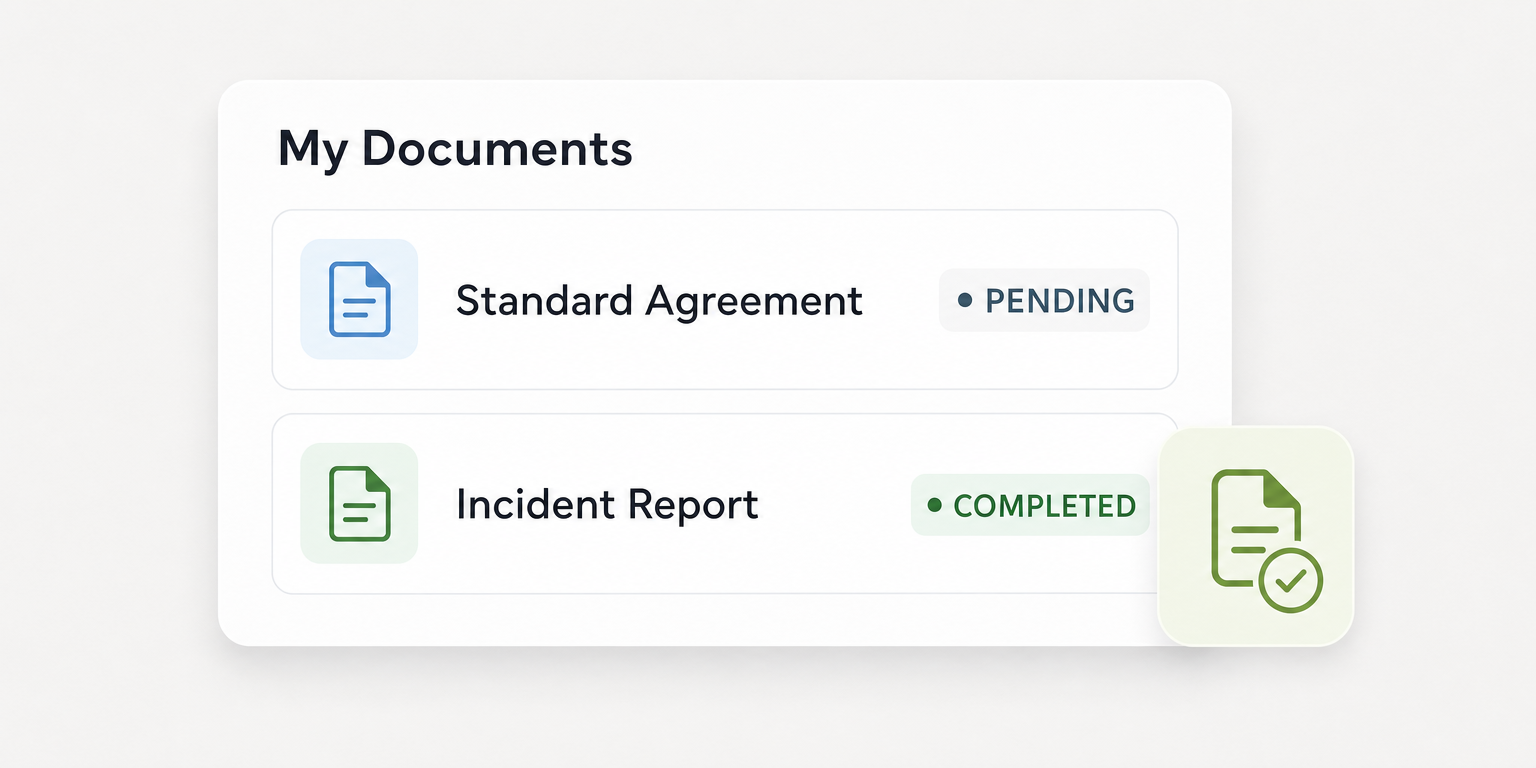
Document Studio supports document generation, required fields, signatures and completion tracking. Its statuses help show document progress. They are not evidence that a correction reached every affected record.
Product view from Document Studio. This is document tracking, not a correction history interface; displayed counts are not customer results.
For an API implementation, the documented file replacement sequence uploads through POST /v1/files, then replaces through PUT /v1/documents/{recordId}/file, supplying url, name and type. It requires OAuth2 authorization. Bad requests, unauthorized requests and documents not found in the account need an exception path that records the failure and assigns an owner rather than closing the receipt. See the API documentation before implementing these actions.
Metadata changes use the record update operation rather than file replacement. Implementers should discover field identifiers and write formats through /fields, submit only the intended changes, and verify the saved values afterward, following the same documentation. These are API instructions, not evidence of a particular administrator screen.
Before launch, require a demonstration using the intended role permissions: the reviewer can inspect evidence, the administrator can apply only authorized changes, and destination owners can record checks. Test inaccessible originals, failed writes and stale reports as well as successful corrections. Historical version access, automatic reconciliation and guaranteed external updates remain unverified unless the implementation establishes them.
Pilot closure rules and review unresolved receipts every working day
The operations manager assigns the coordinator, reviewer, records administrator and destination owners before piloting one document type. Keep the initial scope narrow enough to inspect every receipt. Expand only after the team can trace decisions, retrieve evidence and verify affected records without informal workarounds.
Review unresolved receipts every working day. Check missing reviewers, disputed replacements, inaccessible sources and failed destination updates, with a named owner and next action for each blocker. Sample closed receipts weekly to confirm that the recorded references still work and the verification evidence supports closure.
Measure four things during the pilot:
- Request age: elapsed time from intake to closure, with current age visible for open requests.
- Reviewer assignment coverage: open requests with an assigned reviewer divided by all open requests.
- Verified destination coverage: destinations with recorded verification evidence divided by identified destinations.
- Reopened corrections: count of corrections reopened during the review period, with the reason recorded.
Set performance targets from the pilot, not invented benchmarks. Report an empty denominator as not applicable rather than full coverage. Regardless of aggregate performance, each approved correction needs evidence for every identified destination before it closes.
The operating rule is simple: an upload is an action, not a completed correction. Close the receipt only when the decision, references and saved destination values support that decision.

About the author

Content Writer at Teambridge
Anis Nanai is a content writer at Teambridge, with a focus on workforce management and the realities of running hourly teams. He prioritizes conversations with customers, staying close to the market, and understanding how workforce needs are changing. His writing connects those concerns to practical decisions about scheduling, time tracking, staffing, and automation. He examines product developments through the questions that matter to operators: what does this solve, how would it work for my team, and what evidence supports it?
Company perspective: this author works at Teambridge. Customer outcomes are attributed to their published sources.
View LinkedIn profile