Choose software that preserves qualified coverage on every line
Start with four purchasing requirements: repeatable rotations, qualifications tied to assignments, applicable hours controls, and replacement requests that retain the original requirements. Treat these as demonstration criteria, not assumed features.
A shift can meet its headcount target while Line 2 has no eligible operator. Software should expose that gap rather than count an available Line 1 operator as equivalent coverage. Compliance depends on valid records and operating decisions, not a green calendar.
Line skills and equipment qualifications need different controls
Separate internal line proficiency from equipment authorization and qualifications requiring evaluation. A supervisor’s approval to work on a packaging line is not interchangeable with authorization to operate a powered industrial truck.
For powered industrial trucks, OSHA requires applicable training and evaluation before independent operation, with specific provisions for supervised training. Operator performance must be evaluated at least every three years; specified events also trigger refresher training. These are bounded requirements, not a universal manufacturing certification rule. See OSHA’s operator training requirements.
Ask vendors to show the underlying record, not just a skill label. Can eligibility depend on the equipment and remain valid throughout the assignment?

Use a three shift coverage sheet to test the rotation
Copy this sheet into your evaluation. All entries are hypothetical test inputs, not customer results or a recommended schedule.
| Test period | Crew rotation | Required line qualifications | Available replacement | Workweek hours | Vendor evidence to record |
|---|---|---|---|---|---|
| Week 1 | A days; B evenings; C nights | A1, B1, C1: Line 1. A2, B2, C2: Line 2. | Separate relief pool; verify each person’s availability and qualifications | Each regular operator: 40 planned hours | Record whether rotation preserves individual assignments and eligibility |
| Week 2 | C days; A evenings; B nights | Same individual line qualifications | Recheck relief availability for the changed shift times | Each regular operator: 40 planned hours | Record transition conflicts, warnings, and unresolved coverage |
| Week 3 | B days; C evenings; A nights | Same individual line qualifications | Recheck relief availability for the changed shift times | Each regular operator: 40 planned hours | Record whether the cycle repeats without losing individual restrictions |
| Week 1 callout, candidate R1 | C2 absent from a Line 2 night assignment | R1 qualified only for Line 1 | R1 available, but not eligible for Line 2 | 32 actual hours before proposed assignment | Record whether mismatch prevents assignment or produces a clear warning |
| Week 1 callout, candidate R2 | Same vacant Line 2 night assignment | R2 qualified for Line 2 | R2 available, subject to hours review and acceptance | 40 actual hours before proposed assignment | Record overtime visibility, approval, confirmation, and remaining exceptions |
Keep the assumptions attached to the sheet
This example assumes two lines operating five days each week across three eight hour shifts. Each crew has one separately qualified operator for each line. Additional relief staff cover breaks and absences; the six named operator identifiers are not the plant’s complete staffing model.
For this test, day shifts run from 06:00 to 14:00, evenings from 14:00 to 22:00, and nights from 22:00 to 06:00. Each regular operator has five assignments, with eight assumed worked hours per assignment, all inside the same defined workweek. Actual break arrangements and recorded work can change those totals.
The rotation is deliberately simple enough to inspect. It does not establish that the transitions provide suitable rest or that the pattern fits the plant’s fatigue risks, employment agreements, or staffing needs. Production and HR must review those matters before using any rotation in practice.
A crew label must not override an individual restriction. During the demonstration, make one operator unavailable on a date and change another operator’s qualification status. Ask the vendor to repeat the rotation and show whether those exceptions remain visible.
For continuity between outgoing and incoming crews, use the manufacturing shift handover checklist. Handover records support continuity of work; they do not establish equipment authorization or replace qualification checks.
Put the workflow into practice
See how your team could use this workflow
Overtime checks must follow the workweek and actual work
For covered, nonexempt manufacturing employees, federal overtime generally requires at least 1.5 times the regular rate after 40 hours worked in a workweek. Payroll frequency does not change that threshold, and the regular rate is not necessarily just the employee’s base hourly wage. The Department of Labor’s manufacturing guidance explains the federal requirements and common industry problems.
The workweek is a fixed, recurring period of 168 hours. It can begin on any day and at any hour, and employers cannot average hours across multiple workweeks to avoid overtime. These distinctions come from the Department of Labor’s overtime guidance.
Make the vendor demonstrate an overnight assignment crossing your established workweek boundary. Ask which hours fall in each week, what happens when the punch extends beyond the scheduled end, and whether a later correction changes the overtime projection. A weekly calendar view is not sufficient evidence that the allocation is correct.
Operator view
Supporting evidence
Oregon illustrates why a federal weekly threshold is not a complete rules configuration. Its manufacturing guidance describes daily and weekly overtime calculations, payment of the greater amount, and applicable work hour limits and exceptions. Confirm the rules that apply to your location and operation rather than copying another plant’s settings.
Scheduled time must not conceal work outside the shift
The Department of Labor identifies machine oiling, greasing, cleaning, installation, instruction time, and certain tool collection activities as manufacturing timekeeping problem areas. These activities need appropriate recording and review, even when they fall outside the published production shift. See the specific examples in its manufacturing fact sheet.
Ask vendors to show how a worker reports additional time, who can correct it, and what record remains after approval. Then ask how that correction reaches the hours view used by the scheduler and the payroll process. A projection based on stale hours can make an apparently inexpensive replacement more costly than expected.
Teambridge’s time tracking page describes connecting punches with scheduled shifts, workers, sites, and review workflows, including comparisons between scheduled and recorded time. That makes it relevant to this evaluation. It does not establish automatic support for every jurisdiction’s overtime requirements or every payroll configuration.
A callout should expose the tradeoff between eligibility and overtime
Return to the same sheet and remove C2 from the Line 2 night assignment. Both proposed replacements are available. Only R2 has the required Line 2 qualification.
R1’s lower hours do not make that worker eligible. Require the vendor to show whether the mismatch blocks assignment or creates a warning, who can override that warning, and what the saved record says. Where qualification is a legal prerequisite, a configurable override cannot substitute for meeting it.
R2 presents a different issue: eligibility is satisfied, but hours need review. Under the hypothetical assumptions, R2 already has 40 worked hours in the applicable workweek and would work another eight hours wholly within that week. For a covered, nonexempt employee under the federal rule, those eight additional hours would be overtime; applicable state rules may impose further requirements.
Available is not the same as qualified. Qualified is not the same as approved. An invitation is not a confirmed assignment.
Use the demonstration to get explicit answers to these questions:
- Does the replacement request retain Line 2’s qualification and equipment requirements?
- Does the hours view distinguish actual hours already worked from future scheduled hours?
- Which authorized role approves the exception, and where is that approval retained?
- What worker action confirms acceptance, and what saved state proves the assignment is filled?
- If no eligible worker accepts, who receives the unresolved vacancy and by what deadline?
Ask for implementation documentation covering permissions, saved assignments, and the exception path. A presenter describing what a system could do is not the same as showing configured behavior and its resulting record.
Warning
Company overtime approval rules do not remove the obligation to pay for compensable overtime actually worked. The Department of Labor explicitly distinguishes advance authorization policies from payment obligations. An overtime warning also does not make an otherwise ineligible worker qualified.
If neither candidate can be assigned appropriately, the vacancy should remain explicit. Production must decide whether another qualified resource is available or whether the operating plan must change. Software should not conceal that decision by treating a sent message as completed coverage.
Teambridge documents assignment filters, not every plant requirement
Teambridge’s scheduling page documents filtering by role, credentials, location, and worker fields. It also describes using availability and hours, allowing mobile shift claims, and returning confirmed assignments to the schedule. These are vendor documented capabilities relevant to finding and confirming replacements.
The public page does not establish manufacturing rotation templates, equipment specific qualification enforcement throughout an assignment, or automatic handling of every applicable overtime rule. Keep those requirements open in the coverage sheet until the demonstration and implementation documentation resolve them.
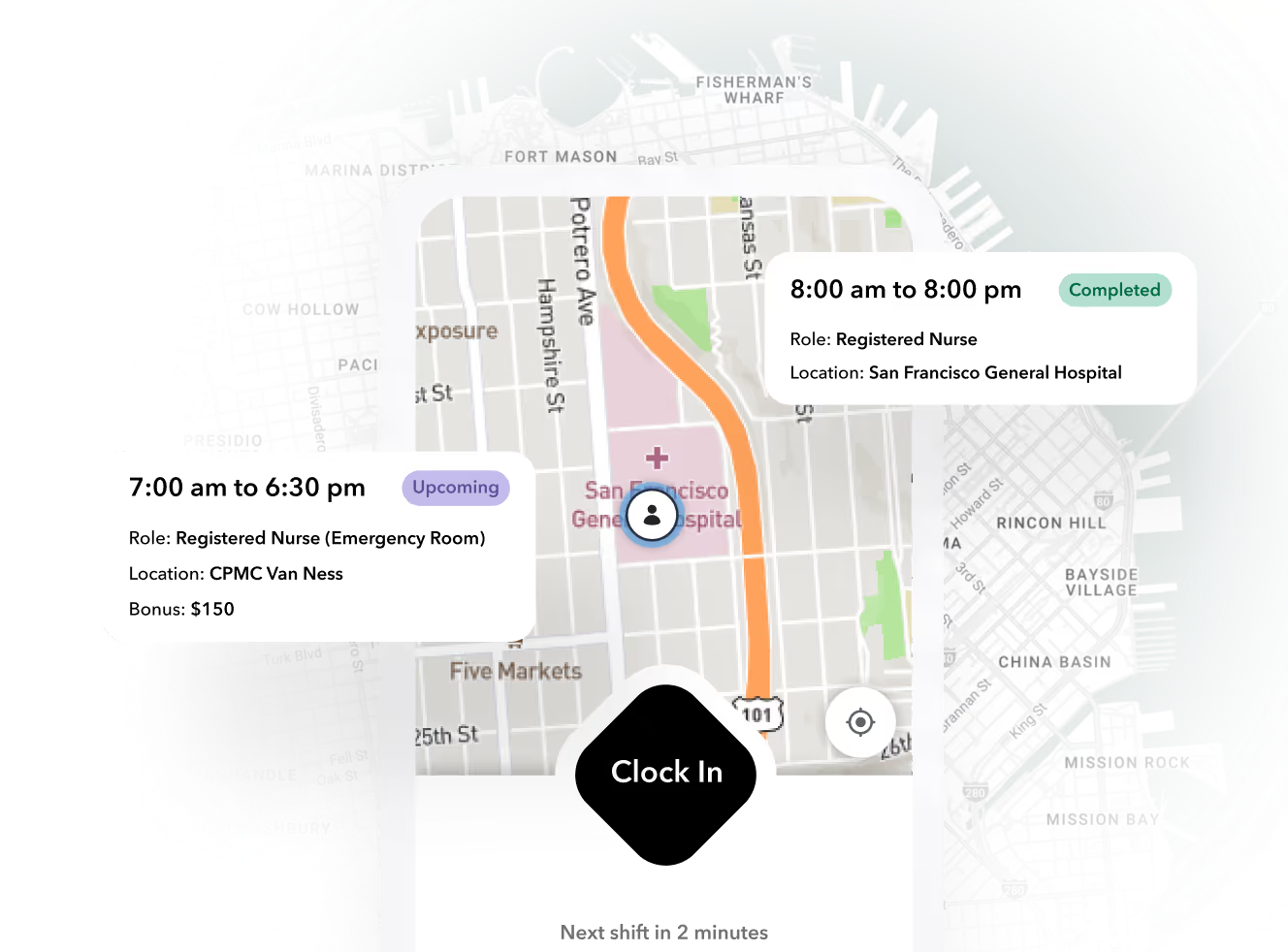
Product view: Teambridge’s worker app, not a manufacturing customer implementation. The screenshot illustrates the worker experience; it is not evidence that the example plant’s rotation or qualification rules have been configured.
Ask the Teambridge demonstrator to use the same operator identifiers, line requirements, workweek boundary, and callout candidates as every other vendor. That keeps the evaluation grounded in plant requirements rather than presentation quality.
The product boundary matters too. Workforce scheduling is not proof of production planning, machine capacity planning, equipment safety authorization, or a complete legal compliance system. Establish where those records originate, how scheduling receives relevant information, and who owns corrections when systems disagree.
Buy only after the plant’s unresolved requirements are explicit
Production and HR should review the completed coverage sheet together. Production owns whether the assignment can support the line; HR and payroll bring qualification records, applicable hours requirements, and employment rules. Neither group should have to infer the other’s acceptance from a populated calendar.
Use a short purchasing review:
- Classify each requirement as demonstrated, requiring configuration, dependent on integration, or unsupported. Retain the evidence beside the relevant sheet row.
- Assign an owner and acceptance condition to every unresolved item, including rotation transitions, qualification evidence, and hours corrections.
- Confirm who can approve replacements, how acceptance becomes a saved assignment, and what happens when coverage remains open.
Do not treat a configuration promise as demonstrated behavior or an integration dependency as included functionality. Establish implementation scope and responsibility before signing.
If Teambridge is on the shortlist, bring the same plant inputs to a scheduling demonstration. Buy the system that makes qualified coverage and unresolved exceptions visible, with documented limits your plant can operate within.

About the author

Content Writer at Teambridge
Anis Nanai is a content writer at Teambridge, with a focus on workforce management and the realities of running hourly teams. He prioritizes conversations with customers, staying close to the market, and understanding how workforce needs are changing. His writing connects those concerns to practical decisions about scheduling, time tracking, staffing, and automation. He examines product developments through the questions that matter to operators: what does this solve, how would it work for my team, and what evidence supports it?
Company perspective: this author works at Teambridge. Customer outcomes are attributed to their published sources.
View LinkedIn profile