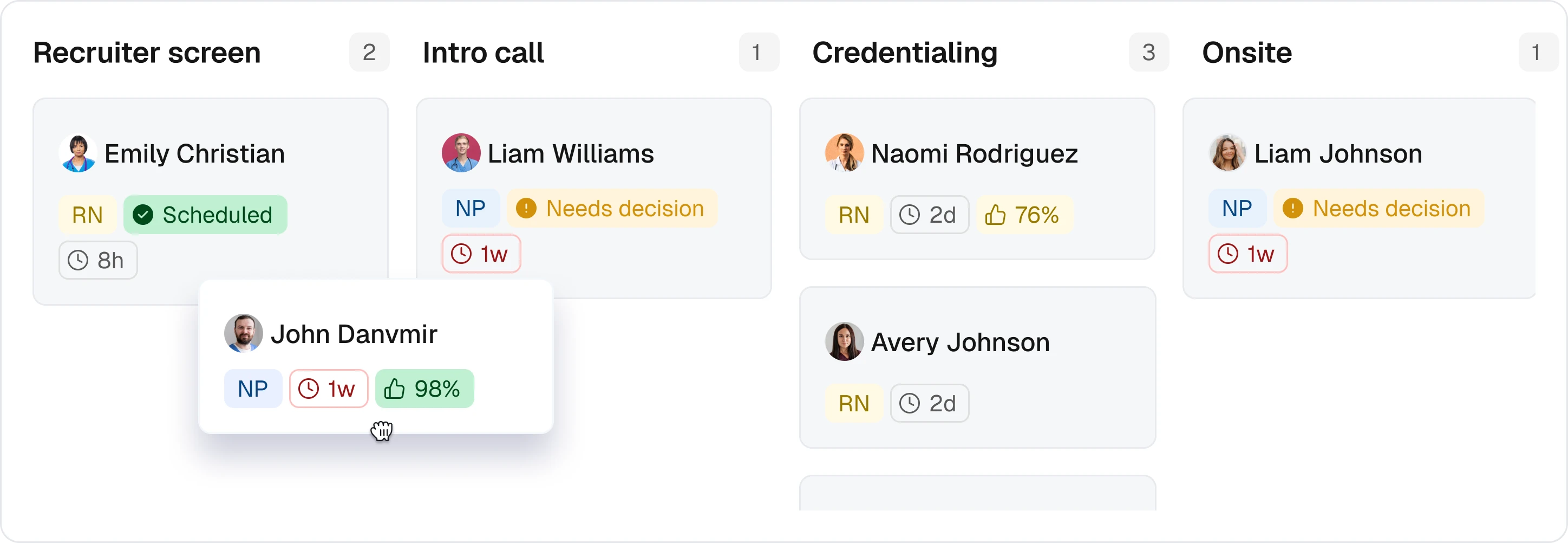


Paper Onboarding Fails Shift Workforces Before Day One
The most expensive onboarding failure is not a bad hire. It is the worker who accepted the shift, never finished the paperwork, and never showed up. For staffing agencies, healthcare systems, event operators, hospitality groups, and light industrial shops hiring hourly workers at volume, onboarding is not an HR formality. It is the gate between a filled shift and an empty one.
The financial stakes have moved up. Under the Department of Homeland Security's January 2025 civil monetary penalty adjustment, which remains in effect through 2026, Form I-9 paperwork violations now run $288 to $2,861 per form, and knowing-hire violations reach $28,619 per worker at the third-offense tier (Federal Register adjustment summary via I-9 Intelligence). ICE is also auditing at a pace reported at roughly ten times the 2024 rate. A sloppy paper process that survived a quiet decade is now a line item.
The timing rules are tighter than most operators assume. Per the USCIS Handbook for Employers (M-274), a new hire must complete I-9 Section 1 no later than their first day of work, and the employer must complete Section 2 within three business days. For hires working fewer than three business days, both sections are due on day one (USCIS M-274 timing rules). Event and per-diem staffing models live almost entirely inside that exception.
This comparison is written for that buyer. If you onboard salaried desk workers once a month, the standard roundup articles will serve you fine. If you onboard 40 CNAs a week across three facilities, read on.
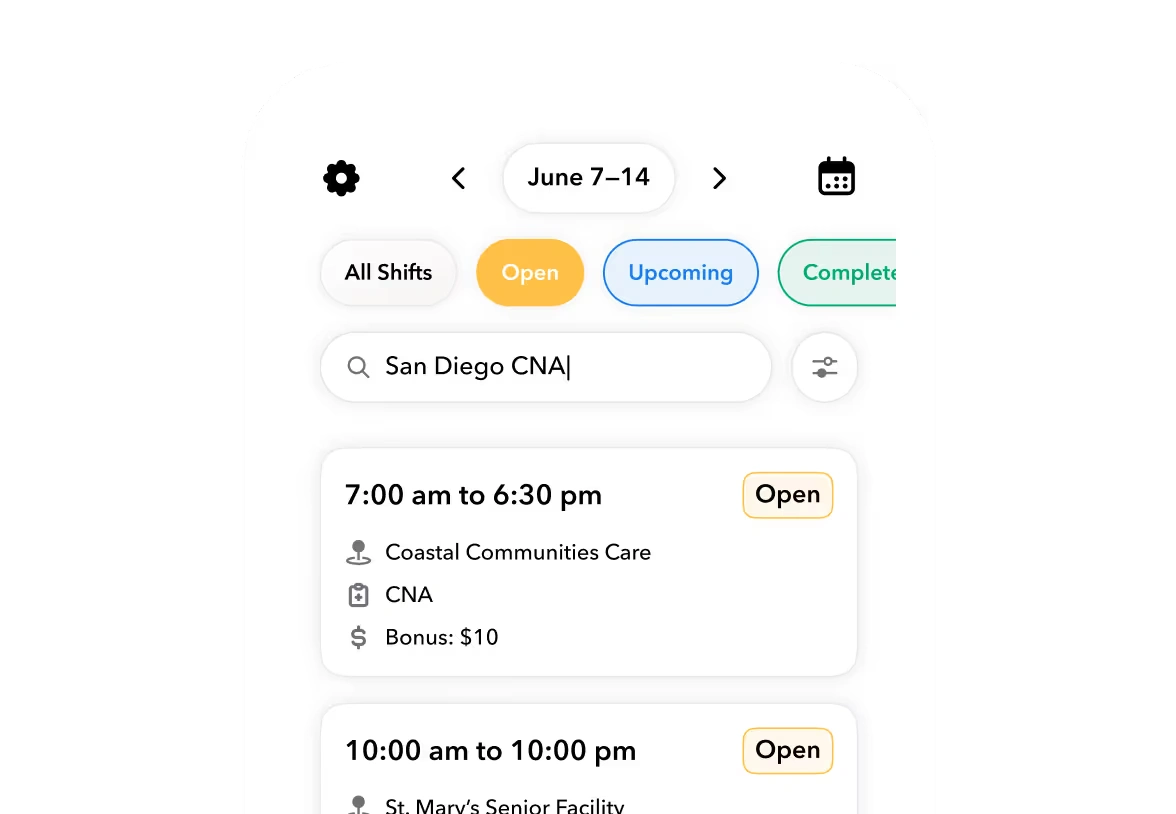
The Six Decision Criteria That Separate Shift-Ready Onboarding Tools
Most software rankings score onboarding platforms on org chart tools, IT provisioning, and welcome email templates. Those criteria answer questions a shift operator never asks. The criteria below are the ones that decide whether a platform actually works for hourly, credentialed, high-volume hiring.
- Mobile-first completion. Hourly workers do not have a corporate laptop. If the packet cannot be completed on a personal phone from a parking lot, completion rates collapse.
- I-9 and E-Verify workflow support. Not just a PDF upload. Deadline enforcement, Section 1 and Section 2 separation, and E-Verify case creation where applicable.
- Credential and license expiry tracking. For healthcare and industrial roles, onboarding does not end at hire. Licenses expire, and someone has to notice before a worker is scheduled.
- Onboarding status connected to scheduling eligibility. The decisive criterion. If a worker with an incomplete packet can still be placed on a shift, the compliance gate is fictional.
- Automated reminders and renewals. Manual follow-up does not scale past a few dozen active hires per month.
- Pricing model fit. Per-employee-per-month pricing behaves very differently when you have 200 W-2 staff versus 2,000 flex workers cycling through.
Every verdict in this article maps back to these six criteria. Claims about each platform are based on vendor-published documentation and public positioning; features and pricing change, so verify current details with each vendor before signing anything.
Ready to move?
Ready to see Teambridge in action?

How the Leading Platforms Compare
The table below scores five platforms across the six criteria, plus implementation effort and best-fit size. Ratings reflect vendor-published materials, not hands-on lab testing.
| Criterion | BambooHR (BambooHR @ bamboohr.com) | Rippling (Rippling @ rippling.com) | Paycor (Paycor @ paycor.com) | Workstream (Workstream @ workstream.us) | Teambridge (Teambridge @ teambridge.com) |
|---|---|---|---|---|---|
| Mobile-first completion | Partial; app exists, flows are desktop-designed | Partial; strong app, desk-worker defaults | Partial; payroll-led flows | Strong; built for hourly applicants | Strong; mobile-native document and credential packets |
| I-9 / E-Verify support | E-Verify integration available | Built-in I-9 and E-Verify | I-9 and E-Verify support | E-Verify integration | I-9 documents in onboarding packet; verify E-Verify scope with vendor |
| Credential expiry tracking | Limited; custom fields | Custom fields and workflows | Limited | Partial; certification fields | Strong; credential expiration tracking and renewal automation |
| Onboarding gates scheduling | No; no native scheduling | No; no native shift scheduling | Scheduling add-on, loosely coupled | No; hiring focus, not scheduling | Yes; incomplete onboarding can block shift assignment |
| Automation of reminders | Basic task reminders | Strong workflow automation | Basic | Text-based applicant nudges | Strong; no-code automations for renewals and follow-ups |
| Pricing fit for hourly volume | PEPM; costly at flex scale | PEPM; costly at flex scale | PEPM; payroll bundled | Per-location pricing | Built for flex and contingent headcount; confirm model with vendor |
| Implementation effort | Low to moderate | Moderate; broad scope | Moderate to high | Low | Moderate; requires process change |
| Best-fit size | 25 to 500 salaried | 50 to 1,000 tech-forward | 50 to 1,000 US hourly | High-turnover hourly, QSR | Staffing, healthcare, venues, 100+ flex workers |
Two patterns stand out. The general HRIS platforms treat onboarding as a document checklist that ends in the HR system. The hourly-focused tools treat it as a funnel that ends in a first shift. Only one category connects the two.
Best-Fit Scenarios: Which Tool Wins for Which Operation
No platform wins all six criteria for every buyer. Match the tool to the operation.
Small professional-services firms, mostly salaried. BambooHR is the sensible default. The interface is clean, implementation is fast, and the onboarding checklist covers offer letters, e-signatures, and new-hire packets. Its weakness for shift workforces is structural: there is no native scheduling layer, so onboarding status can never gate a shift assignment, and per-employee pricing gets expensive with a large contingent pool.
Tech-forward mid-market needing HR plus IT provisioning. Rippling's strength is unifying employee data across HR, devices, and apps. If your onboarding pain is getting a laptop, a Slack account, and a benefits enrollment done in one flow, Rippling is built for exactly that. For shift operators, the device-and-app provisioning is mostly irrelevant, and shift scheduling is not its home turf.
US hourly businesses wanting payroll-led HCM. Paycor anchors onboarding to payroll and tax setup, which is genuinely useful when every hire must be pay-ready on day one. It serves restaurants, manufacturing, and healthcare mid-market buyers well. The tradeoff is that credential lifecycle management and scheduling gating are thinner than the payroll core.
High-turnover hourly hiring, especially QSR and retail. Workstream was built around text-message-based applicant communication and hourly hiring funnels. If your bottleneck is candidates ghosting between application and first day, its nudge engine addresses that directly. It is a hiring platform, though, not a workforce operations system, so post-hire scheduling and credential renewals live elsewhere.
Shift workforces where onboarding must gate scheduling. This is the case for Teambridge. Onboarding packets, credential collection, and document e-signature happen on the worker's phone before day one through the Teambridge onboarding product, and a worker who has not completed required steps can be held out of shift eligibility inside the same platform that runs scheduling. Credential expirations trigger renewal automations rather than a spreadsheet reminder. The boundary matters: Teambridge is a workforce operations platform, not a full HRIS. Benefits administration, performance management, and org-chart tooling are outside its scope, and many operators pair it with an existing HRIS of record.
Worked Example: What a Broken I-9 Process Costs at Staffing Volume
The following is a labeled hypothetical. It is not a customer story, and the error rate is an assumption, not a measured industry figure. Adjust the inputs to your own operation.
Hypothetical scenario, stated assumptions
I-9 exposure for a staffing agency onboarding 400 workers per year
Assumes 400 new Form I-9s annually, an assumed 5 percent paperwork error rate (20 flawed forms), and the DHS penalty range of $288 to $2,861 per paperwork violation in effect since January 2, 2025.
- 01Count annual I-9 volume across all worksites.
- 02Apply your own measured error rate from a sample internal audit.
- 03Multiply flawed forms by the $288 to $2,861 per-form range.
- 04Add indirect cost: re-verification labor, audit response time, and lost placements while workers sit in compliance hold.
The point of the math is not the precise dollar figure. It is that a single-digit error rate at staffing volume produces five-figure exposure, before counting the operational cost of pulling scheduled workers off assignments when an audit lands. Teams that move document collection into a mobile-first flow with enforced deadlines typically see fewer incomplete packets reaching day one, because the system refuses to let a half-finished form pass as done.
The Onboarding-to-Schedule Gate: A Workflow You Can Reuse
This sequence works regardless of which vendor you choose. It is the operating artifact from this article: print it, adapt it, and score every demo against it.
- Offer accepted. Nothing starts before formal acceptance. Sending an I-9 earlier can create discrimination exposure under the Immigration and Nationality Act.
- Document packet sent mobile-first. The worker receives one link, completes everything on a personal phone, and never touches a desktop or a printer.
- I-9 Section 1 completed before day one. The M-274 permits this any time after acceptance; use the window. Section 2 is due within three business days of start, or day one for short assignments.
- Credentials verified against role requirements. Licenses, certifications, and training records are checked against the specific role, not just collected into a folder.
- Worker marked schedule-eligible only when complete. This is the gate. Incomplete packet, no shift assignment. No exceptions logged in a side spreadsheet.
- Expiry reminders queued automatically. Every credential with an expiration date generates a renewal workflow 30, 60, or 90 days out, depending on renewal lead time.
Important
Step 5 is where most implementations fail. If your scheduler can override the gate with two clicks and no audit trail, you have a suggestion, not a control. Ask every vendor to demonstrate the override path and its logging.
Teambridge implements this pattern by combining the onboarding product with no-code automations that fire renewal reminders and hold incomplete workers out of scheduling eligibility. It is one implementation path; the workflow above stands on its own if your stack is different.
Tradeoffs, Red Flags, and How to Run Your Evaluation
Honest tradeoffs first. Point onboarding tools bolt onto your existing HRIS cleanly, but they create a second employee record that drifts out of sync with the system of record. Full HCM suites solve the data problem and create two new ones: cost and an implementation timeline measured in quarters. Workforce operations platforms connect onboarding to scheduling and time, but they require you to change how coordinators and schedulers actually work, and they will not replace your HRIS for benefits or performance management.
Warning
Beware of any demo that shows onboarding only on a laptop, only with a test admin account, or only with a perfect synthetic new hire. Hourly onboarding fails on personal phones, shared devices, and workers with spotty documentation.
Use this checklist in every vendor demo:
- Complete a full packet live on a personal phone, not the presenter's laptop, including photo capture of documents.
- Show the I-9 Section 1 and Section 2 deadline enforcement and what happens when a deadline passes.
- Pull a credential expiration report for the next 90 days and show the renewal workflow it triggers.
- Demonstrate how onboarding status blocks a shift assignment, and what the override path looks like.
- Walk through pricing at your real headcount, including seasonal spikes and flex workers who may only work a few shifts.
- Ask for an implementation plan with named weeks, not a sliding-scale estimate.
If the demo cannot clear those six items, the platform was not built for your workforce. If it can, you are ready to move to a pilot with one site or one role before committing. Operators who want to pressure-test their current process first can start with the free calculators and readiness tools on the Teambridge tools page, then book a demo to see the onboarding-to-scheduling gate running end to end.
The short version: judge onboarding software by what happens between offer acceptance and the first clock-in, not by the welcome email. The platforms that win for shift workforces are the ones where a worker cannot be scheduled until the paperwork says they should be.

About the author

Content Writer at Teambridge
Anis Nanai is a content writer at Teambridge, with a focus on workforce management and the realities of running hourly teams. He prioritizes conversations with customers, staying close to the market, and understanding how workforce needs are changing. His writing connects those concerns to practical decisions about scheduling, time tracking, staffing, and automation. He examines product developments through the questions that matter to operators: what does this solve, how would it work for my team, and what evidence supports it?
Company perspective: this author works at Teambridge. Customer outcomes are attributed to their published sources.
View LinkedIn profile