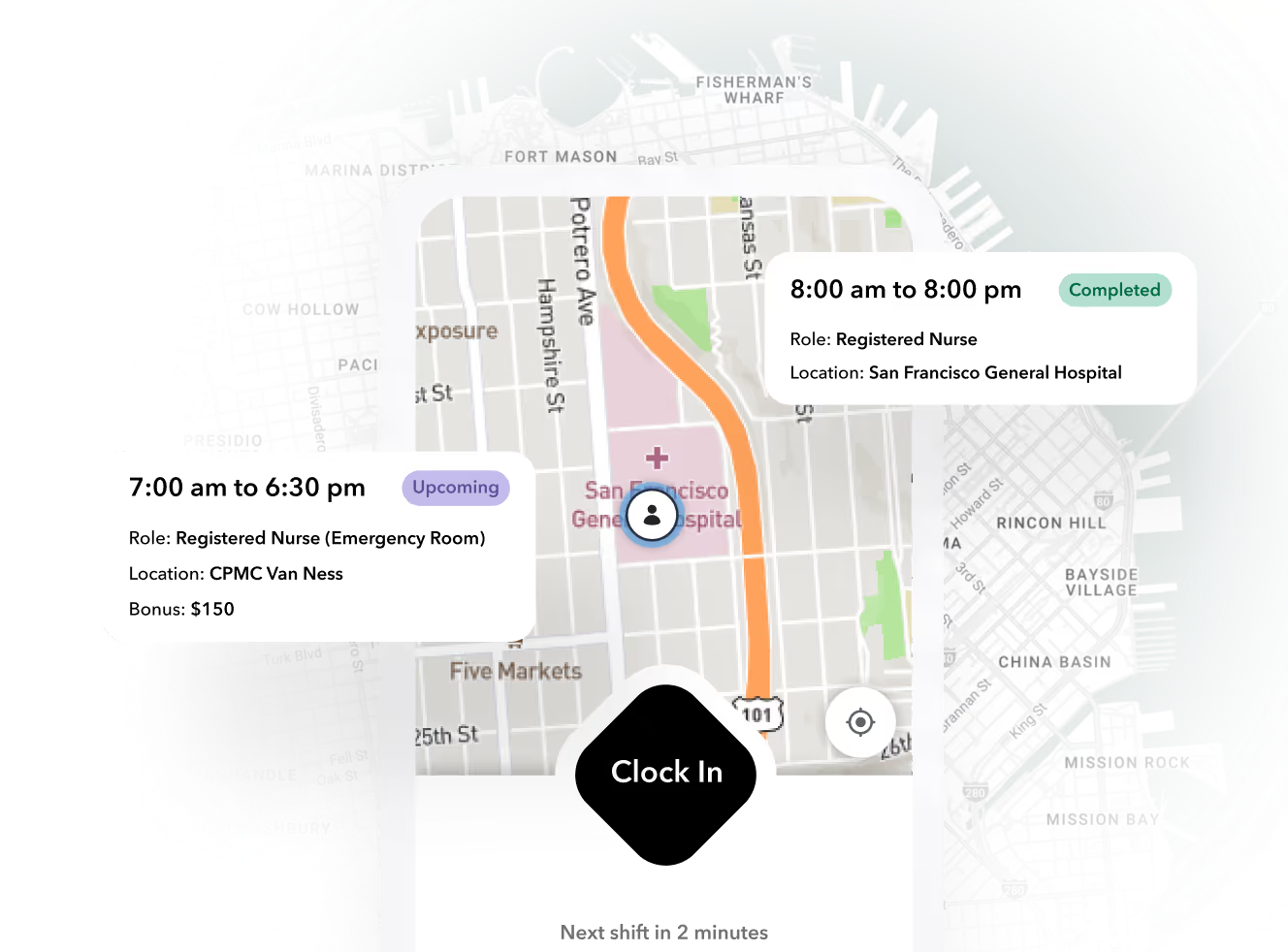


This guide defines what time and attendance software actually does, walks the punch-to-paycheck workflow, quantifies where the money leaks, and gives you a decision framework for choosing between a point solution and an integrated platform.
What time and attendance software actually does (and what it doesn't)
Time and attendance (T&A) software does four things:
- Capture clock-in and clock-out events (mobile app, kiosk, geofence, biometric).
- Apply pay rules — overtime, differentials, break penalties, multiple rates per worker.
- Flag exceptions — late arrivals, missed punches, unauthorized overtime, no-shows.
- Feed payroll — export approved timecards to your payroll provider or billing system.
That's the boundary. T&A alone doesn't schedule shifts, onboard workers, verify credentials, or generate client invoices. When those functions live in separate tools, someone — usually one overloaded payroll admin — becomes the integration layer, copying data between systems and reconciling mismatches by hand.
Important
If your credential check happens in an onboarding tool, your clock-in happens in a time clock app, and your billing happens in a spreadsheet, every handoff is a place where errors and unbillable hours hide.
The workflow from punch to paycheck, step by step
Here's what a healthy T&A workflow looks like, and where manual systems break at each step:
- Worker clocks in. Mobile app with GPS verification, on-site kiosk, or geofence trigger. Where manual breaks: paper sign-in sheets get filled in at the end of the shift — or the end of the week — from memory.
- System matches the punch to a scheduled shift. Early, late, or unscheduled punches get flagged immediately. Where manual breaks: with no schedule link, a punch is just a timestamp; nobody knows if the worker was supposed to be there.
- Exceptions hit a queue. Late arrivals, missed punches, approaching overtime. Where manual breaks: exceptions surface on Friday when payroll is due, not in real time when a supervisor can fix them.
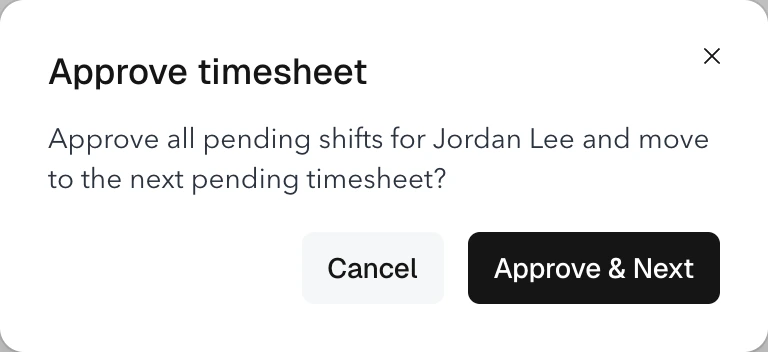
- Manager approves. Site supervisors confirm or correct flagged timecards. Where manual breaks: approvals happen over text message, and the paper trail disappears.
- Timecard locks. Approved time becomes immutable. Where manual breaks: spreadsheet cells stay editable forever — including after payroll runs.
- Export to payroll and billing. Hours flow to the payroll provider and, for staffing, to client invoicing. Where manual breaks: someone rekeys hours into two systems, and every rekey is an error opportunity.
Where the money leaks: time theft, missed punches, and exception backlogs
The losses aren't theoretical. Nucleus Research found that buddy punching — one worker clocking in for another — accounts for roughly 2.2% of gross payroll in organizations without biometric or GPS verification. The American Payroll Association has estimated time theft costs up to 4.5 hours per employee per week across common forms like padded hours and long breaks.
For a 200-worker staffing operation at a $20 average bill cost, 2.2% buddy punching alone is roughly $9,000 a month in paid-but-not-worked time. Add the softer costs:
- Payroll admins spending 4-8 hours weekly chasing missed punches by phone and text.
- Client invoices delayed because billing waits on approved timecards.
- Disputes with clients over hours nobody can verify because there's no GPS or photo evidence.
The real cost of bad time tracking isn't the stolen minutes. It's the billing delay: every day your timecards sit unapproved is a day your invoice sits unsent.
Ready to move?
Ready to see Teambridge in action?
Worked scenario: a 200-worker staffing agency running Monday reconciliation
Take a light-industrial staffing agency: 200 active temps across 12 client sites, three punch methods (paper at two sites, a shared kiosk at four, a mobile app at six), and one payroll admin named Dana.
Monday with spreadsheets:
- Dana collects 12 site reports in four formats. Two sites email photos of paper sign-in sheets.
- Roughly 15% of punches — about 30 shifts' worth — have a problem: missing clock-outs, names that don't match the schedule, hours that exceed what the client approved.
- Dana texts 8 site supervisors. Three respond by end of day. Two respond Tuesday. One never does; she approves from memory.
- Timecards finalize Wednesday afternoon. Payroll export goes out Wednesday evening. Client invoices, which depend on approved hours, go out Thursday — three days of cash flow delay, every week.
- Dana spends roughly 14 hours a week on reconciliation. That's 35% of her job.
Monday with an integrated system:
- Every punch is GPS-verified and matched to a scheduled shift in real time. The two paper sites move to kiosk or supervisor-mode mobile punch.
- Exceptions surface as they happen. By Monday morning, only genuine edge cases remain — typically 3-5% of shifts instead of 15%.
- Supervisors approve from their phones during the shift, not by text three days later.
- Timecards lock Monday by noon. Payroll export and client invoices — generated from the same approved hours — go out Monday afternoon.
Same workers, same sites, same clients. The difference is that the schedule, the punch, the exception, and the invoice live in one workflow instead of four.
Point solution vs. all-in-one platform: a decision table
| Capability | Paper / spreadsheets | Standalone time clocks | Scheduling-first tools | Workforce ops platform |
|---|---|---|---|---|
| Multi-site support | Poor — manual rollup per site | Moderate — per-site hardware | Moderate — built for single-site teams | Strong — one dashboard across sites |
| Credential check at clock-in | None | None | Rare | Yes — expired credential blocks punch |
| Pay rules (multi-rate, OT) | Manual calculation | Basic OT | Basic OT | Multi-rate, per-site rules, auto-OT |
| Exception queue | Email and texts | End-of-week reports | Basic flags | Real-time queue with supervisor approval |
| Billing / client invoicing | Separate spreadsheet | None | None | Invoices generated from approved timecards |
| Payroll export | Rekeyed | CSV export | CSV / integrations | Direct integrations |
| Typical cost | "Free" (plus admin hours) | Hardware + ~$2-4/user | ~$2.50-$5/user/mo | Per-worker platform pricing |
Scheduling-first tools like When I Work are genuinely good products for their target user — a single restaurant or retail location with a stable crew. The gap appears when you have workers who move between client sites, credentials that expire, and billing that depends on approved hours.
Where Teambridge fits — and where a simpler tool is enough
Teambridge is built for the multi-site case: time tracking with GPS-verified clock-in connects directly to scheduling, credential enforcement, and client invoicing, so approved timecards become invoices without rekeying. If a worker's certification lapses, they can't clock into a shift that requires it. If you're evaluating, the pricing model is per worker, and customer stories show how staffing and healthcare operators run this in practice.
The honest boundary: Teambridge is a workforce operations platform, not a replacement for your payroll provider or your ATS. And if you run one location with 15 stable employees and no client billing, a lightweight scheduling tool at $2.50-$5 per user per month is probably the right call. Paying for credential enforcement and billing integration you don't need is its own kind of waste.
Buyer's checklist: 10 questions to ask before you sign
Before committing to any time and attendance system, get answers to these:
- Does it enforce clock-in only when a worker's credentials are valid for that shift?
- How are missed punches resolved — and who gets notified, and when?
- Can one worker carry multiple pay rates across different sites or roles?
- Does it prevent buddy punching (GPS, photo, geofence) or just record it?
- What does the exception queue look like at 500 workers, not 50? Ask for a demo at scale.
- Does it export directly to your payroll provider, or is it a CSV you'll massage by hand?
- If you bill clients, can invoices be generated from approved timecards?
- Can site supervisors approve time from a phone, without a desktop login?
- Are approved timecards locked, with an audit trail for any post-lock changes?
- What happens to your data and workflows if a worker's phone has no signal on site?
Any vendor that can't demo the exception queue at your actual scale, with your actual pay-rule complexity, is selling you the 50-worker version of your problem.

About the author

Content Writer at Teambridge
Anis Nanai is a content writer at Teambridge, with a focus on workforce management and the realities of running hourly teams. He prioritizes conversations with customers, staying close to the market, and understanding how workforce needs are changing. His writing connects those concerns to practical decisions about scheduling, time tracking, staffing, and automation. He examines product developments through the questions that matter to operators: what does this solve, how would it work for my team, and what evidence supports it?
Company perspective: this author works at Teambridge. Customer outcomes are attributed to their published sources.
View LinkedIn profile