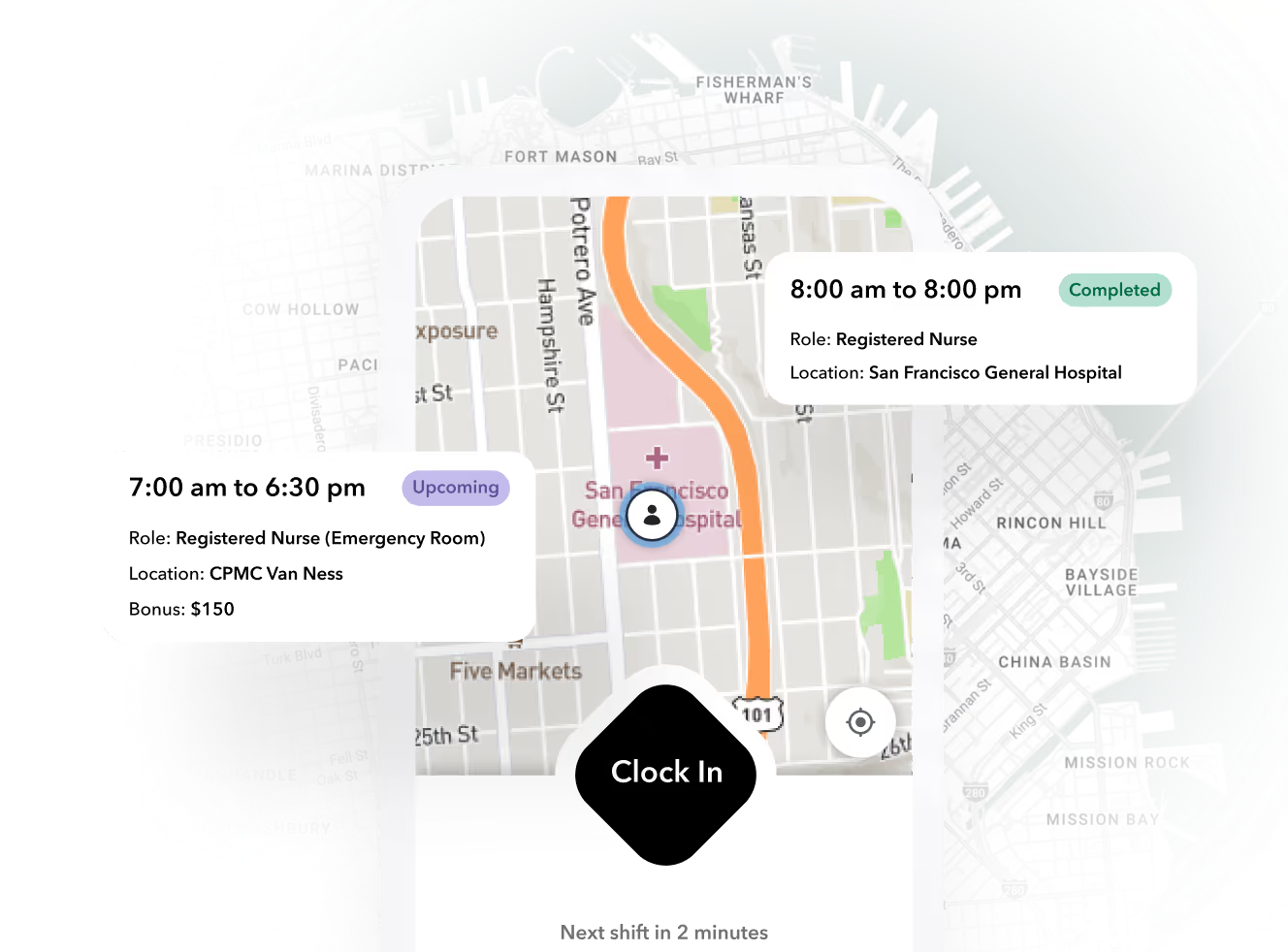


This explainer defines what the category actually covers, walks the workflow end to end, runs a worked operator scenario, compares the three ways buyers assemble the stack, and closes with a decision framework and payback math you can rerun with your own numbers.
What workforce management software actually is (and what it is not)
Workforce management (WFM) software is the system that plans, tracks, and pays hourly labor in one connected loop: scheduling, time and attendance, compliance rules, and the payroll handoff. Its unit of work is the shift. Its core question is simple: did the right person, with the right credentials, work the planned hours, and did those hours reach payroll correctly?
That is a different job from an HRIS or HCM suite. An HRIS holds employee data: records, benefits, performance, org charts. WFM runs daily labor execution. The confusion is real because vendors sell both under overlapping labels, and buyers get burned when an "HCM with scheduling" turns out to be a records system with a calendar bolted on.
The category is substantial and growing. Mordor Intelligence sizes the workforce management software market at USD 9.36 billion in 2025, reaching roughly USD 12.04 billion by 2031, with cloud deployments already at 63.81% of revenue in 2025. Growth is driven by mobile-first shift workforces and AI labor forecasting, which tells you where buyers are spending: on execution, not records.
Note
Category labels lie. When you evaluate any tool, ignore what the vendor calls it and ask one question: when a worker calls off at 6 a.m., does this system handle the backfill, the credential check, the time capture, and the payroll adjustment, or does my coordinator do that by phone?
The core workflow: forecast, schedule, verify, pay
Every WFM system, whatever the brand, has to connect four stages. When any stage lives in a separate tool, a human becomes the integration layer, and humans are slow, expensive integration layers.
- Forecast and plan. Translate demand (client orders, census, event calendars) into required shifts by role, site, and skill.
- Publish and fill. Push shifts to eligible workers, handle confirmations, and backfill call-offs without a coordinator texting forty people.
- Capture and verify time. Record clock-ins against the schedule, flag variances (late, early out, no-show, unplanned overtime) as they happen, not at payroll close.
- Push clean hours to payroll. Apply overtime, premium, and break rules, resolve exceptions, and export hours the payroll system can consume without edits.
The failure modes of a fragmented stack are predictable. Timecards get re-keyed from the time clock into payroll, which is where errors and buddy-punching disputes live. Overtime flags fire on Friday instead of Wednesday, when you could still swap the shift. A credential expires Tuesday night and nobody finds out until the worker is standing at a client site Wednesday morning.
AI is landing hardest at stages one and three: demand forecasting and autonomous exception handling. A 2024 Deloitte survey found that 68% of shift-based employers in Germany, France, and the Netherlands planned to pilot AI forecasting by end of 2025, up from 42% in 2023, per Deloitte's AI workforce planning research as reported by Research and Markets. The value is not the algorithm. It is that exceptions get handled while there is still time to act on them.
Ready to move?
Ready to see Teambridge in action?
Worked scenario: a 400-worker staffing agency on a Tuesday morning
Hypothetical scenario. Assumptions, stated so you can swap in your own numbers: 400 active workers, 12 client sites, a 6% same-day call-off rate, and healthcare credentials with weekly renewal churn. That call-off rate means roughly 24 open shifts hitting the desk between 5 and 8 a.m.
Without connected WFM. The coordinator's morning is a phone tree. Twenty-four call-offs become roughly 70 to 100 outbound texts to find confirmations. Three backfills are placed but one worker's CPR card expired last week; the client site rejects her at the door, and now that site is short and angry. Meanwhile, yesterday's punches sit in the time clock unreviewed. On Friday, payroll discovers eleven timecards with missed punches and three workers creeping into overtime nobody approved. The week ends in retroactive fixes and a client escalation.
With connected WFM. The 24 call-offs trigger automated fill workflows: the system offers each shift only to workers who are credentialed, available, and below the overtime threshold. Most fills confirm inside the app. The expired credential never reaches dispatch because the worker was ineligible for the shift in the first place. Yesterday's variances were flagged same-day; the coordinator cleared them Tuesday instead of reconstructing them Friday. Payroll receives hours with overtime and premium rules already applied.
The point is not that software eliminates call-offs. It is that the marginal cost of each exception drops from a 20-minute phone scramble to a background workflow, and the cost of each timecard error drops from a Friday investigation to a same-day flag.
Products discussed
Workforce Management Software: What It Does and Who It's For tools mentioned
Official marks identify the products materially discussed in this section.
Three ways to buy it: HR suite module, point solutions, or unified platform
There are three common architectures, and each wins somewhere. Being honest about the trade-offs matters more than picking a favorite.
| Dimension | HCM suite add-on | Point-solution stack | Unified WFM platform |
|---|---|---|---|
| Data flow | Good inside the suite; weak at shift-level execution | Fragmented; humans bridge the gaps | Single record from shift to pay |
| Exception handling | Reports after the fact | Each tool flags its own; nobody correlates | One exception queue across schedule, time, compliance |
| Admin burden | Low vendor count, high config effort | High: multiple logins, contracts, sync jobs | Low to moderate |
| Total stack cost | Hidden in enterprise contract | Looks cheap per tool, adds up with integration labor | One subscription; implementation is the cost |
| Best fit | Enterprises locked into a single-vendor HCM contract | A single team with one narrow problem | Shift-heavy, multi-site, compliance-sensitive operations |
Suite modules win when procurement simplicity dominates: a large enterprise already paying for an HCM and willing to accept a thinner scheduling engine. Point tools win for a single-site team that genuinely only needs, say, a better time clock. The unified platform wins when the pain is the seams: staffing, healthcare, live events, and security operations where a call-off, a credential, and a timecard are the same event viewed from three angles.
The five capabilities that separate real WFM from a time clock
In demos, verify these five things with your own scenarios, not the vendor's script:
- Schedule-aware time capture. Clock-ins validated against the published shift, with geofenced mobile or kiosk options, not punches floating free of any plan.
- Credential and compliance gating at clock-in. Expired license, missing orientation, over-hours risk: the system blocks or escalates before the shift starts.
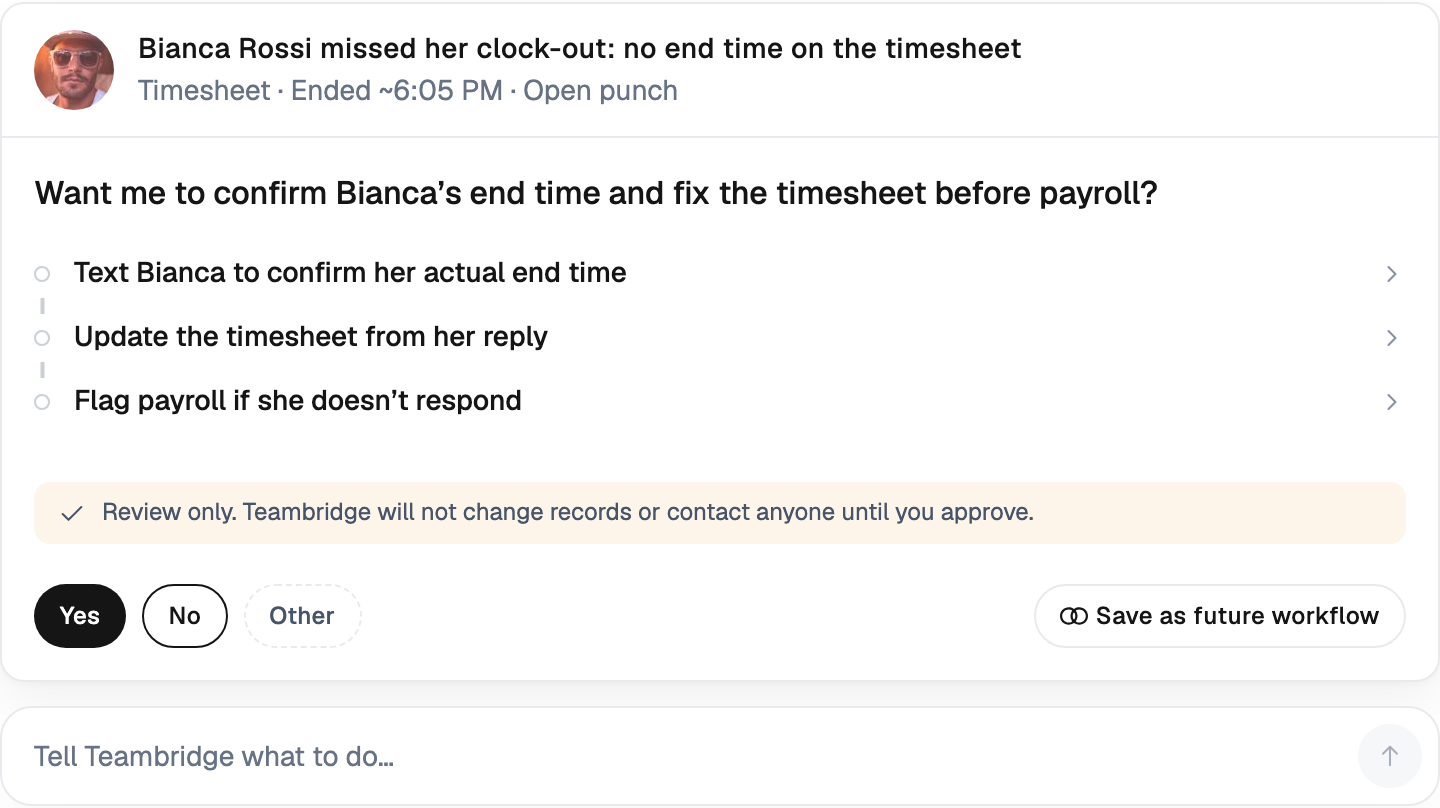
- Exception dashboards, not report-chasing. Open variances visible in a queue with owners, instead of a Friday export someone pivots in Excel.
- Clean payroll export. Overtime, premium pay, and break rules applied before export, so payroll is a review, not a reconstruction.
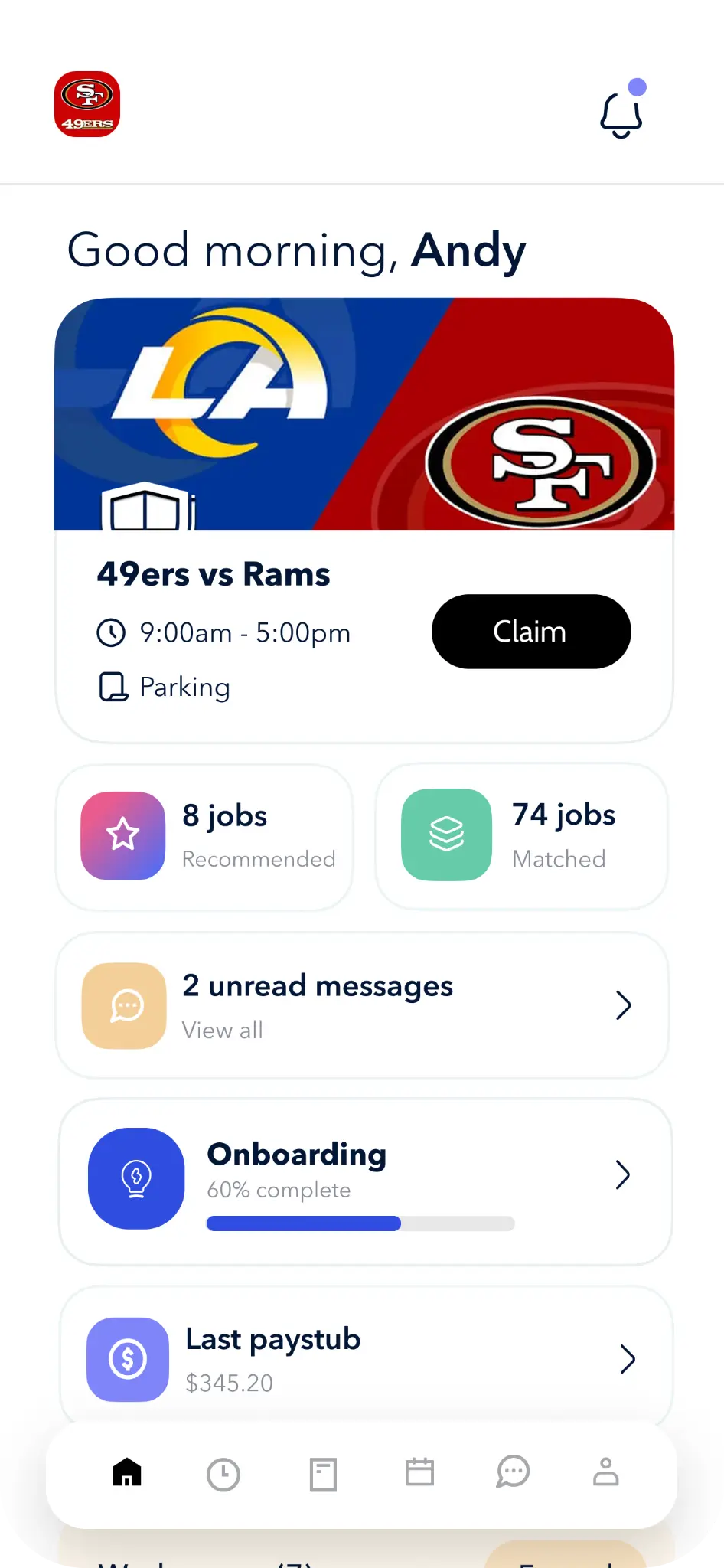
- Worker self-service. Shift claim, swap, availability, and documents from the worker's phone, because every coordinator-mediated request is labor cost.
One example of the unified approach: the Teambridge Admin Tools dashboard surfaces unfilled shifts and timecard exceptions in a single queue, and Document Studio tracks credentials against expirations so gating can happen at clock-in. That is one vendor's implementation of the checklist, not a claim that it fits every operation.
What it costs and how to model the payback
Most WFM is sold as per-employee-per-month subscriptions, and Mordor Intelligence reports cloud deployment at 63.81% of 2025 revenue, which means pricing has consolidated around subscription norms. The real question is payback, and you can model it in fifteen minutes.
Operator view
Worked payback model for a 250-worker operation
Hypothetical example. Every number is an assumption you should replace with your own data before using this to justify a purchase.
- 01Count coordinators: 3 schedulers at a loaded cost of $32/hour.
- 02Estimate time on backfills and timecard cleanup: 12 hours per coordinator per week, 36 hours total.
- 03Assume connected workflows recover two-thirds of that: 24 hours per week, roughly $770/week or $40,000/year.
- 04Add overtime leakage: assume 1.5% of a $7.8M annual payroll is unplanned overtime that earlier flags prevent, about $117,000/year, discounted by half for realism: $58,500.
- 05Compare against subscription cost: 250 workers at an assumed $6 per worker per month, $18,000/year, plus a one-time implementation allowance of $10,000.
The two levers that matter are coordinator time and overtime leakage. If your call-off volume is low and your overtime is already controlled, the model will tell you the payback is thin, and you should believe it.
Decision framework: which approach fits your operation
Match the architecture to four variables:
- Workforce size and churn. Under about 50 workers with stable schedules, a point tool or even disciplined spreadsheets may be enough. Above a few hundred workers or with high churn, fragmentation cost scales faster than headcount.
- Shift complexity. Single site, fixed shifts: suite module or point tool. Multi-site, variable demand, same-day backfills: unified platform.
- Compliance exposure. Healthcare credentials, union rules, predictive scheduling ordinances: you need gating at clock-in, which is where suites and bolt-ons are weakest.
- Existing HRIS investment. If you are mid-contract with an HCM, keep it as the system of record and evaluate WFM that integrates with it rather than replaces it. HRIS holds the employee; WFM runs the shifts.
Teambridge's unified platform is built for the third and fourth rows of that table: shift-heavy, multi-site, compliance-sensitive operations in staffing, healthcare, live events, and security. It is not a fit if you need a full HRIS with benefits administration and talent management, and it does not run your payroll ledger; it hands clean, rule-applied hours to the payroll system you already use. That boundary is deliberate.
Concrete next step: before any demo, pull two weeks of your own call-off logs and timecard exceptions. Run them through the free workforce tools to size your backfill and overtime exposure, then ask every vendor on your list to process that exact data live. The system that handles your worst Tuesday is the one to buy.

About the author

Content Writer at Teambridge
Anis Nanai is a content writer at Teambridge, with a focus on workforce management and the realities of running hourly teams. He prioritizes conversations with customers, staying close to the market, and understanding how workforce needs are changing. His writing connects those concerns to practical decisions about scheduling, time tracking, staffing, and automation. He examines product developments through the questions that matter to operators: what does this solve, how would it work for my team, and what evidence supports it?
Company perspective: this author works at Teambridge. Customer outcomes are attributed to their published sources.
View LinkedIn profile