


Product
Is wishful thinking enforcing your policies?
For the first time ever, policy builder puts the power back in your hands to create policies in seconds, and enforce or flag them across your entire workforce stack.

Product Overview
The Teambridge Policy Builder
If your team is still checking credentials, approving exceptions, and policing rules by hand, you don’t have a process problem. Now, every manual decision that was a liability, becomes automatic.
Build your policies
Lorem ipsum dolor sit amet consectetur. Egestas egestas egestas phasellus sit faucibus vel. Lorem sed arcu diam aliquet.
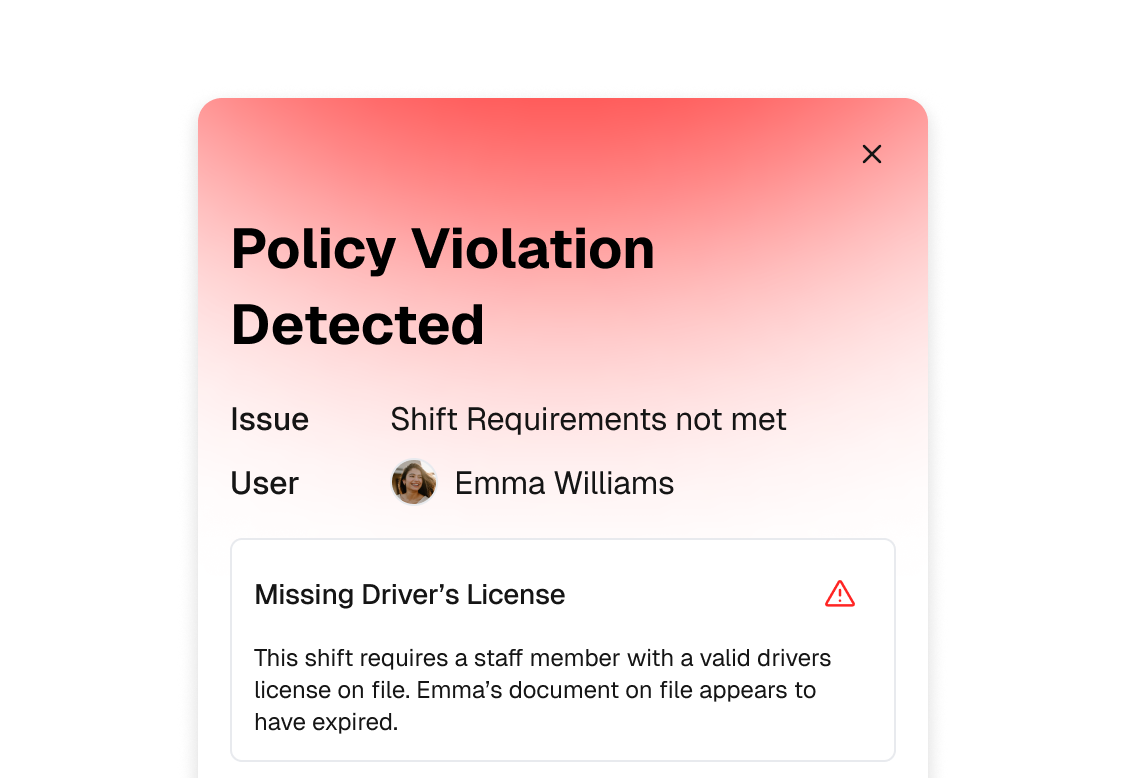
Real-time Enforcement
Lorem ipsum dolor sit amet consectetur. Egestas egestas egestas phasellus sit faucibus vel. Lorem sed arcu diam aliquet.
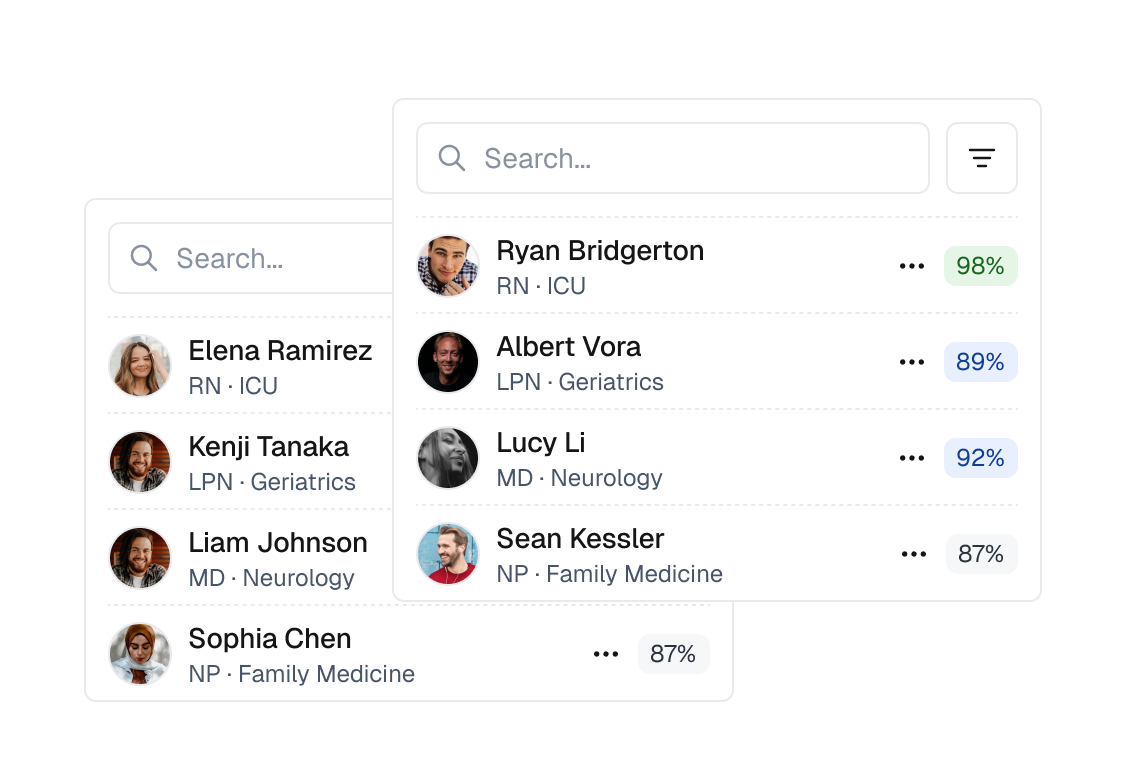
Create Ideal Matches
Lorem ipsum dolor sit amet consectetur. Egestas egestas egestas phasellus sit faucibus vel. Lorem sed arcu diam aliquet.
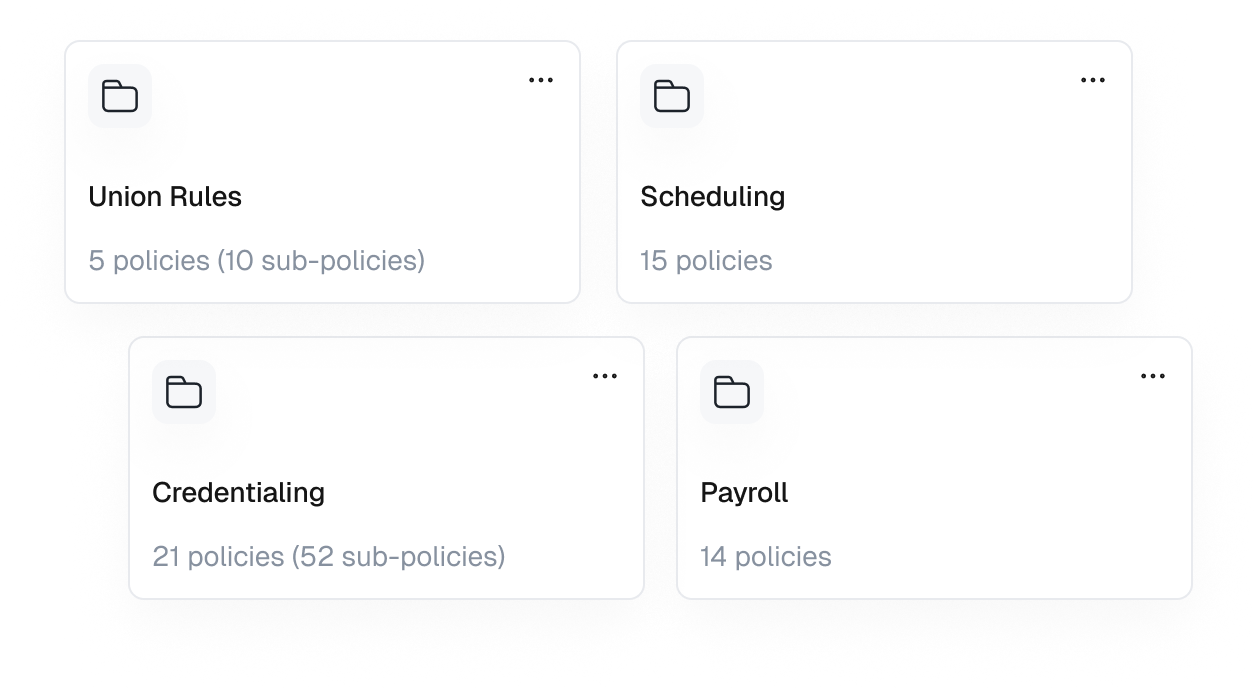
What kind of policies are we talking about?
Union and Compliance Rules
Hard rules. Zero exceptions.
Automatically enforce union contracts, facility agreements, and regulatory constraints, before a shift is ever offered.
If it violates a rule, it never happens.
FSLA Regulation
Stop paying penalties. Start enforcing labor law by default.
Overtime thresholds, rest periods, meal breaks, and wage rules are enforced in real time, without managers “doing the math.”
The system says yes or no. Not your schedulers.
Shift Matching
The right staff member. The right shift. Automatically.
Match workers to shifts based on license, credentials, experience, availability, location, and performance, without guesswork.
If they’re not eligible, they never see it.
Auto-Submit Job Matching & Preferences
Let workers opt in. Let policies decide.
Automatically submit workers to jobs they qualify for and actually want, based on preferences, pay rules, availability, and compliance.
More fills. Less chasing.
Rules of Engagement
Define how work actually gets done.
Set policies for cancellations, call-outs, approvals, shift swaps, escalation paths, and even client interactions.No ambiguity.
No “I thought it was allowed.”, or "I forgot".
Credentialing & Onboarding
No credentials. No work. Period.
Block shifts, trigger alerts, and enforce onboarding requirements automatically when licenses, certifications, or documents expire.
Compliance isn’t a process. It’s enforced.
Seeing is believing.
Let’s show you how it works.
Lorem Ipsum is simply dummy text of the printing and typesetting industry


Frequently asked questions
Lorem Ipsum is simply dummy text of the printing and typesetting industry. Lorem Ipsum has been the industry's
Policies are executable rules, not documentation.
They automatically decide who can work, what they can work, how they get paid, and what happens next. You can also use them to flag things, even good things you want to optimzie for.
Examples:
- If a nurse’s license expires in 7 days → block future shifts
- If a worker hits 36 hours → Add a flag for a manager to review
- Do not allow someone to work with less than the minimum required rest period between shifts
- If the employee has rated the shift type 5 stars in the past, suggest similar shifts
It’s a real policy engine.
Policies run in real time and actively optimize, flag, and block actions across the system.
Examples:
- Block a shift offer if required credential is missing
- Flag if overtime will be hit
- Optimize for employee preferences
Nope. Operations teams build policies themselves using a visual, no-code builder.
Well, if its a blocking policy it will never happen in our system. If its a warning or other type, you can decide what happens (i.e. Alert a manager, send a notification to the staff, add a note to their profile... using our automation engine you can do whatever you want.)
Yes. Policies have filters, and can even have sub-policies with filters for specific departments or divisions of your organization. They will only be evaluated if all the filters match the situation.
It is very different. Your current ATS system most likely has a basic set of matching rules that identify good candidates for a job. That's great, but what if you want to stand out from the next recruiting team over that has the same software? You can't.
With Teambridge's Policy Builder you can create custom matching rules that don't just benefit your recruiting team, they also take into account the candidates preferences.
What if that Nurse wants to be in a facility near a snowboarding mountain, or hiking trails? Now all that can be easily added on top of your Teambridge data to make the matching truly your own.
Traditional credentialing platforms require comples mapping of requirements. With Policy Builder you can leverage sub policies to simplify the entire experience. It can feel like magic to those coming from the old way, so please book a demo to see it live.