Helios, the AI admin in TeambridgeBeta
Hand off the admin.Helios does the work.
Prefer a walkthrough? Book a demo
Pick your industry.
See the jobs Helios takes on in your world and the rules it checks before it texts anyone.
Helios for healthcare
The work hospitals and health systems hand to Helios.
- You ask.
- Helios checks.
- People answer.
- You approve.

House supervisor
“Two RNs called off tonight on 4 West. Cover both from the float pool.”
What Helios does for hospitals and health systems.
Ask the way you would ask a coworker. These are real requests, what Helios did with each and where you stay in charge.
House supervisor
“Two RNs called off tonight on 4 West. Cover both from the float pool.”
- Found rested float and PRN nurses cleared for med surg
- Texted six of them, lowest weekly hours first
- Booked Maya and Luis and updated the 4 West schedule
You confirm both nurses before anyone is booked.

Medical staff office
“Chase every nurse whose license, BLS or ACLS expires in the next 30 days.”
- Found 23 nurses with a credential expiring before December 5
- Sent each a personal text with a link to upload the new card
- Reminds again at 14 and 7 days, then tells their manager
Nobody comes off the schedule without your sign off.

Payroll
“Fix missed punches and meal break exceptions before payroll closes.”
- Found 41 exceptions across 6 units
- Asked each nurse to confirm the missing punch by text
- Prepared the corrections and meal break premiums for review
You review every correction before it reaches payroll.

Nurse manager
“Set a rule: warn me before any nurse goes past 48 hours in a week.”
- Added the rule to every unit schedule
- Checks every swap, pickup and extra shift against it
- Warns you first and suggests who can take the shift
The rule only goes live after you approve it.
It brings you work, too.
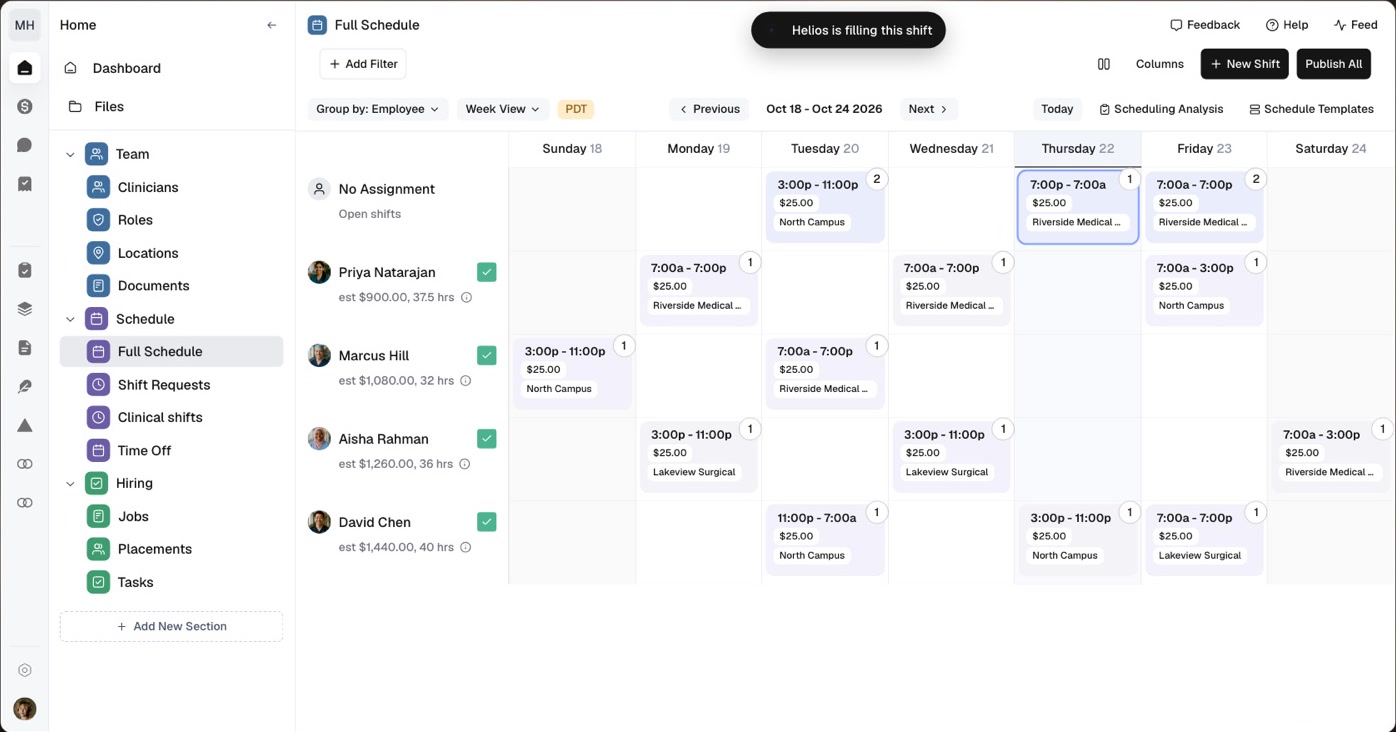
Helios keeps one inbox for your team. Some jobs you hand it. Others it proposes when it spots something, like a shift nobody has covered yet. Every job moves from New to Working to Done, and nothing moves forward until you approve it.
The work it covers
- Call offs and open shifts
- Attendance
- Credentials and compliance
- Schedules
- Time off
- Timesheets and payroll
- Invoicing
- Recruiting
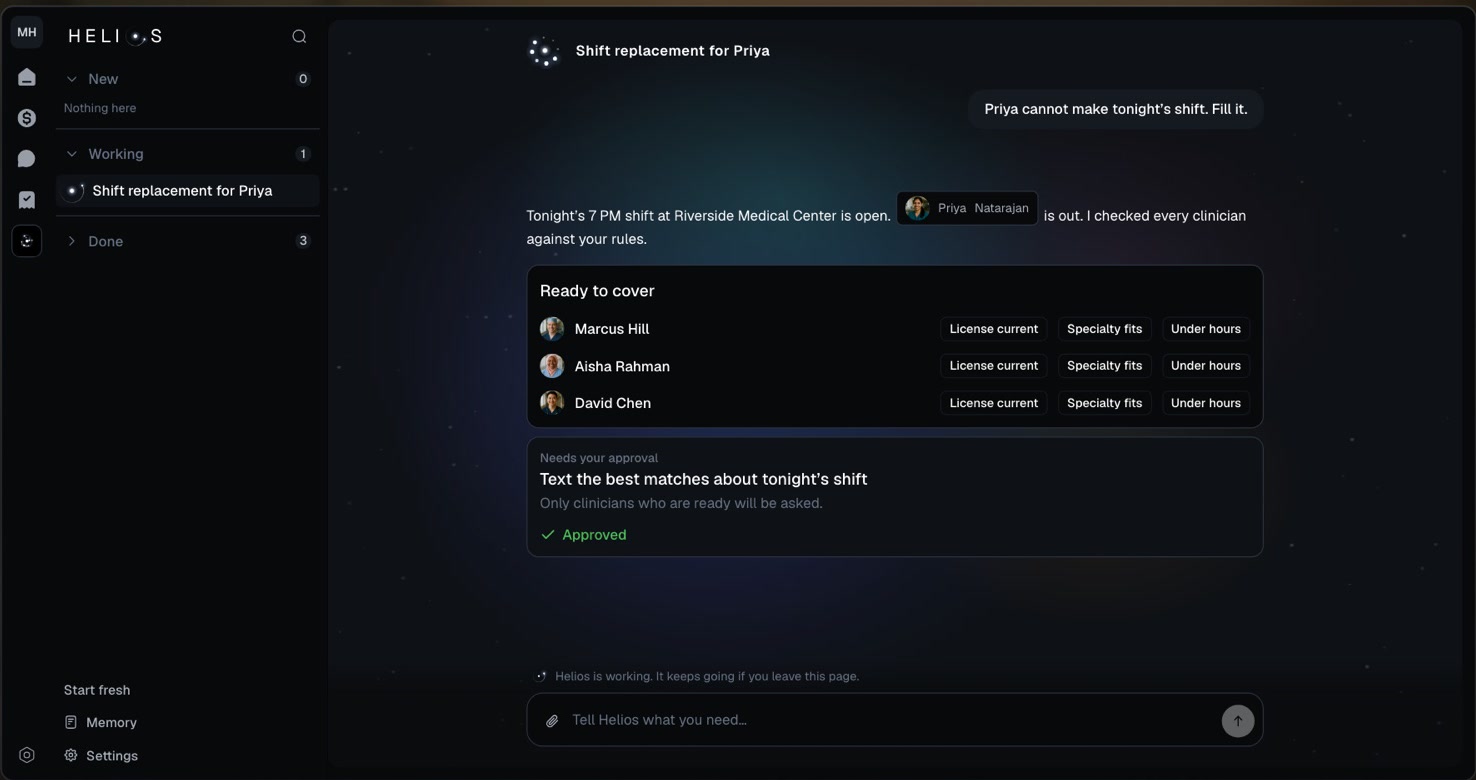
It works within your rules.
It asks before it acts
Helios shows you who it plans to text, who it plans to book and what it plans to change. Nothing changes until you approve it.
It follows your rules
Licenses, certifications, availability, hours and overtime limits are checked for every person before anyone is asked.
Only cleared people are asked
Workers who are not ready for the shift never get the text.
See how every job was done.
When a job is finished, Helios lists every tool it used for each step. Open one to check its work.
- Who it considered
- Every eligible person it found, ranked by match and distance.
- The rules it checked
- Every policy it ran, as a checklist you can read.
- Every text
- The full thread with each worker, in their own words.
- What changed
- Each record it updated, with the old value next to the new one.
Helios builds your workflows.
Describe what should happen and Helios builds the workflow: the trigger, the steps and the approval point, ready for you to turn on.
Helios sets up your account.
Answer a few questions and pick a starting point. Helios builds the rest with you in a few minutes.
Questions
- Helios is the AI admin in Teambridge. You tell it what you need in plain words, like covering a call off or chasing expiring licenses. It checks your people against your rules, texts the right workers and brings you the result to approve.
- Helios sets it up with you. Create an account, enter your website and pick a starting point for your industry, and Helios builds your account in a few minutes. It then works from the people, schedules, credentials and rules in your account, and you can add rules as you go.
- Helios asks before it acts. It shows you who it plans to text, who it plans to book and what it plans to change. Nothing changes until you approve it, and every step it takes is logged.
- By text message, from your company's name. Workers reply in the same thread and Helios reads the answer, so a yes to a shift comes back to you as something to approve.
- You can start for free. Create an account and give Helios work today. Plans and pricing are on the pricing page. See pricing
Let Helios set you up.
Tell it what your team needs. Helios builds your account with you, then takes on the work. Nothing changes until you approve it.