GPS geofencing time clock
Know where the punch happened and what needs review.
Capture mobile clock-ins with location context, apply site geofences, and keep exceptions connected to the worker, shift, and timecard.
Part of Teambridge Time and Attendance
Capability fit
Native where it matters. Configurable where operations differ.
Shipped in Teambridge
- Mobile clock-in and clock-out with GPS context
- Geofence boundaries configured around work locations
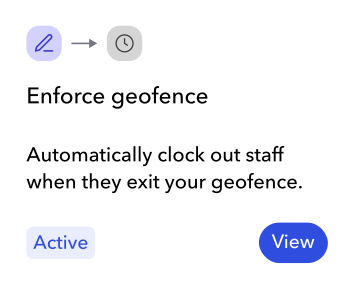
- Off-site punch prevention when the rule is enabled
- Timecard exception review tied to the scheduled shift
Configured for your operation
- Geofence shape and location rules
- Required clock-out questions and evidence
- Review queues, notifications, and follow-up workflows
- Site-specific time and attendance fields
Mobile time clock
Every phone becomesa smart time clock.
Workers open the Teambridge app and clock into the shift already waiting for them. One tap captures the time and location context without job-code searches or separate forms.
Today’s assigned shift
7:00 AM
to 3:30 PM

Maya Rodriguez
Registered Nurse
- Site
- North Campus
- Unit
- Patient care
Clock-in verified
Record ready for review
- Actual time
- 7:02 AM
- Location
- Inside geofence
- Scheduled shift
- 7:00 AM · North Campus
- Worker and role
- Maya · Registered Nurse

No manual match required.
Scheduled shift → mobile punch → review-ready time
Timecard review
Clean records move on.Decisions come to you.
Teambridge holds the schedule, punch history, location, and required fields together. Managers see the difference and the evidence in the same view.
Compare
Scheduled and recorded time stay together.
Understand
Worker, site, role, and history stay visible.
Decide
A manager resolves only the edge case.
Review queue
3 sample records to inspect
Missing clock out
Maya Rodriguez
North Campus · Registered nurse
Scheduled
7:00 AM to 3:30 PM
Recorded
7:02 AM to missing
Message preview
Please confirm when your North Campus shift ended so your manager can review the time record.
Sample draft. No message is sent.
Review details
Confirm the actual end time with the worker before recording a correction. Keep the explanation with the record.
Continue the evaluation
Review time exceptions without assuming intent
Use schedule, punch, location, correction, and approval context to investigate a time record fairly.
Explore this resourceFree toolScan timecards for structural anomalies
Check a timecard file for missing fields, duplicate rows, long durations, and unusual entries.
Explore this resourceHuman control
Clear limits make the workflow trustworthy.
GPS context is not biometric identity verification and should not be sold as eliminating buddy punching.
Teambridge does not claim tamper-proof or offline GPS clock-ins.
Time records are reviewed before payroll handoff rather than silently posted as final payroll data.
Product questions
Questions about gps geofencing time clock
How this workflow fits inside Teambridge Time and Attendance.
Yes. A configured geofence can prevent a worker from clocking in outside the permitted work location.
No. GPS provides location context. It is not biometric identity verification.
Yes. Location and geofence rules can be configured around the sites your operation uses.
Time and Attendance
Bring us the workflow your team runs today.
We will show what Teambridge ships, what can be configured, and where your managers keep control.