For staffing teams, evaluate that path across workers, assignments and pay periods. A dashboard total is useful only when the reviewer can trace it to the underlying records.
Include the worker’s record in the review
Outside perspective

Kristin García
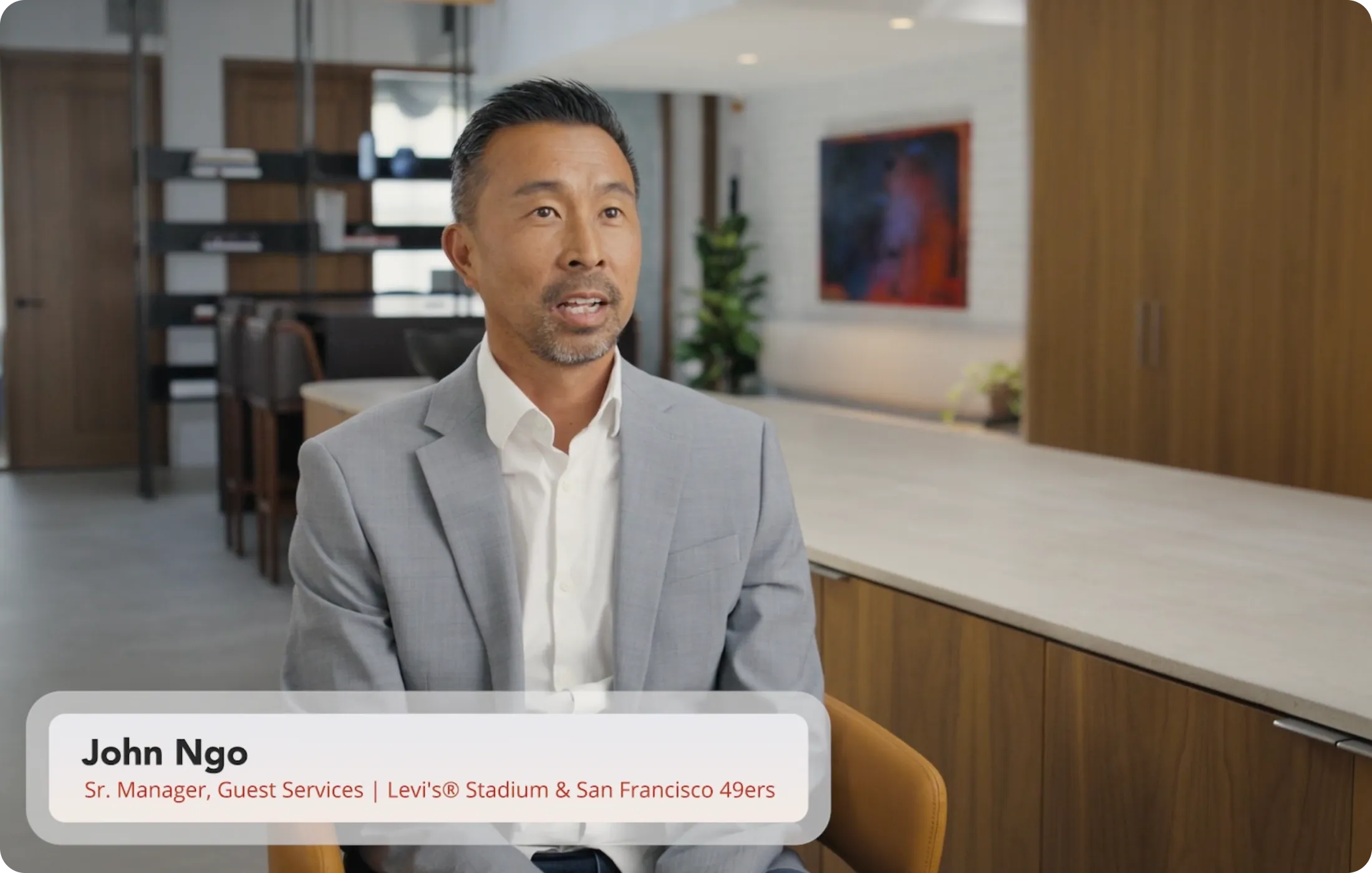
Identified as chief of staff for the U.S. Department of Labor Wage and Hour Division in the cited 2023 article.
García describes how workers can keep their own hours records when a clock fails, a website malfunctions or paperwork is lost. Her article presents the DOL app as a way to document work and expected pay.
Paraphrased from DOL-Timesheet App: Now Available in Spanish!, published January 26, 2023.
Cited for context. The author has not reviewed this article or endorsed Teambridge.
Photo: USDA / Tom Witham, March 28, 2024. Original photo downloaded unchanged. Image source. Public domain.
This is a historical explanation of the DOL app, not a legal opinion or a review of Teambridge. Our practical application is to give workers a clear way to raise discrepancies and supply information for a correction.
What connected information changed at Procare HR
Published customer story

Procare HR

Matt Strange
Chief Operating Officer, as identified in the story
Procare reported millions of dollars in labor savings for its clients after using Teambridge data and analytics.
The published story does not specify an exact amount, measurement window, or independent attribution method.
Read the original customer storyMatt Strange's published account describes bringing scheduling, attendance and payroll information together. Use that example to ask how information reaches a decision maker. It does not isolate the effect of one attendance feature or establish a savings rate for another business.
In a demonstration, choose one time record and follow it through the review process. Ask where the reviewer finds the associated work and what happens when the record needs correction.
Compare systems using the same review questions
A checklist of GPS, mobile access and reports leaves important behavior untested. Ask each vendor to demonstrate the following with a test record and the permissions your reviewers would have.
Identify the work
Evidence to request: The worker, assignment and period associated with the record
Investigate a discrepancy
Evidence to request: The original information and the available correction process
Approve the record
Evidence to request: The scope of approval and confirmation that it succeeded
Handle a failed action
Evidence to request: The state shown to the reviewer and how they recover
Prepare payroll output
Evidence to request: The required fields, transfer method and validation responsibility
Record whether a capability is demonstrated, configured for the exercise or still unverified. This is an evaluation framework, not a claim that every product exposes the same controls.
See exactly what Approve & Next does
Inside Teambridge
Confirm approval before moving on
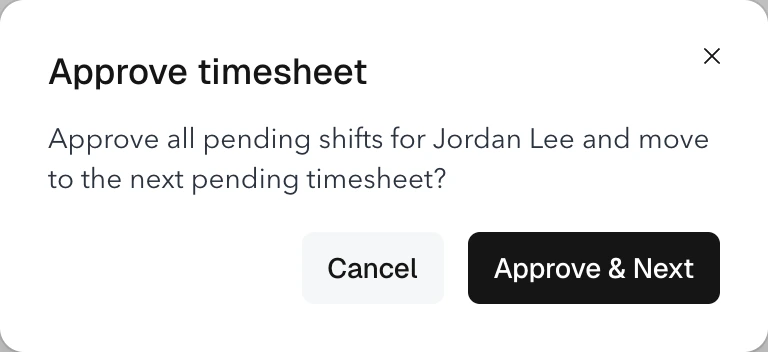
Check the worker’s name before confirming. Approve & Next approves their pending shifts for the pay period and continues to the next pending timesheet.
Rendered from Teambridge product components with fictional example data. Available controls depend on account access.
Follow the product guideIn Teambridge, Approve & Next applies to the worker's pending shifts in the pay period. It advances after successful approval when the next pending timesheet can be resolved. Approval does not export payroll or pay a worker.
The next pending record is resolved across the pay period, so a filter on the visible table does not necessarily limit the next review. Confirm the worker and period before approving. The timesheet guide explains these boundaries.
Keep the exception visible to its owner
Inside Teambridge
Choose how your team sees the work
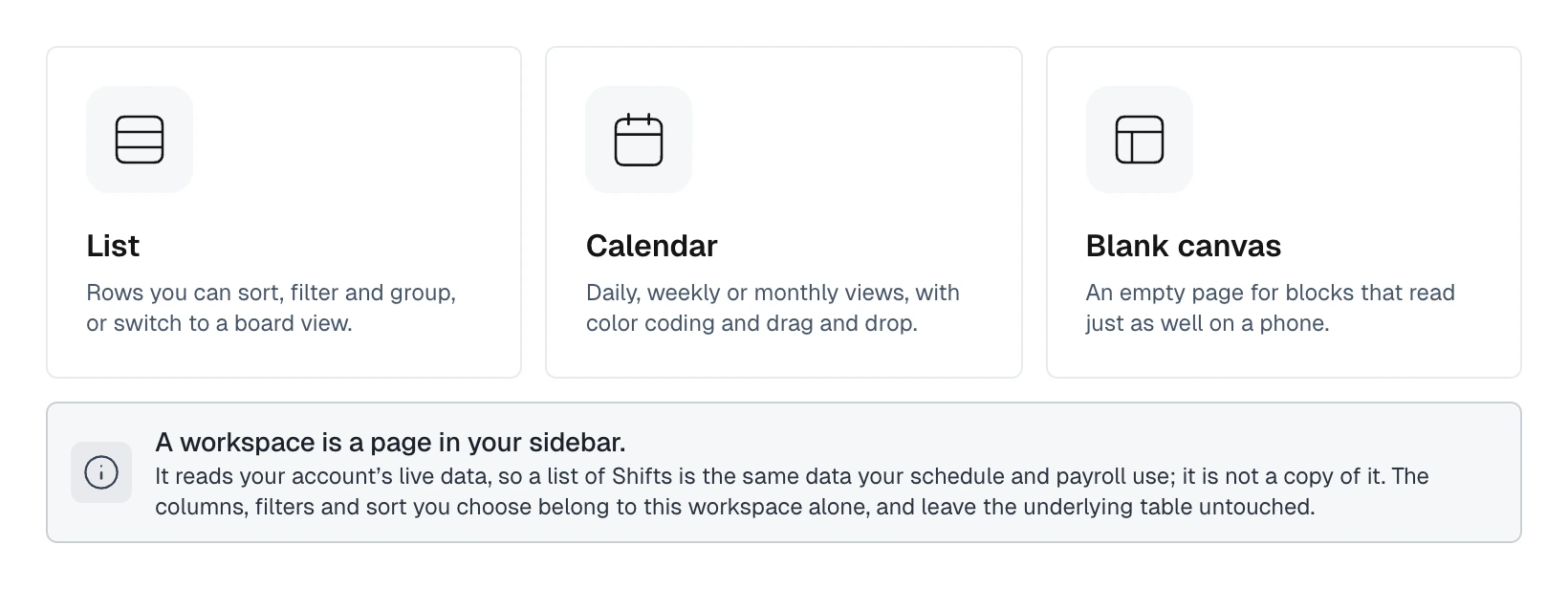
The workspace creation screen offers List, Calendar, and Blank canvas. A workspace reads live account data. Its columns, filters, and sorting do not change the underlying table. Options can vary by account.
Rendered from Teambridge product components with fictional example data. Available controls depend on account access.
Follow the product guideA focused workspace can help the reviewer find relevant records. The underlying permissions and operating policy still determine who may inspect or change them.
For an illustrative review queue, track the question, responsible person and next decision for each unresolved record. Avoid treating a missing clock event as proof of misconduct. First establish what happened and follow the organization's correction process.
A fictional example: Maya Chen's record shows a start but no end. The useful next action is to investigate and document the correction through the appropriate process. Automatically assigning a convenient end time would conceal the uncertainty.
Test a correction and a failed approval
Include three records in the acceptance exercise: one ready for review, one needing correction and one whose approval cannot complete. Check that the reviewer knows which state each record is in and that a failed action is not mistaken for a completed review.
Then validate the downstream output separately. Compare the worker, period, hours and required fields with the approved source records. Pay rules and legal questions need their appropriate owner; an approval button does not settle them.
Measure the queue before claiming time savings
For a stated pay period, record how many timesheets entered review, how many were approved, how many required correction and how many remain unresolved. Track elapsed review time only if the records support it. Identify reopened records and new arrivals separately.
These are suggested measurements, not Teambridge dashboard results. They give a buyer a repeatable way to evaluate a process before making a savings claim. Use the payroll and billing setup guide to review the next handoff with the person responsible for payroll output.

About the author

Content Writer at Teambridge
Anis Nanai is a content writer at Teambridge, with a focus on workforce management and the realities of running hourly teams. He prioritizes conversations with customers, staying close to the market, and understanding how workforce needs are changing. His writing connects those concerns to practical decisions about scheduling, time tracking, staffing, and automation. He examines product developments through the questions that matter to operators: what does this solve, how would it work for my team, and what evidence supports it?
Company perspective: this author works at Teambridge. Customer outcomes are attributed to their published sources.
View LinkedIn profile