Buyer guide
How to choose workforce management software for frontline teams.
The right workforce management platform should connect scheduling, time, communication, documents, compliance, pay, and AI workflows into one operating layer.
Selection snapshot
Choose for operating fit, not feature count.
Prioritize platforms that
- Staffing, healthcare, events, security, industrial, and field teams
- Organizations replacing spreadsheets and disconnected point solutions
- Operators that need measurable admin reduction and faster coverage
The operating difference
A clearer look, side by side.
Most tools cover scheduling, time, and attendance. The real question is whether the platform helps work get done when plans change.
- Traditional workforce management tools can centralize scheduling, time, attendance, and labor planning.
- Point solutions can be faster to evaluate when the workflow is narrow and well defined.
- Large suites can be useful when HR, payroll, and workforce standardization are the primary goals.
 Workflow view
Build schedules, fill open shifts, and manage sites from one admin workspace.
How it works
From open shift to covered, automatically.
The problem
Friday coverage
2 gapsThe workflow
ranking eligible workers
Maria S.
RN · 2.1 mi · available
James T.
RN · overtime risk
Lena P.
RN · restricted site
The outcome
Coverage
FilledMaria S. confirmed
RN · 7:00 PM · covered in 47s
47s
to fill
0
manager texts
$2.4M
annual labor savings reported by ProCare HR
40hrs
weekly admin time saved
100s
of tailored client workflows
Inside Teambridge
See the actual product.
Scheduling & admin tools
Build schedules, fill open shifts, and manage sites from one admin workspace.

Time tracking & approvals
Capture hours, breaks, and exceptions, then approve for payroll.

Team communication
Message workers across channels and track acknowledgements.

Worker mobile app
Workers claim shifts, clock in, and complete tasks from their phone.
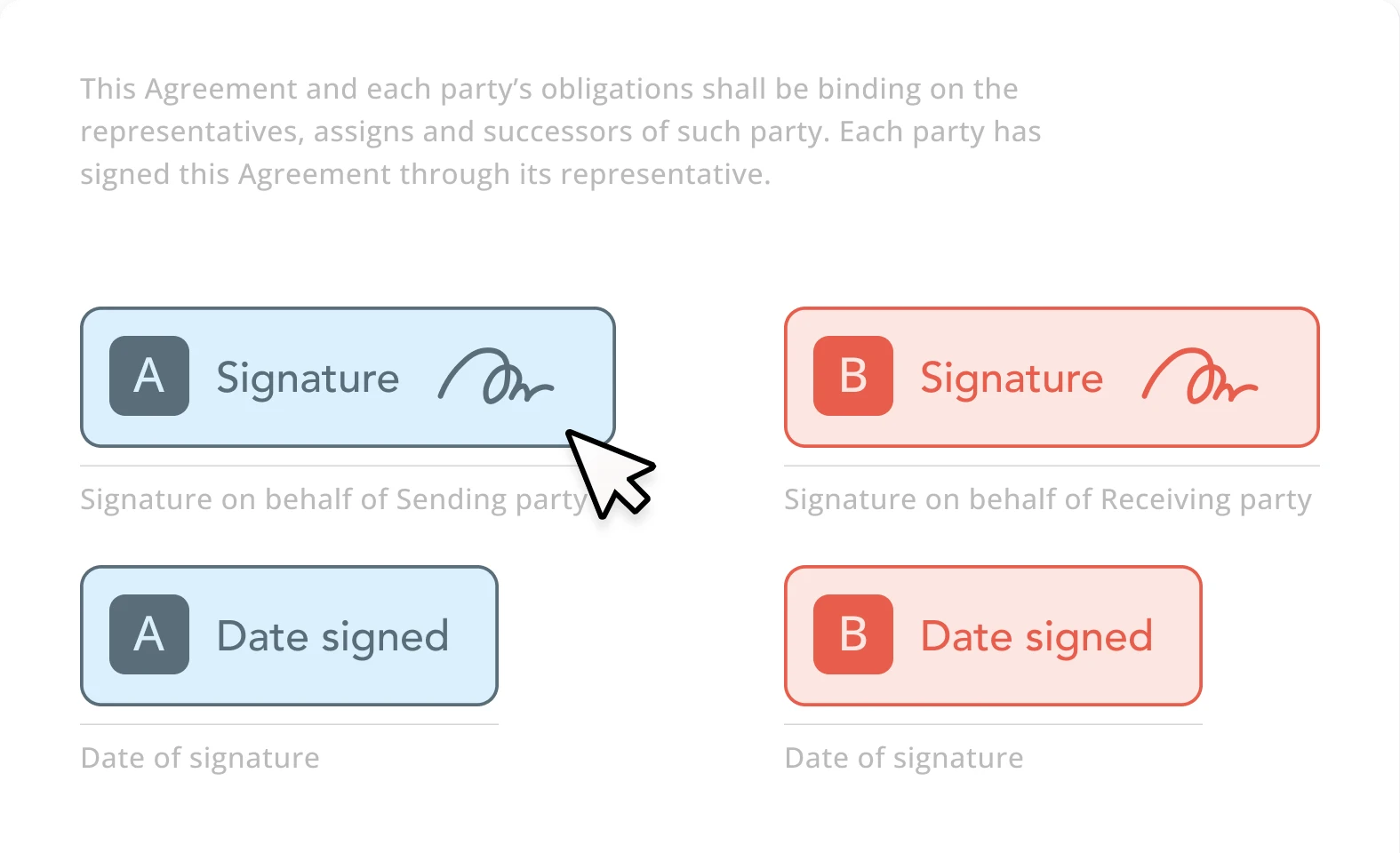
Documents & e-signature
Send forms, collect e-signatures, and store signed documents.
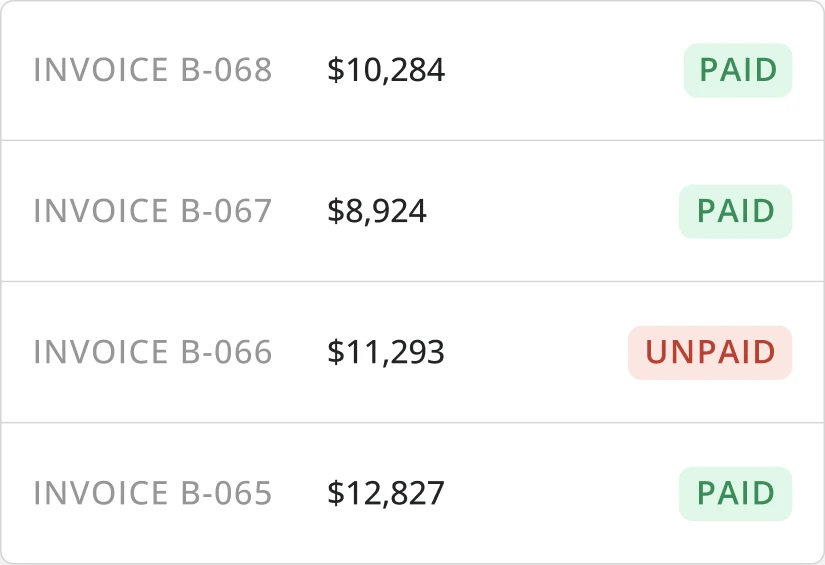
Invoicing & billing
Turn approved time and activity into client-ready invoices.
Side by side
What to look for, and what Teambridge adds.
What to evaluate
Three questions that actually matter.
Coverage and scheduling
Look for systems that do more than build schedules. The platform should help fill gaps, resolve callouts, and keep availability current.
Time and payroll readiness
Accurate time data depends on attendance verification, exception resolution, and clean handoff into payroll and billing workflows.
Automation and AI
AI should complete useful operational work: outreach, reminders, document follow-up, exception routing, and compliance checks.
Fair read
Where each platform fits.
Where traditional WFM is strong
- Traditional workforce management tools can centralize scheduling, time, attendance, and labor planning.
- Point solutions can be faster to evaluate when the workflow is narrow and well defined.
- Large suites can be useful when HR, payroll, and workforce standardization are the primary goals.
Where Teambridge is strong
- Connects workforce data to AI specialists that complete repeatable operating work.
- Works across scheduling, time, communication, documents, onboarding, compliance, and invoicing.
- Best suited to frontline teams where exceptions and follow-up create measurable admin drag.
Learn how it works
Go deeper in the docs.
Fill open shifts
How Teambridge moves an open shift to a confirmed assignment.
Open docControl overtime
Block or flag overtime before it reaches payroll.
Open docPlatform concepts
Collections, workspaces, access groups, and workflows explained.
Open docVideo library
Short walkthroughs of real Teambridge workflows.
Open docAsk Nova
Open any documentation page and ask Nova how to build a workflow for your operation: scheduling, compliance, payroll prep, and more.
Open the docsFAQ
Common questions
What is workforce management software?
Workforce management software helps organizations schedule, communicate with, track, pay, and manage workers. For frontline teams, it should also handle operational exceptions and compliance workflows.
What makes Teambridge different?
Teambridge is AI-native and built around frontline operations, connecting workforce data to workflows that reduce manual admin work.