

Reviewed September 2026
Automate the staffing workflow, not isolated tasks
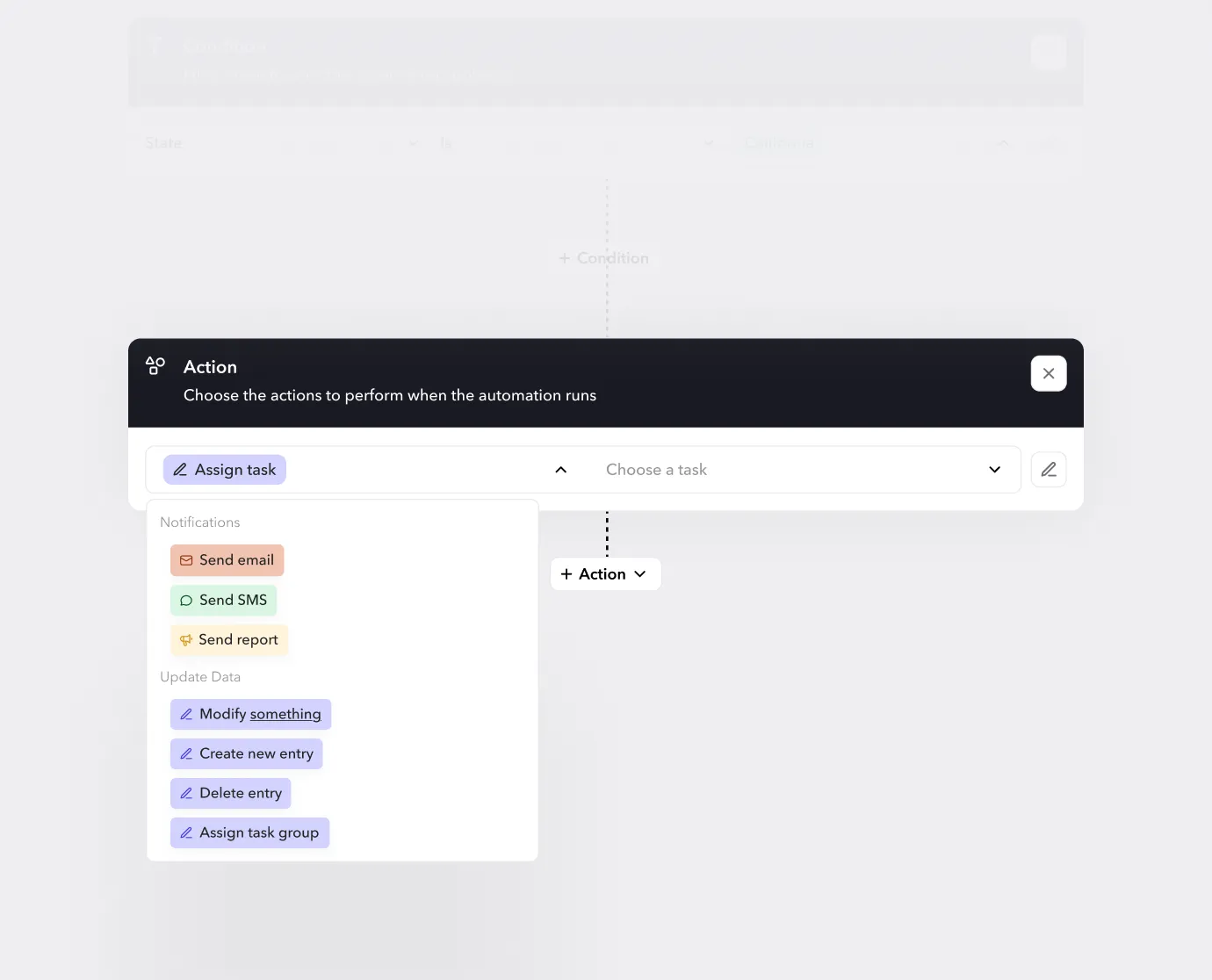
Staffing automation uses triggers, rules, messages, approvals, and system actions to move work forward with less manual follow up. The strongest opportunities connect a complete operating result, such as candidate readiness or open shift recovery, while keeping exceptions visible to a responsible manager.
Candidate to ready worker
Coordinate forms, documents, credentials, training, reminders, review, and the final readiness decision without hiding missing requirements.
Open shift recovery
Identify eligible workers, send relevant outreach, collect responses, enforce approval rules, and confirm the result back to the schedule.
Govern exceptions
Define who owns failed integrations, overdue approvals, incomplete records, unusual time entries, and decisions the automation cannot safely make.
Product boundary
Teambridge automates configurable workforce operations. It does not make employment decisions without configured rules and human ownership, and it does not replace an applicant tracking system or payroll engine in every stack.
If you’ve ever managed a frontline workforce, you know the chaos that comes with manual scheduling. Double-booked shifts, last-minute callouts, compliance slip-ups, and endless back-and-forth messages create stress for managers and frustration for staff. In fact, a 2025 Gallup report found that more than 25% of employees in the United States face unpredictable schedules, while nearly half say they have little or no control over their work hours.
By applying AI-driven tools to shift-based scheduling, organizations can use staffing automation to fill vacancies in real time, stay compliant with labor laws, and give employees greater control over their schedules—all from a single platform.
In this guide, we’ll explore how staffing automation works, the benefits it brings to different industries, and what to consider before implementing it.
What is staffing automation?
Staffing automation is the use of technology, often powered by AI and real-time data, to streamline the repetitive and time-consuming aspects of scheduling and contingent workforce management. Instead of juggling spreadsheets, phone calls, and last-minute texts, staffing agencies can rely on automation to match candidates to shifts, monitor compliance rules, and fill vacancies in minutes.
The concept has evolved quickly. Early staffing software focused mostly on digital record-keeping and basic scheduling. Today’s workforce automation tools go further by connecting scheduling, payroll, compliance, and worker communication in one place, while using machine learning to improve over time. That means less manual effort for you as a staffing agency and a smoother experience for your workforce.
It’s also important to distinguish staffing automation from traditional staffing software. Traditional tools often act as a database or scheduling calendar. When using them, you still need people to make decisions and push every update through. Staffing automation, by contrast, takes on those repetitive decisions for you. It’s designed to learn your rules, follow HR automation best practices, and adapt quickly to changing demands, so your managers can focus on higher-value work, like building client relationships.
Why staffing companies need staffing automation solutions in 2025
According to the 2024 State of Staffing Report, the belief that “recruiting automation is going to transform the staffing industry” jumped to 73% last year, marking an 11-point rise from the prior year. At the same time, almost half (48%) of agencies were already using AI for business purposes, with an equal share planning to adopt it at some point during the year.
These figures show that industry trends have been shifting rapidly toward automation-powered tools, and agencies that don’t adapt risk falling behind.
If you’re also looking for ways automation can make your day-to-day life easier, you’re probably familiar with these pain points:
- Manual scheduling eats up time and leaves room for costly and frustrating errors.
- Compliance issues lurk in shift patterns, overtime, and changing labor laws.
- Slow candidate matching means long vacancies and overworked hiring managers.
- Delays in reaching qualified candidates impact recruitment because traditional applicant tracking systems (ATS) often require manual updates.
- Tool sprawl drains administrative bandwidth, as managers switch between various systems to track background checks, assess new candidates, and manage outreach campaigns.
Hitting a little too close to home? With staffing automation, you can achieve:
- Faster fill rates to eliminate lingering empty shifts
- Lower overhead, less waste, and reduced manual labor by automating repetitive tasks
- Improved worker satisfaction made possible with real-time shift assignments, mobile-first coordination, and less friction
- Smarter workforce planning tools that forecast demand, align shifts, and optimize resources
- Automation that strikes the right balance by handling routine tasks while you provide a human touch within candidate relations
- Instant background check initiation and updates as part of your automated workflows
The bottom line is that you’re working in an industry where delays cost thousands, compliance mistakes lead to penalties, and candidate experience impacts your reputation. By embracing staffing automation, you can align your tech stack with HR automation best practices, such as automated risk checks, proactive candidate outreach, compliant scheduling, and intelligent candidate matching, all while maintaining the personal relationships that define excellent service.
Key features of staffing automation software
Staffing automation gives staffing agencies the tools to reduce admin work, move faster, and deliver a better experience for both clients and employees. Here are the core features that will help you make a big impact.
AI-driven candidate matching
Forget endless spreadsheets and guesswork. Modern platforms use AI workforce management to match the right person to the right shift in seconds. By analyzing skills, availability, and past performance, staffing agencies can use AI-powered tools to speed up placements while improving fit and retention.
With Teambridge, these recommendations feel less like a black box and more like a practical, usable tool that your team can trust. Automation can also extend beyond shift matching—think agent-led candidate screening and interview scheduling that keep your hiring pipeline moving without bottlenecks.
Built-in compliance automation
Staying on top of workforce compliance is one of the biggest headaches for staffing companies. Automated checks for labor laws, overtime, and certification renewals reduce the risk of costly penalties—and the stress on your admin team.
Teambridge bakes these safeguards right into your workflows to support compliance with minimal manual work. For staffing firms balancing multiple clients and worksites, compliance automation acts like a safety net, helping you maintain trust while focusing on growth.
Real-time vacancy filling and shift alerts
When someone calls out last minute, taking the old approach means dozens of frantic texts and calls. With employee scheduling apps, you can fill vacancies in real time, complete with automated shift alerts sent straight to workers’ phones.
Teambridge makes this even simpler by connecting scheduling with automated notifications, so you can fill gaps before they even cause disruption. And because the platform ties directly into the recruitment process, it can also help with sourcing standby workers and sending quick follow-up reminders, so nothing slips through the cracks.
Mobile-first team connection
Your workforce lives on their phones, so your staffing platform should too. Employee mobile apps give workers control to view schedules, accept shifts, swap with colleagues, and communicate with managers on the go.
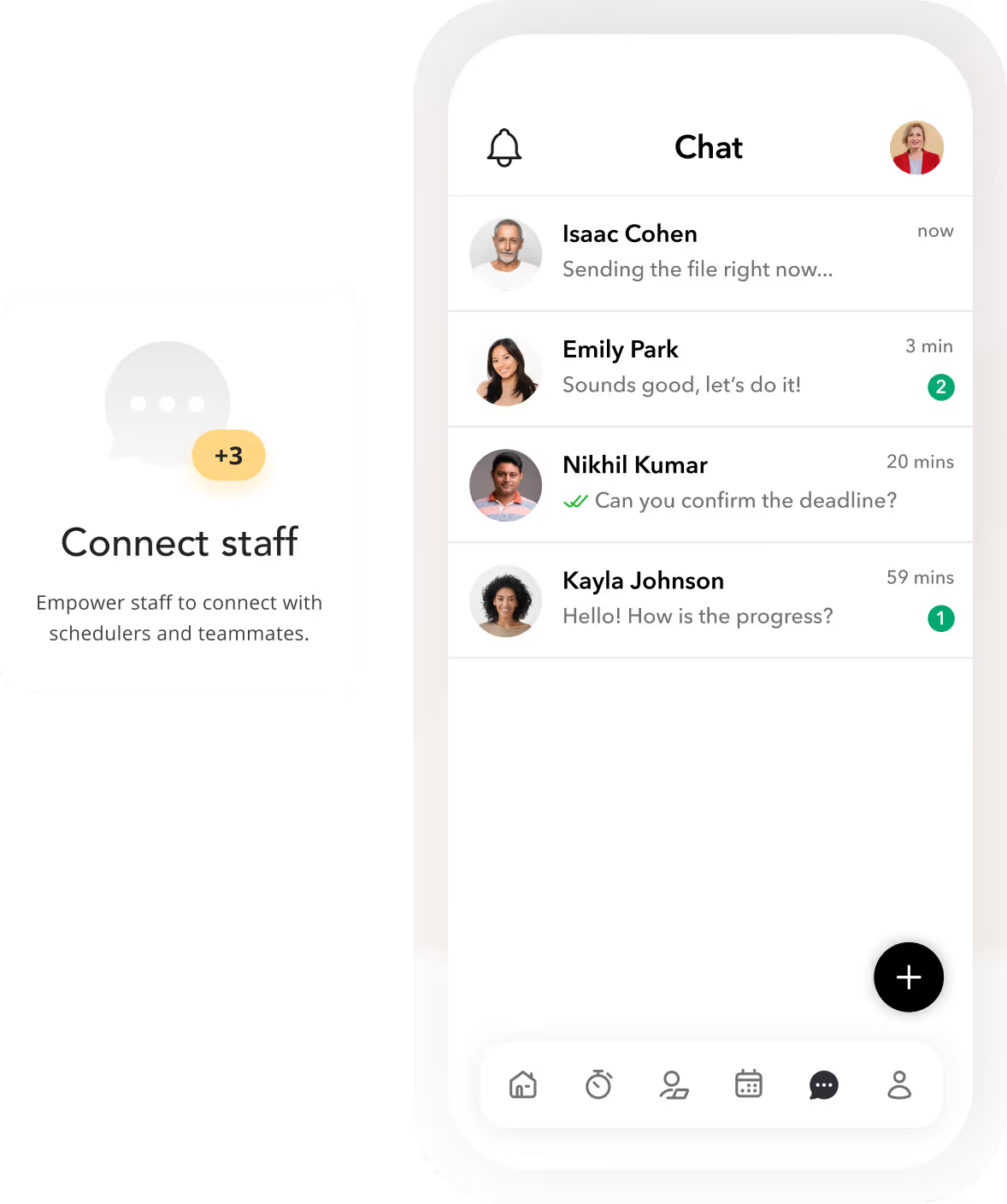
Mobile phone showing Chat feature with blurb about connecting staff with schedulers and teammates (Source)
The Teambridge mobile app pairs a modern, consumer-grade experience with the custom rules staffing agencies need. More self-service options for employees means fewer inbound calls for you and less admin time wasted on manual onboarding tasks or updates during the hiring process.
Analytics and performance insights
Data is the lever for smarter staffing decisions. Automation platforms now deliver real-time dashboards that report on fill rates, attendance, overtime costs, and worker performance. Instead of retroactive reports, you get proactive insights to improve margins and spot trends before they become problems.
With Teambridge, insights aren’t just static charts. They’re real-time, actionable, and embedded directly into your workflows. Our algorithms forecast demand, flag risks, and suggest next steps so you can improve outcomes before problems surface.
Industry-specific use cases for staffing automation
Staffing automation isn’t one-size-fits-all. The most effective platforms, like Teambridge, flex around the unique challenges of each industry, whether that’s 24/7 patient coverage, on-demand logistics, or rotating jobsite crews.
Healthcare: Ensuring consistent, 24/7 coverage
Hospitals and clinics can’t afford gaps in patient care, yet manual scheduling often leads to burnout, double shifts, or last-minute scrambles. Staffing automation helps healthcare agencies maintain safe nurse-to-patient ratios by filling open slots in real time, flagging compliance risks, and giving staff more visibility into their schedules.
Take Revv Staffing, for example. By leveraging Teambridge, Revv streamlined scheduling and reduced the stress of juggling constant shift changes, proving that automation can save time for administrators and improve stability for frontline workers. With the system handling the heavy lifting, leaders can step back from manual approvals and shift changes and use those metrics to guide smarter, long-term decisions.
Logistics: Last-minute delivery staffing
The logistics world runs on speed, and when a truck driver calls out, it can disrupt an entire delivery chain. Staffing automation makes it possible to respond instantly by identifying available, qualified drivers and pushing alerts through mobile apps. Instead of wasting hours on phone trees, dispatchers can source replacements and confirm coverage in minutes.
This protects client commitments and reduces the cost of delays. By connecting scheduling directly to your job descriptions, staffing automation ensures you’re not just filling a seat, but assigning the right driver with the right credentials every time.
Construction: Flexible on-site crews
Every project site has its own unique demands and obstacles, including weather delays, safety certifications, and fluctuating timelines. Staffing automation gives construction firms a way to adjust crews dynamically without drowning in manual admin work.
Need a couple extra electricians for just a week, or to scale down your crews once a project hits a key milestone? Automation helps you pivot fast, while ensuring compliance checks and shift alerts happen automatically. Crew members can confirm or swap shifts right from their phones, cutting down on no-shows and confusion. The result: more flexibility, less chaos, and work sites that stay productive, no matter how unpredictable the schedule.
Improve your operations with staffing automation
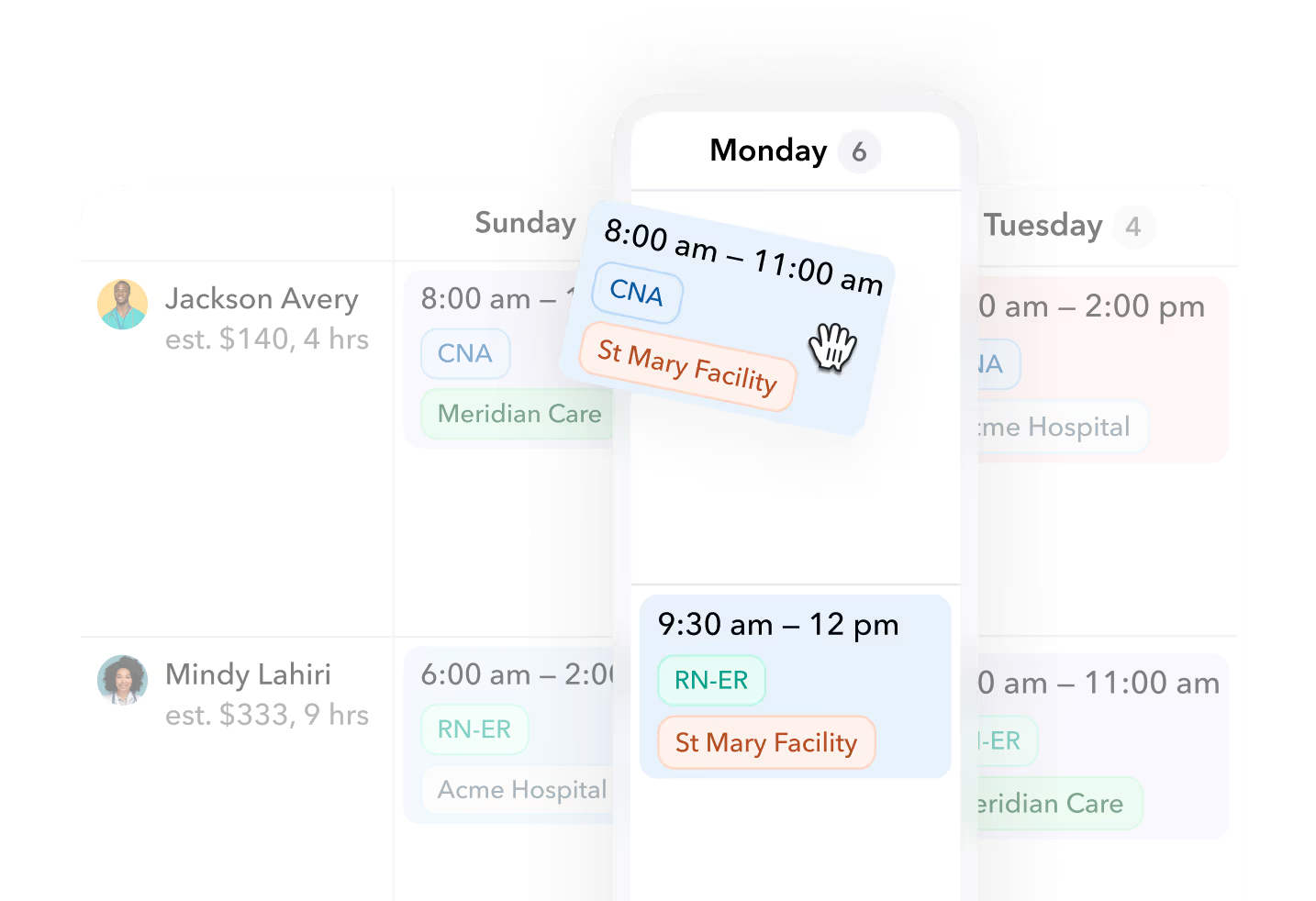
Drag-and-drop scheduler for Monday the 6th shifts (Source)
As we’ve seen, staffing automation transforms how staffing companies operate. By reducing manual tasks, improving compliance, and speeding up scheduling, automation frees you to focus on the most important function of all: building lasting relationships with your clients and workers.
The payoff is clear: lower overhead, faster time-to-hire, and happier employees who stick around. Plus, automation helps you place top talent in the right roles at the right time, strengthening your reputation in a competitive market.
If you’re ready to level up your staffing workflows with automation, consider Teambridge. Our composable staffing platform brings scheduling, onboarding, time-tracking, and mobile alerts together in one system designed to make your life easier.
Ready to see how it works? Book a demo today and explore how Teambridge scheduling can help you streamline operations and deliver better business outcomes.

Put this research into operation
Build triggers, rules, messages, approvals, and actions around the staffing workflows your operation already owns. workforce automation software.
Connect recruiting, readiness, scheduling, communication, time, and billing around the complete staffing operation. staffing agency software.
Use focused specialists for recurring operational work while preserving manager review and visible exceptions. AI workforce specialists.
About the author

Content Writer at Teambridge
Anis Nanai is a content writer at Teambridge, with a focus on workforce management and the realities of running hourly teams. He prioritizes conversations with customers, staying close to the market, and understanding how workforce needs are changing. His writing connects those concerns to practical decisions about scheduling, time tracking, staffing, and automation. He examines product developments through the questions that matter to operators: what does this solve, how would it work for my team, and what evidence supports it?
Company perspective: this author works at Teambridge. Customer outcomes are attributed to their published sources.
View LinkedIn profile